
Cleaning Businesses13 min read
How to Film Cleaning Videos for TikTok (Your Own Home as the Set, the Before and After, and the Yes List)
A plain filming guide for house cleaning businesses and maid services on TikTok: why your own home is the best place to film, when to film so it is never on a customer clock, a kit that costs under $50, how to light a small bathroom, the before and after shot step by step, an eight-clip shot list for the first clean video, the wording for a yes list, what stays out of every frame, how to film an empty move-out, how to film tips that are safe to copy, why the radio goes off, and a nine-line checklist for the car.
By Ryan MitchellHead of Creator Success at Viryze
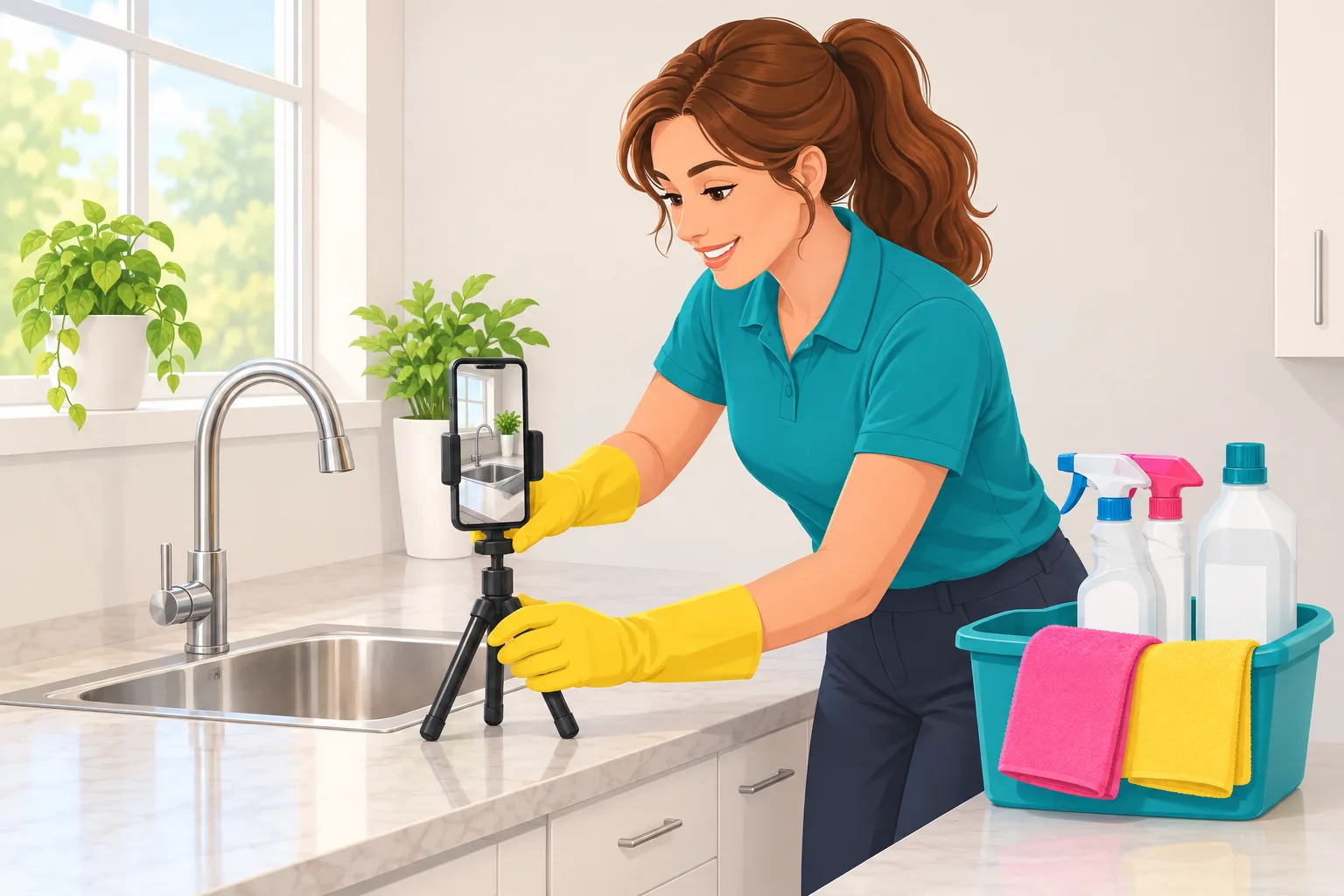
Most cleaning business owners already know what they would film. The shower door that goes from cloudy to clear. The answer to the question every new customer asks. The hard part is everything around the filming.
Where do you film, when your work happens inside other people's homes? When is there time, with four houses on the schedule? And why does a spotless bathroom look grey and dull on a phone screen?
This guide answers those questions in order. It is written for the owner of a house cleaning business or maid service, or for the teammate who was handed the company phone. You do not need any filming experience, and the whole kit usually costs under $50.
If you have not read it yet, our complete TikTok guide for cleaning businesses covers the plan behind all of this. If you are short on things to film, the 50 cleaning business content ideas give you the list. This article is about getting those ideas onto a phone without putting a customer or her home online.
The short version:
- Film most videos in your own home. Nobody has to give permission there.
- Put the phone on a small tripod, mark the spot with tape, and film one surface and your gloved hands.
- For a before and after, keep the same spot, the same light and the same day. No filter.
- A customer's home is in a video only with a written yes, and never on her time.
What This Guide Covers
- 1. Your Own Home Is the Set
- 2. When to Film
- 3. The Kit
- 4. Light in a Bathroom and a Kitchen
- 5. The Before and After, Step by Step
- 6. The First Clean Video: A Shot List
- 7. Filming in a Customer's Home: The Yes List
- 8. What Stays Out of the Frame
- 9. Empty Move-Outs
- 10. Filming Tips That Are Safe to Copy
- 11. Your Team on Camera
- 12. Sound, and Where to Find Music
- 13. The Checklist for the Car
- 14. When a Video Works
- Frequently Asked Questions
1. Your Own Home Is the Set
A coffee shop can film at its own counter. A cleaning business has no counter. The work happens in the most private place a customer has, and that place is not yours to show.
So start with a different question. Where can you film without asking anyone? There are four good answers, and the first one covers most of your videos.
- Your own home. You have a kitchen, a bathroom and a floor. A sink looks like a sink in any house. The first clean video, the tips, the answers to questions and most before and afters can all be filmed here.
- The car and the supplies. The open trunk, the caddy and the two of you in your shirts are the right picture for price videos and for "who comes to the door."
- An empty move-out. There is no furniture and no family. You still need a written yes from whoever is in charge of the property. Section 9 covers this.
- A home on your yes list. A few customers will agree in writing to let you film the surfaces you clean. Section 7 has the wording.
Is it honest to film in your own home?
Yes, as long as you do not pretend otherwise. You are showing your method, your products and your own work. Say it once in the video or the caption: "This is my own shower door." Viewers like that, because it means you clean your own home the same way.
The one thing you cannot do is let a surface get dirty on purpose and present it as a customer's. You do not need to. A stovetop after a week of family dinners is real enough.
Get your own home ready
Your home has private things in it too. Before the first session, pick one corner of the kitchen and one corner of the bathroom to film in. Take the papers off the fridge, move the mail, and clear anything with your name or your children's names on it.
When you film by the car, keep your house number and your license plate out of the picture. Park in front of a hedge, a fence or a plain wall.
2. When to Film
The rule here is short. Do not film on the customer's time. She is paying for two people and two hours of cleaning, and she should get all of it.
One session a week, at home
Thirty minutes, once a week, is enough for three videos. Pick a time with daylight, such as a weekend afternoon. A session might go like this:
- Minutes 1 to 5. Radio off, lens wiped, tripod on its tape.
- Minutes 6 to 20. One before and after. Twelve of those minutes are the cleaning itself.
- Minutes 21 to 25. One question from your question log, answered by the car or at the kitchen counter.
- Minutes 26 to 30. One tip. Then watch everything back.
That is a before and after for Sunday, a question for Tuesday and a tip for Thursday. It matches the three-videos-a-week rhythm in the main guide.
If you film in a customer's home
Keep it to one before and after a week, in a home on the yes list. Setting up and watching the clips back takes about ten minutes. Add those ten minutes to the end of the visit at your own cost, so the cleaning is not cut short.
Never let filming make you late for the next house. If the day is already running behind, the phone stays in the bag.
If a teammate does the filming, it is work, and it happens on paid time. Put the weekly session on the schedule like any other job, so it does not depend on someone remembering.
3. The Kit
You need four things, and you already own the expensive one.
- A phone. Any phone from the last few years films well enough. Use the camera on the back, which is usually better than the one on the front.
- A small tripod with a phone clamp. These usually cost $15 to $25. A short one stands on a counter or on the bathroom floor.
- A dry cloth for the lens. Keep it in the kit bag and never use it for cleaning.
- A roll of painter tape. It costs a few dollars, and it comes off floors and counters without leaving a mark.
One extra is worth thinking about. A clip-on microphone, usually $15 to $25, helps if you talk in a tiled bathroom, where voices echo. If you mostly add your voice afterward, you can skip it.
That is usually under $50 in total. You do not need a ring light, a separate camera or an editing program. The TikTok app can trim clips, speed them up, add text and add captions.
Keep the kit in one zip bag in the car, next to the clipboard. If setting up takes more than a minute, filming will slowly stop happening.
One more point about the phone. If the company has its own phone, film on that one. If a teammate films on a personal phone, move the clips to the company account the same day and delete them from the personal phone. Footage from inside a home should not sit in anyone's private camera roll.
4. Light in a Bathroom and a Kitchen
Bathrooms are the hardest rooms to film. They are small, the walls are white, and everything shines. Many have no window at all. A few habits fix most of it.
- Turn on every light and open the door. A dim room makes the picture grainy, and grain looks like dirt. Light from the hallway helps more than you would expect.
- Let the light come across the surface. Water spots and soap film show up when light hits glass from the side. Move the phone a step left or right until you can see the spots clearly on the screen. If the viewer cannot see the before, the after means nothing.
- Move away from glare. A bright white patch on a tap or a tile is the reflection of a light bulb. Shift the phone a little to one side until the patch slides out of the middle of the picture.
- Tell the phone what to look at. In a white room, a phone often makes the whole picture too dark or too bright. Press and hold on the surface you are cleaning. The phone will set the focus and the brightness for that spot and keep them there.
- Film mirrors and glass at an angle. If the phone faces a mirror straight on, you are in the video, and so is everything behind you. Stand to one side.
In the kitchen
Kitchens are easier, because most have a window. Film in the daytime, with the window to one side of the surface. Never point the lens at the window. The phone adjusts for the bright glass and the counter turns dark, and the view outside ends up in your video.
Stainless steel is a soft mirror. An oven door, a kettle and a fridge can all show the shape of the person holding the phone. Look at them in your test clip.
Hold the phone upright
TikTok is watched on a phone held upright, so film that way. A video filmed sideways shows up small, with empty bars above and below it.
5. The Before and After, Step by Step
The before and after is the video strangers watch twice. It is also a claim about your work. A viewer is deciding whether to believe it, so the two shots have to match in every way except the dirt.
That gives you three things to keep the same: the spot, the light and the day. The steps below use a glass shower door in your own bathroom.
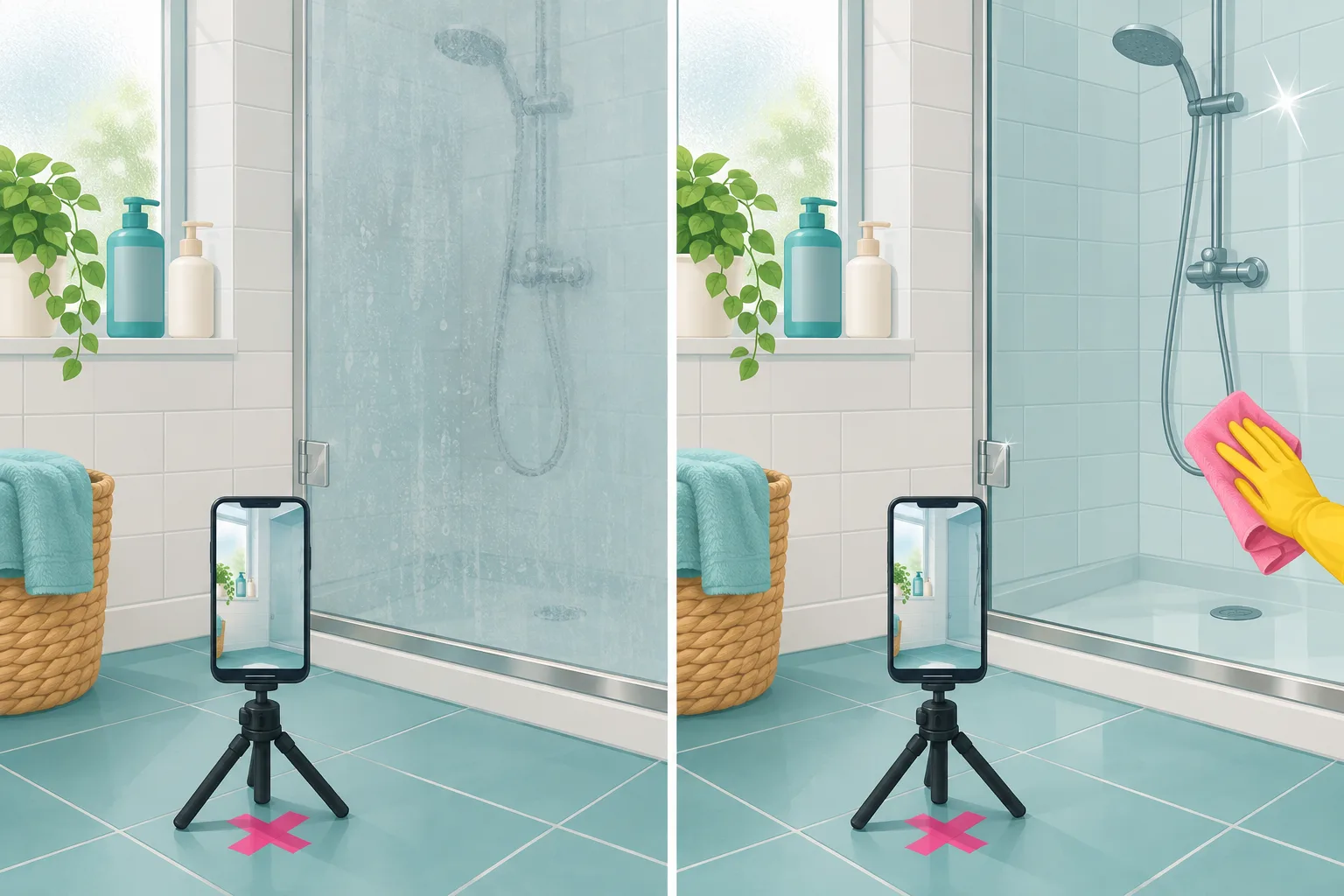
- 1. Pick one small surface. Choose something you can finish in about fifteen minutes: a glass shower door, a stovetop, a sink and faucet. A whole room is too much for one video, and it is much harder to keep private things out of the picture.
- 2. Take a glove off and wipe the lens. Product on a glove ends up on the phone, and a smeared lens makes clean glass look cloudy. Wipe the lens with a dry cloth that is kept only for that.
- 3. Set the tripod and mark the spot. Stand the phone upright and use the camera on the back. Put two small pieces of painter tape on the floor or the counter where the tripod stands. If the tripod gets bumped while you work, the tape puts it back in exactly the same place.
- 4. Check the edges and anything shiny. Film five seconds and watch it. Look at the corners of the picture. Then look at the mirror, the faucet and the glass, because each of them can show you, the phone or the room behind you.
- 5. Lock the focus and the brightness. On most phones you press and hold on the surface until a lock appears. This stops the phone from making the picture brighter halfway through, which would make the after look better than it really is.
- 6. Film ten seconds of the before. Keep your hands out of the picture and let the surface speak for itself. From this moment, do not touch the lights, the blinds or the door until the after is filmed.
- 7. Film the work without moving the tripod. Record the product going on, the wait and the wipe. You can leave the phone recording the whole time, or film three short clips. Work at your normal speed and wear your gloves.
- 8. Film ten seconds of the after, then one closer take. First film the after from the taped spot, with the same lights on. Then move the phone closer for a second take. Move the phone itself and do not use the zoom, because zooming makes the picture grainy.
- 9. Watch everything with the sound on. Check the edges, the reflections and the sound. If the clips are clean, you have a twenty-second video.
Cutting it down to twenty seconds
Cleaning the door takes about twelve minutes. The video should take about twenty seconds. In the TikTok app, trim each clip and speed up the middle.
| Part | About how long | What the viewer sees |
|---|---|---|
| The before | 3 seconds | The cloudy glass, held still |
| The product going on | 3 seconds | The spray and the first wipe |
| The work | 8 seconds | The scrub and the squeegee, sped up |
| The after | 4 seconds | The clear glass from the same spot |
| The closer take | 2 seconds | The corner that was worst |
Start with the most interesting moment. For most surfaces that is the before, held still for a second or two. People decide very quickly whether to keep watching.
Last, add three pieces of text on the screen: what the surface is, how long it took and the towns you serve. For example, "Shower door", "12 minutes" and the names of your towns. Without that text, the video earns views. With it, the video can earn a request for a price.
Keep the after honest
Do not add a filter. Do not turn up the brightness on the after. Do not wet the glass to make it shine. If the after looks better than the surface really does, the first customer who books because of that video will be disappointed in her own bathroom.
The same goes for the before. Show only your own work, filmed on the same day. Never use someone else's picture, and never use an old before with a new after.
6. The First Clean Video: A Shot List
The first clean video shows a new customer what will happen, from the text the day before to the message when you leave. It is the video most likely to turn a viewer into a customer. You film it once in your own home, pin it to the top of your profile, and update it when something changes.
Film it as eight short clips and not as one long walk. Hold the phone upright at chest height and move slowly. The words below come from the example company in our main guide, so swap in your own.
- 1. The text the day before. About five seconds. Type the message on your own phone and film the screen, with no customer name or address in it. "The day before, you get this text. It says who is coming and when."
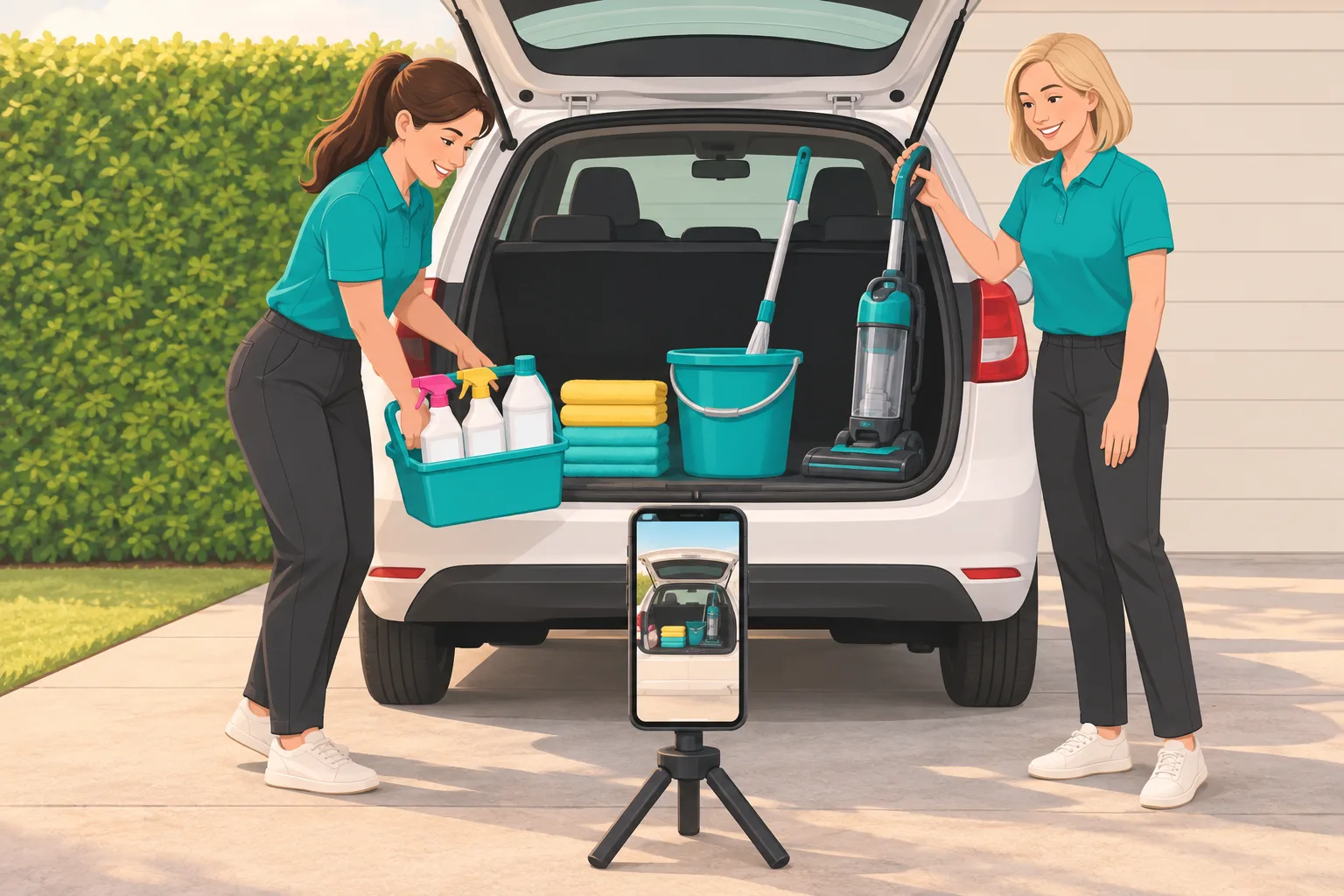
- 2. Who comes. About five seconds by the car, in your company shirts. "This is Ana. This is me. It is the two of us every visit, in this car, in these shirts."
- 3. What comes in. About five seconds on the open trunk: the caddy, the cloths, the mop and the vacuum. "We bring everything, including the vacuum. You do not need to buy or set out anything."
- 4. The kitchen. About eight seconds. Point at each thing as you name it. "We start in the kitchen. Counters, sink, stovetop, the outside of the appliances, and the floor."
- 5. The bathrooms. About eight seconds. "Then the bathrooms. Shower, tub, toilet, sink, mirror and floor." Film at an angle to the mirror so that you and the phone are not in it.
- 6. Dusting, and floors last. About six seconds. "Then we dust every room. Floors are always last, so we finish at the door."
- 7. What is not included. About five seconds, said plainly to the camera. "We do not do laundry or dishes. The inside of the oven, the inside of the fridge and the inside of the windows are extras you can ask for."
- 8. How we leave. About six seconds. Film your hand turning off a light, and your own front door closing from the inside. Then show the "all done" message on your phone. "Lights off, door locked, and you get this text." Do not show a key, a lockbox or a door code, even your own.
Together that is about fifty seconds. Put the price on the screen during the last clip. In the example company it would read: "Three-bedroom house. First clean $320. Then $160 every two weeks."
Why eight separate clips
Things change. You add a service, you change a price, or a new teammate joins. If the video is one long take, any change means filming the whole thing again. If it is eight clips, you film one clip again and swap it in.
Separate clips also let you film each part in good light. The kitchen and the car need daylight. The bathroom needs every light on. You can film them an hour apart and nobody will know.
Be careful with the phone screen
Two of the eight clips show a text message. Write those messages to yourself, or to a teammate, just for the video. Never film a real conversation with a customer, even with the name covered. An address, a pet's name or a door code can sit in the lines above.
7. Filming in a Customer's Home: The Yes List
You can run a good account for years without ever filming in a customer's home. Some owners still want one real before and after a week, and some customers are happy to help. The yes list is how you keep that safe for both sides.
This section is general guidance and not legal advice. Laws about filming in private homes differ from place to place, so check the ones that apply to you.
The wording
Add one line with a box to your service agreement. The box starts empty, and the customer ticks it herself.
The yes list line
"You may film the surfaces you clean in my home for your videos. No people, no family photos, no mail and nothing that shows where I live. I can change my mind at any time by text, and the videos will come down."
A customer who ticks the box is on the yes list. Two or three homes are enough. Never offer a discount for saying yes. A customer who feels she had to agree is not really agreeing.
Four habits that go with the box
- Ask again on the day. A tick from last spring is not a yes for today. Send a text the day before: "Would it be all right if we filmed your shower door tomorrow? Only the glass." If there is no answer, there is no filming.
- Say which surface. "Your home" is too wide. "The shower door" or "the stovetop" lets her picture exactly what will be online.
- Show her the clip before it posts. Send it by text and wait for an answer. She knows her home better than you do, and she may spot something you missed.
- Ask again before you pay to promote it. Being in a post and being in an ad are different things.
If a customer later asks you to take a video down, take it down that day and thank her for telling you. Do not ask why.
Who can say yes
The yes has to come from the person whose home it is. If a customer rents, or if an adult child books cleaning for a parent, the person who pays you may not be the only one with a say. When you are not sure, do not film there. You have your own bathroom.
8. What Stays Out of the Frame
These rules apply in every home, including a home on the yes list and including your own. The easy way to follow all of them is to film close. Point the phone at one surface and your gloved hands, and most of this list never comes near the picture.
- People. Nobody who lives in the home, and above all no children. If someone walks into the picture, the take is over. Stop and start again.
- Anything with a name. Family photos, mail, packages, calendars, school papers, and the notes and drawings on a fridge door.
- Medicine and cupboards. No pill bottles on a counter, and never the inside of a cupboard or a drawer. Move what is on the counter out of the shot and put it back exactly where it was.
- Where the home is. The view from a window, the front of the house, the house number, the street and a car in the driveway.
- How to get in. Keys, lockboxes, door codes and alarm panels. This one has no exceptions.
- Screens. A television, a laptop or a tablet can show a name, an email or a photo.
- Reflections. A bathroom mirror, an oven door, a dark window and a chrome tap can each show the room behind the phone. Look at every shiny thing in the clip.
- Voices and sounds. A phone can pick up a customer on a call in the next room, or a child being called by name. If you can make out words, mute the clip and add your own voice later.
Do not fix a clip. Film it again.
If something private is in a clip, delete the clip. Do not try to save it by cropping or by blurring. Filming it again takes two minutes, and you never have to decide whether a blur is good enough.
In the caption
Name the towns you serve, and never a street or a neighborhood small enough to point at one house. "We are in the north end on Tuesdays" is fine. Do not tag a location on a video filmed in a customer's home.
And never post about what you saw in a home, even without a picture and even as a joke. Your customers watch your videos. Each of them will wonder if the next story is about her. The main guide has more on the rules for homes, claims and reviews.
9. Empty Move-Outs
A move-out clean is the easiest real job to film. The rooms are empty. There are no photos, no mail and no family. The light is good, because the curtains are gone. And the work is heavy, so the before and after is strong.
It still needs a written yes. Ask whoever is in charge of the property, which may be the owner, a landlord or a property manager. The person who booked you may be a tenant who is leaving, and it may not be hers to decide. A text is enough: "May we film the oven and the bathroom for our videos? Nothing that shows the address."
What still stays out of the picture
- The front of the building, the house number and the view from the windows.
- A "for rent" or "for sale" sign, which names the address.
- The lockbox, the keys and any door code.
- Anything left behind with a name on it, such as mail or a label on a box.
Talk about the work, not the people
An empty home was someone's home last week. Do not say how they left it, and do not invite viewers to judge them. Write "Inside the oven. 40 minutes." and leave it there. A video that makes fun of a messy home tells every future customer what you might say about hers.
Empty rooms echo
A voice in a room with no furniture sounds hollow and hard to follow. Film the work in silence, and record your voice over the clip later, in the car or at home.
10. Filming Tips That Are Safe to Copy
A tip video is advice to thousands of strangers. Some of them will try it tonight, in a small bathroom with the door closed. So film every tip the way you would want a beginner to copy it.
- Never show products being mixed. The Centers for Disease Control and Prevention tells people never to mix bleach with ammonia or any other cleaner. Mixing can release gas that harms the lungs. One product at a time, on camera and off.
- Show the label being followed. If the label says to leave the product on for some minutes, show the wait. Put a short line of text on the screen: "Follow the label on your product."
- Wear your gloves on camera. Open a window or turn on the fan when the product calls for it, and let the viewer see you do it.
- Say which surface the tip is for. A product that is fine on tile can mark natural stone. "This is a glass shower door" takes two seconds to say.
- Film only what you have done many times. Skip the trick you saw last week and have not tried. If it damages a viewer's counter, your company name is on the video.
Words about germs
Be careful with "disinfect", "sanitize" and "kills germs." In the United States, a product that claims to kill germs has to be registered with the Environmental Protection Agency. The claims it is allowed to make are the ones printed on its label, for the surfaces and the wait time the label gives.
So say what you do and stop there. "We use a disinfectant on kitchen and bathroom surfaces, the way the label says" is accurate. "Your home will be germ-free" is not, and no clean can promise it.
The same care applies to health. Do not say a clean prevents illness or helps with allergies or asthma. Rules differ outside the United States, so check the ones where you work.
11. Your Team on Camera
A new customer wants to know who is coming. That makes your teammates some of the most useful people to show. It also has to be their choice.
A short written page avoids awkward moments later. Write it in plain words, give everyone a copy, and read it together once a year.
A six-line team page
- Being in a video is your choice. Saying no changes nothing about your houses, your hours or your pay.
- Videos you are in go on the company's own account and nowhere else.
- Filming happens on paid time.
- Paying to promote a video you are in is a separate question. We ask you each time.
- You can ask for a video to come down at any time, and it comes down that week.
- Nobody films inside a customer's home on a personal account. The company account and its videos belong to the company.
A yes on paper is not a yes for every day. Before you film, ask, "Are you okay to be in one today?"
Hands are enough for most cleaning videos. A teammate who does not want to be on camera can still do the work while the phone films only the surface. In the example company, Ana is happy to be named and seen. That is a choice Ana made, and the next person you hire may choose differently.
Rules about employees and the use of their image differ by place. Treat the page above as a starting point, and ask a local adviser if you are unsure.
12. Sound, and Where to Find Music
Turn off the radio, the television and any speaker before the phone comes out. A song playing in the background can get a finished video muted, even if it is quiet and even if you did not choose it.
The sounds of cleaning are the soundtrack
The spray, the scrub and the squeegee on glass are sounds many people enjoy. A phone a couple of feet from the surface picks them up well. For a before and after, they are often all you need.
The vacuum is different. It is too loud to talk over, and it drowns out everything else. Film vacuuming in short clips, and plan to cover it with your voice or with music.
When you talk
- Stand about an arm's length from the phone and face it.
- Talk outside the bathroom when you can. By the car or at the kitchen counter, your voice is clearer.
- Say prices slowly. "One sixty" is easy to mishear.
- Turn on captions in the TikTok app, and read them once to fix mistakes. Many people watch with the sound off.
- If you do not like talking on camera, film the clip in silence and record your voice over it afterward in the app.
If you want music
TikTok tells businesses to use its Commercial Music Library. It is a collection of tracks cleared for commercial use, and you can add them inside the app when you post.
You may notice that a popular song is not offered to your account. Treat that as the answer. Do not play the song from another phone or find another way around it. Music rules can change, so check TikTok's current terms for business accounts if you are unsure about a track.
13. The Checklist for the Car
Everything above fits on one page. Print it, and keep it on the clipboard in the car, next to the kit bag. Whoever films that day reads it first.
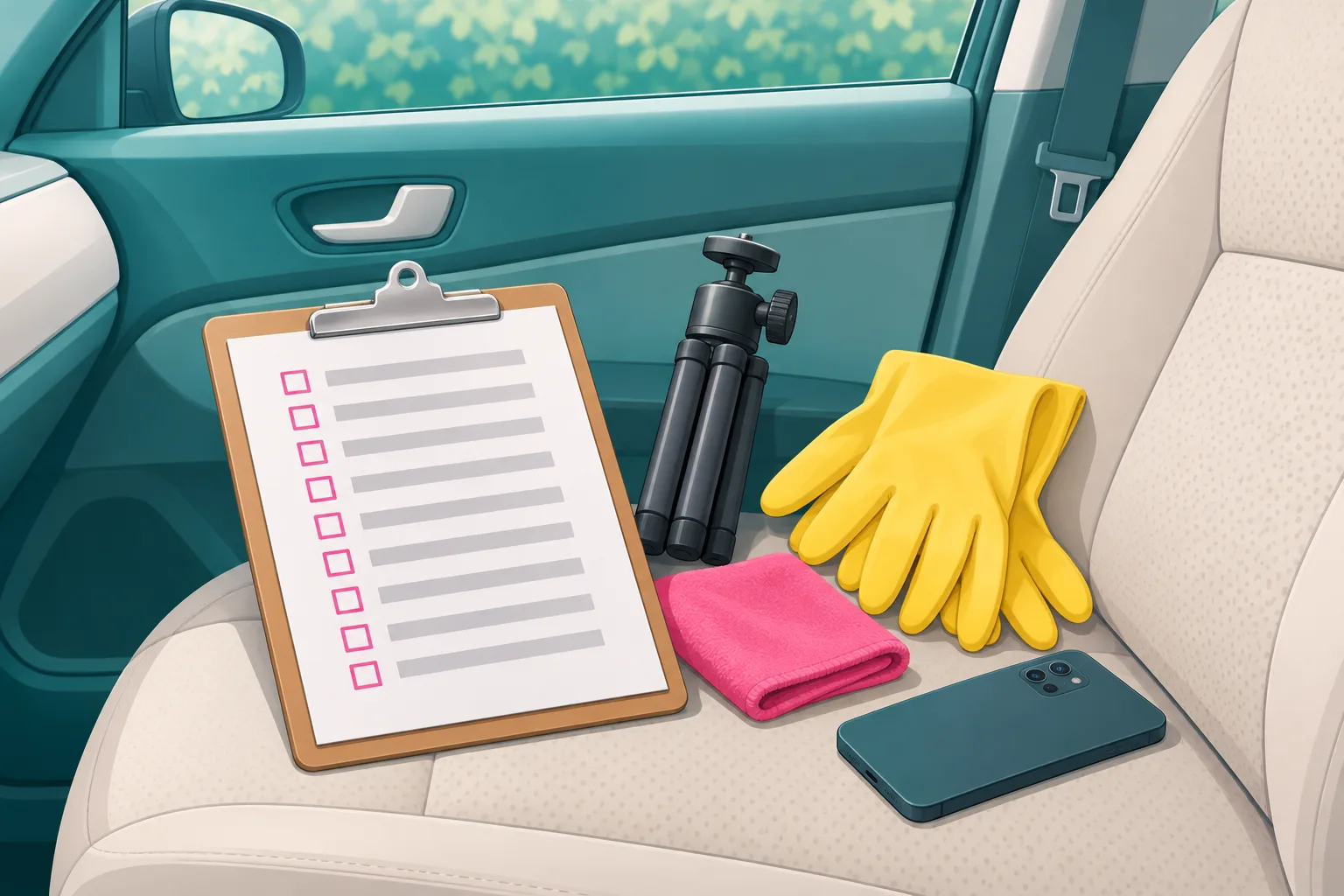
Before you film
- 1. Film at home first. In a customer home, only if she is on the yes list, and ask again today.
- 2. Never on the customer clock. Any minutes spent filming are added to the visit at our cost.
- 3. Radio, TV and speakers off. Before the phone comes out, not after.
- 4. Lens wiped, tripod on the tape, phone upright. Glove off first. Back camera, focus and brightness locked.
- 5. One surface and gloved hands. Film close. If a person walks into the picture, the take is over.
- 6. Same spot, same light, same day. No filter, and no brightening the after.
- 7. Nothing private in the picture. No people, photos, mail, names, medicine, windows, house fronts, keys or codes.
- 8. Products used the way the label says. Nothing mixed. Gloves on.
- 9. Watch it back with the sound on before it posts. Check the edges, the reflections and the voices. Then add what it is, how long it took and the towns we serve.
The last line matters most. Two minutes of watching before you post catches almost every problem in this guide. It is much easier than taking a video down after a customer has recognized her own kitchen.
14. When a Video Works
Film this way for a month and one video will do better than the rest. People will watch it to the end, and a few of the people who ask for a price will mention it. That is your sign that the video is worth showing to more people.
Start with the free steps. Pin the video. Film a second one in the same style. Answer the comments, because people often ask about prices and towns there. Our guide to local business TikTok marketing has more ways to reach people close to where you work.
Paying to promote a video comes after that, and only for a video that has already done well on its own. This is the part Viryze can take off your hands. You pick the video. Viryze shows it to several different audiences, sees which one follows for the least money, and moves the budget there. The promotion runs on your real post, as explained in our Spark Ads guide.
One caution applies to every tool and service, ours included. Check the location choices before you pay. A follower three states away will never take a spot on your schedule. If a service cannot keep a campaign close to the towns you serve, use it for videos meant for a wider audience, such as a before and after or a tip.
The filming rules still apply once money is involved. If a teammate is in the video, or if it was filmed in a customer's home, ask again before you promote it.
Frequently Asked Questions
Can I film inside the homes I clean?
Only with a clear written yes from the customer, and even then only the surfaces you clean. The simpler plan is to film most videos in your own home, by the car, or in an empty move-out with written permission from whoever is in charge of the property. In any home, keep people, children, family photos, mail, medicine, the view from a window, the front of the house, keys and door codes out of the picture. Laws about filming in private homes differ from place to place, so check the ones that apply to you. This is general guidance and not legal advice.
What equipment do I need to film cleaning videos?
A phone, a small tripod with a phone clamp, a dry cloth for the lens and a roll of painter tape to mark where the tripod stands. That is usually under $30. A clip-on microphone is a useful extra if you plan to talk in a bathroom that echoes, and it usually keeps the total under $50. You do not need a camera, a ring light or editing software beyond the TikTok app.
How do I film a before and after cleaning video?
Pick one small surface, such as a glass shower door. Put the phone upright on a tripod and mark the tripod position with tape. Lock the focus and the brightness, then film ten seconds of the before. Film the work without moving the tripod, and film ten seconds of the after from the same spot with the same lights on. Cut it to about twenty seconds and add three pieces of text: what the surface is, how long it took and the towns you serve. Do not use a filter or brighten the after, because the video is a claim about your work.
Do I have to show my face in cleaning videos?
No. Most cleaning videos need only a surface and a pair of gloved hands. The one place a face helps is the video that shows who comes to the door, because a new customer is letting strangers into her home. If you or a teammate would rather not appear, a voice over the picture and a clear view of the company shirts and the car still tell people what to expect.
Can I use popular songs in my cleaning business videos?
It is safer not to. TikTok tells businesses to use its Commercial Music Library, a collection of tracks cleared for commercial use, and not the general music library. A song playing on a radio or a TV in the background can also get a video muted, so turn everything off before you film. Many cleaning videos work better with no music at all, because people enjoy the sounds of the spray, the scrub and the squeegee.
What cleaning tips are safe to post?
Post tips you have done yourself many times, and show them the way the product label says to do them. Never show cleaning products being mixed. The Centers for Disease Control and Prevention tells people never to mix bleach with ammonia or any other cleaner. Wear your gloves on camera, say which surface the tip is for, and be careful with words like disinfect and sanitize, which belong to products that are registered to make those claims.
Filmed one that people watch to the end?
Start with your own bathroom, the tape on the floor and the nine lines on the clipboard. They cost almost nothing. Later, when one of your videos has brought in requests for a price and you want more people to see it, Viryze can put it in front of several audiences, find the one that follows for the least money, and shift the budget there. You stay on your route.
Related Reading
- TikTok for Cleaning Businesses: The Complete 2026 Guide - the full plan this filming guide belongs to.
- Cleaning Business TikTok Content Ideas: 50 Videos That Fill the Schedule - what to film once the tripod is on its tape.
- How to Film Airbnb Videos for TikTok (The Empty House, the Address Rule, the Cohost Agreement & the Property-Phone Rule) - more on filming inside a home without showing where it is.
- How to Film Landscaping Videos for TikTok (The Yes-Card Yard, the Address Rule, the Kids, the Crew & the Drone) - how another business that works at customers' homes handles permission.
- How to Film Coffee Shop Videos for TikTok (Quiet Hours, the Pour Shot and Customers Out of Frame) - the same tripod-and-tape approach in a shop.
- Local Business TikTok Marketing: Get Customers in Your Area - how to reach people close to where you work.
- Spark Ads on TikTok: Creator's Complete Guide - how to promote a post that is already on your account.