
Coffee Shops12 min read
How to Film Coffee Shop Videos for TikTok (Quiet Hours, the Pour Shot and Customers Out of Frame)
A plain filming guide for independent coffee shops and cafes on TikTok: the two quiet windows to film in, a kit that costs under $50, where the tripod goes at the end of the bar, how to use the light from the window, how to make steam and sound work for you, the pour shot step by step, an eight-shot list for the first visit video, how to keep customers, children, laptop screens and cup names out of the frame, a one-page agreement for staff, why the speakers go off, and a nine-line checklist for the wall.
By Ryan MitchellHead of Creator Success at Viryze
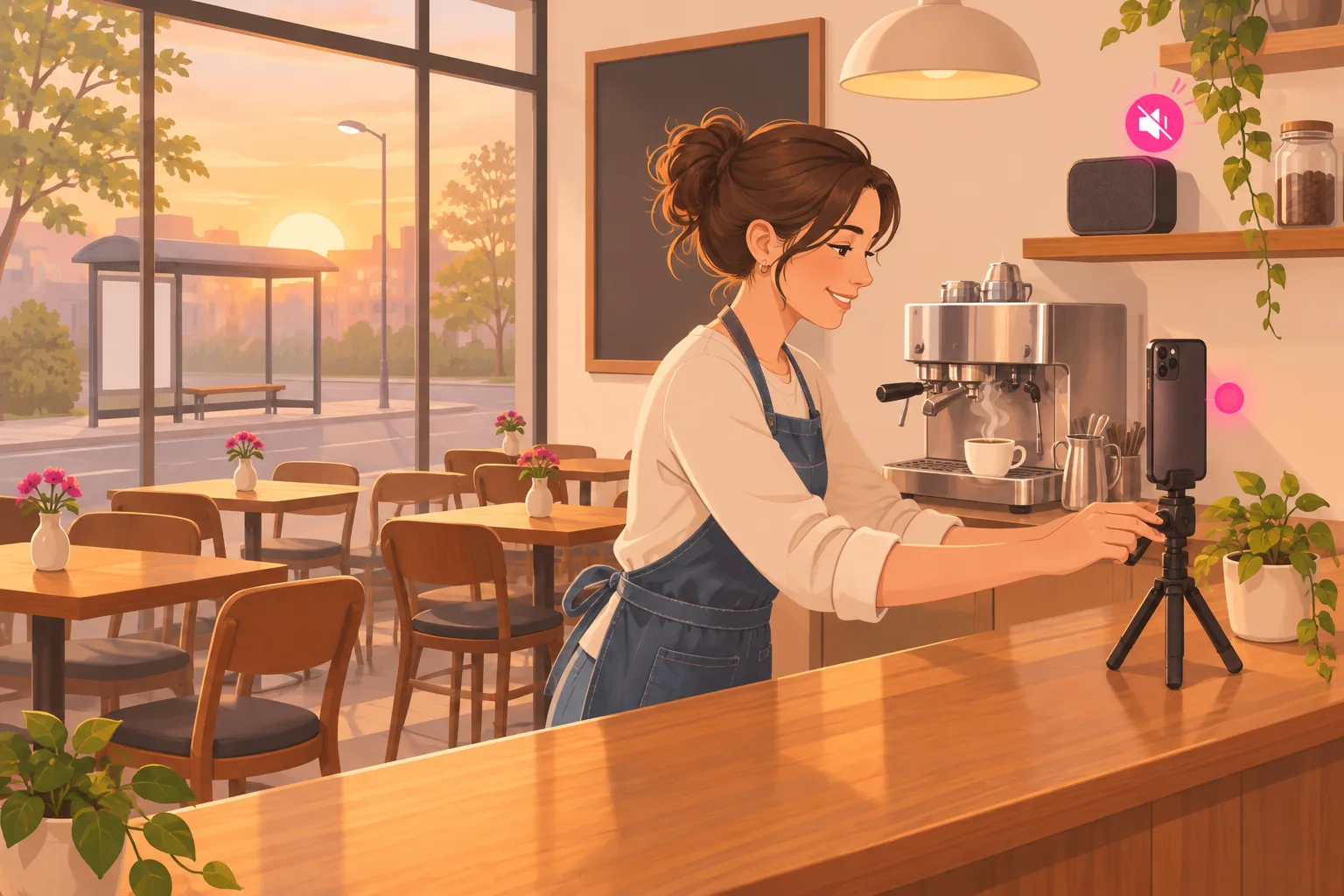
Most coffee shop owners already know what they would film. The pour. The first drink of the day. The answer to the question they hear ten times a week. The hard part is everything around the filming.
When is there time, with a line at the counter? Where does the phone go so it is not in the way? What about the man at the window table who came here to be left alone? And why does a beautiful latte look flat and yellow on a phone screen?
This guide answers those questions in order. It is written for the owner, the manager, or the barista who was handed the shop phone. You do not need any filming experience, and the whole kit costs under $50.
If you have not read it yet, our complete TikTok guide for coffee shops and cafes covers the plan behind all of this. If you are short on things to film, the 55 coffee shop content ideas give you the list. This article is about getting those ideas onto a phone without slowing the line or filming anyone who did not agree to it.
The short version:
- Film before opening or after the rush. Never during it.
- Put the phone on a small tripod at the end of the bar, pointed at the machine and your hands.
- Let the window light the cup from the side, and turn the speakers off.
- Keep customers, children, laptop screens and names on cups out of every video. Staff appear only if they want to.
What This Guide Covers
- 1. The Two Quiet Windows
- 2. The Kit
- 3. Where the Tripod Goes
- 4. Light From the Window
- 5. Steam and Sound
- 6. The Pour Shot, Step by Step
- 7. The First Visit Video: A Shot List
- 8. What Stays Out of the Frame
- 9. The Staff Agreement
- 10. Speakers Off, and Where to Find Music
- 11. The Checklist for the Wall
- 12. When a Video Works
- Frequently Asked Questions
1. The Two Quiet Windows
The first rule is the simplest one. Never film during the rush. A camera at 7:40 slows the line, and it puts people in your video who only wanted a coffee.
Most shops have two calm stretches in the day. Each one is good for different videos.
The half hour before the doors open
The machine is warm, the pastry case is full and nobody is in the room. This is the time for any video where you talk, because the shop is silent. It is also the time to film a walk through the empty shop.
The weak point is light. For much of the year it is still dark outside before opening, so drinks filmed now can look dull. Save most of the drink videos for the second window.
The lull after the rush
In many shops the rush ends around 9:30, and the next busy stretch does not start until about 11. Now there is daylight in the window. This is the time for the pour, the iced drinks and anything else that should look good.
There will be a few customers at the tables. That is fine, as long as the camera stays on the bar. Section 8 explains how to make sure it does.
How much time it takes
Twenty minutes, twice a week, is enough. In one session you can film three or four short clips, which is a week of videos. A session might go like this:
- Minutes 1 to 3. Speakers off, lens wiped, tripod on its mark.
- Minutes 4 to 10. One drink, filmed twice.
- Minutes 11 to 15. One question from the question log, answered to the camera.
- Minutes 16 to 20. One new thing, such as this week's pastry or a new bag of beans. Then watch everything back.
If a staff member does the filming, it is work, and it happens on paid time. Put the two sessions on the schedule like any other task, so they do not depend on someone remembering.
2. The Kit
You need three things, and you already own the expensive one.
- A phone. Any phone from the last few years films well enough. Use the camera on the back, which is usually better than the one on the front.
- A small tabletop tripod with a phone clamp. These usually cost $15 to $25. Pick one short enough to stand on the bar without blocking anyone.
- A clean, dry cloth for the lens. Keep it apart from the bar cloths.
One extra is worth thinking about. A clip-on microphone, usually $15 to $25, helps if you talk in a room with a loud refrigerator. If your shop is quiet before opening, you can skip it.
That is under $50 in total. You do not need a ring light, a separate camera or an editing program. The TikTok app can trim clips, add text and add captions.
Give the kit a home behind the bar, such as one mug on a shelf. If setting up takes more than a minute, filming will slowly stop happening.
One more point about the phone. If the shop has its own phone, film on that one. If a barista films on a personal phone, move the clips to the shop's account the same day, so the footage does not leave when the barista does.
3. Where the Tripod Goes
Stand the tripod at the end of the bar. Point the phone at the machine and at the spot where your hands work. This one position gives you most of the videos a coffee shop needs.
It is the best view in the shop, and it is also the safest one. From the end of the bar, the camera looks along the counter and away from the room.
What should be in the picture
- The machine, or part of it.
- Your hands and forearms.
- The cup, close to the middle of the frame.
- A plain, darker background, such as wood or the back wall.
What should not be in the picture
- The line, the tables and the door.
- The register screen, which can show a customer's name or order.
- The staff schedule, a delivery invoice or anything else with names on it.
- Bags, coats and other personal things that belong to the staff.
Hold the phone upright
TikTok is watched on a phone held upright, so film that way. A video filmed sideways shows up small, with empty bars above and below it.
Mark the spot with tape
Once you find a position you like, film ten seconds and watch it. Check the edges of the picture. When it looks right, put a small piece of tape on the bar where the tripod stands.
The tape does two jobs. Setting up now takes ten seconds. And whoever films next, the camera points at the same safe place. Nobody has to think about what is in the background.
4. Light From the Window
The best light in your shop is free. It comes through the front window. Daylight from the side makes milk look white, coffee look brown and steam look like steam.
Ceiling lights do the opposite. They shine straight down, which puts a shadow of your hands on the cup. They can also give everything a yellow tint.
Three rules for light
- The window goes to the side of the cup. Light from the side shows the shape of the cup and the pattern in the milk.
- The lens never points at the window. If it does, the phone adjusts for the bright glass and the cup turns into a dark shape. People walking past outside also end up in your video.
- If the picture looks yellow, move closer to the window. A small table by the glass works well for a finished drink.
When the bar is far away
In some shops the machine sits deep in the room, and the window light does not reach it. You still have two good options.
Film the making at the bar, and then carry the finished drink to the window for the last shot. Or film at the bar during the brightest part of the lull and turn off the ceiling light right above the machine, if that is safe to do.
When it is dark outside
Before opening in winter, the window is black. That can be a nice picture in itself. A first pour of the day with a dark street behind it tells the viewer how early you start.
Be aware of one thing. A dark window acts like a mirror. Look at the glass in your test clip and make sure it is not showing something you would not film on purpose.
5. Steam and Sound
Two things make a coffee video feel warm. One is steam. The other is the sound of the drink being made. Both are easy to lose and easy to keep.
How to make steam show up
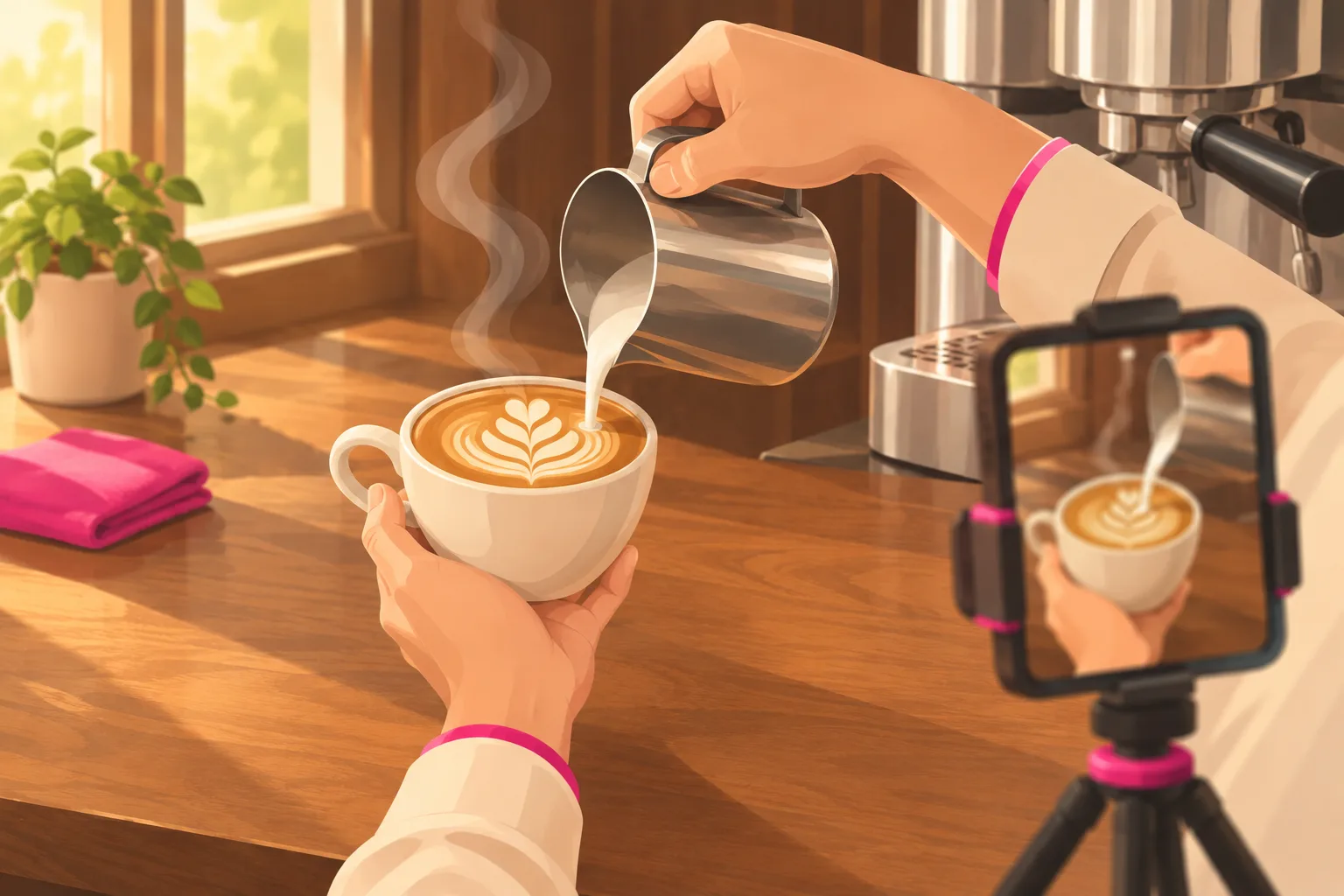
Steam is pale, so it disappears in front of a white wall. Put something dark behind the cup. Wood, a dark shelf or the side of the machine all work.
Then let the light come from the side or from slightly behind the cup. The steam catches the light and stands out against the dark background.
Steam also fades quickly. Use a warm cup, and start recording before the drink is finished and not after. The first few seconds are the best ones.
The sounds of the shop are the soundtrack
The grinder, the tap of the filter basket, the hiss of the steam wand and the pour are the sounds people enjoy. A phone a couple of feet from the machine picks them up well. You do not need a microphone for this.
What spoils the sound is everything else. Turn the speakers off. Wait until the dishwasher has finished. If the refrigerator is loud, film at the other end of the bar.
When you talk
- Stand about an arm's length from the phone and face it.
- Do not talk over the grinder or the steam wand. Say your line first, then make the drink.
- Say prices slowly. "Five-fifty" is easy to mishear.
- Turn on captions in the TikTok app, and read them once to fix mistakes. Many people watch with the sound off.
- If you do not like talking on camera, film the clip in silence and record your voice over it afterward in the app.
6. The Pour Shot, Step by Step
The pour is the video strangers watch twice. It is also the one you will film most often, so it is worth learning well once. Film it during the lull, when there is daylight.
- 1. Wipe three things. Wipe the bar, the steam wand and the phone lens. A lens that has been in an apron pocket makes every video look foggy, and a cloth fixes it in two seconds.
- 2. Put the tripod on its mark. Set the phone upright and use the camera on the back. The lens should sit a little higher than the rim of the cup and tilt down slightly, so the viewer can see the surface of the drink.
- 3. Put the cup in the window light. The light should come from the side. Make sure there is something dark behind the cup, such as wood or the machine, so the steam shows.
- 4. Lock the focus. On most phones you press and hold on the cup until the focus locks. Without this the camera keeps hunting between the cup and your hands, and the picture pulses.
- 5. Press record and make the whole drink. Grind, pull the shot, steam the milk and pour, without stopping the recording. Work at your normal speed. It is much easier to cut a long clip down than to act out each part.
- 6. Hold the finished cup still. When the pour is done, set the cup down and count to three before you touch anything. Then slide it slowly toward the lens. Those three seconds are the end of your video.
- 7. Film the pour once more, closer. Make a second drink with the phone moved in so the cup fills the frame. Move the phone and do not use the zoom, because zooming makes the picture grainy.
- 8. Watch both clips with the sound on. Look at the edges of the picture and at anything shiny. If the clip is clean, you have a twenty-second video and a spare.
Cutting it down to twenty seconds
Making a latte takes a minute or two. The video should take about twenty seconds. In the TikTok app, trim the long clip so each part gets only a few seconds.
| Part | About how long | What the viewer hears |
|---|---|---|
| The grind | 3 seconds | The grinder |
| The shot | 4 seconds | The machine |
| The milk | 3 seconds | The steam wand |
| The pour | 7 seconds | Almost nothing |
| The finished cup | 3 seconds | The cup on the bar |
Start with the most interesting moment. If the pour is the best part, open on one second of it and then go back to the grind. People decide very quickly whether to keep watching.
Last, add three pieces of text on the screen: the name of the drink, the price and your cross streets. For example, "Latte", "$5.50" and the two street names. Without that text, a pour video earns views. With it, the video can earn a visit.
7. The First Visit Video: A Shot List
The first visit video shows a new customer what will happen from the street to a seat. It is the video most likely to turn a viewer into a visitor. You film it once, pin it to the top of your profile, and update it when something changes.
Film it as eight short clips and not as one long walk. Hold the phone upright at chest height and move slowly. The numbers below come from the example shop in our main guide, so swap in your own.
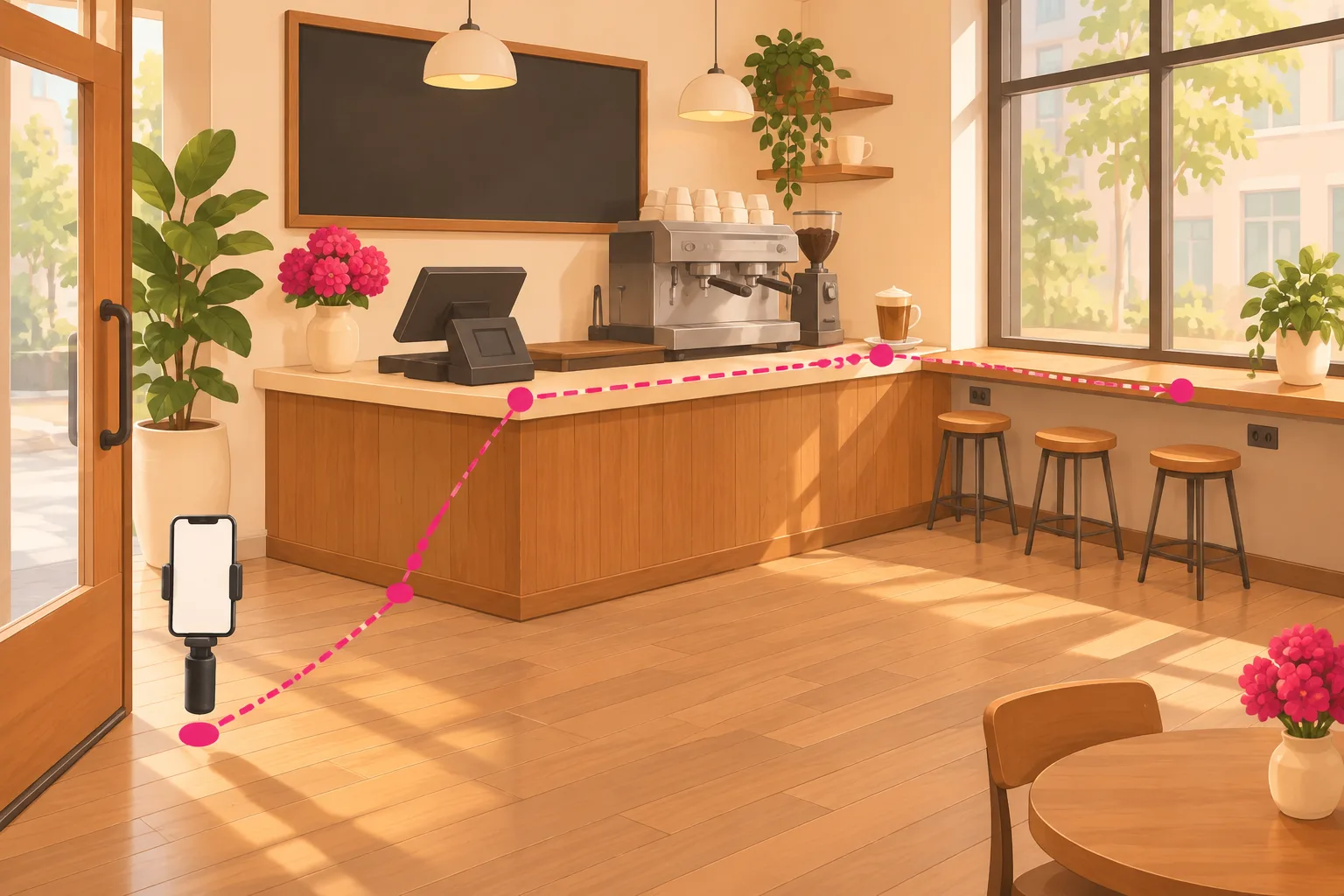
- 1. The corner from across the street. About five seconds. Say the cross streets and the neighborhood out loud. "We are on the corner, right across from the bus stop."
- 2. The door. About three seconds. Film your own hand pushing it open, so the viewer knows which door it is and that it is fine to walk in.
- 3. Where to order. About five seconds on the register. "You order here, at the counter." If the register has a screen, check that it shows nothing from a real order.
- 4. The menu and three prices. About eight seconds. Say the prices out loud. "A latte is five-fifty. A drip coffee is three and a quarter. Oat milk is seventy-five cents more."
- 5. Where drinks come out. About four seconds on the end of the bar. "Your drink comes out here." New customers worry about standing in the wrong place more than owners realize.
- 6. The seats. About six seconds along the window. "There are twelve seats, and the outlets are along the window. Laptops are welcome."
- 7. The wait. About five seconds, back at the machine. Do not film the line. Say it in the empty shop: "At 7:40, our busiest time, the wait is about six minutes."
- 8. The hours. About four seconds at the door again. "We open at 6:30 and close at four." Put the hours and the cross streets in the caption as well.
Together that is about forty seconds. If parking is a question at your shop, add one more line at the end. In the example shop it would be: "There is no parking lot, but the street behind us usually has room before nine."
Why eight separate clips
Prices change. Hours change. If the video is one long take, a new latte price means filming the whole thing again. If it is eight clips, you film clip four again and swap it in.
Separate clips also let you film at the right time. Clips two to eight need an empty shop, so film them before opening. Clip one needs daylight on the street, so film it later that day.
Be careful on the street
The clip from across the street is the one place where strangers can walk into your video. Wait for a gap with nobody on the sidewalk. Aim at your own door and sign, and keep the people at the bus stop out of the picture.
8. What Stays Out of the Frame
People come to a coffee shop to work, to meet a friend or to be left alone. A shop that films its customers stops being that kind of place. So the rule in this guide is strict, and it is easy to follow because the tripod already points at the bar.
This section is general guidance and not legal advice. Laws about filming and recording people differ from place to place, so check the ones that apply to you.
- Customers. No faces, and no backs of heads either. A regular can be recognized by a coat or a usual seat.
- Children. Never, even in the background, and even if a parent waves at the camera.
- Laptop and phone screens. A screen can show an email, a bank page or a work document. If one is in the picture, the clip is not usable.
- Names. That means the name written on a cup, the name on the register screen, and a receipt or loyalty card left on the counter.
- Reflections. The front of an espresso machine is a curved mirror. So is the glass of the pastry case, and so is the window when it is dark outside. Look at the shiny things in every clip.
- Voices. A phone can pick up a conversation from a nearby table. If you can make out what a customer is saying, mute the clip and add a voiceover, or film it again.
The one rule for the lull
During the lull there are customers in the room, and sometimes one walks up to the bar while you are recording. Make the response automatic. If a customer walks into the frame, the take is over. Stop the recording, serve them, and start again.
Do not try to save the clip by cropping or by blurring a face. Starting again takes two minutes. It also means you never have to decide what counts as recognizable.
When a customer wants to be in a video
Sometimes a regular asks to be in one, or you would like to film a regular's usual order. That can make a lovely video. Do three things:
- Get the yes in writing. A text message is enough.
- Show them the finished clip before it posts, and let them say no at that point.
- Ask again before you pay to promote it. Being in a post and being in an ad are different things.
If someone later asks you to take a video down, take it down that day and thank them for telling you. The main guide has more on the rules for customers, claims and giveaways.
9. The Staff Agreement
Your baristas are part of what makes the shop feel like itself. Some of them will enjoy being in videos. Some will not, and that has to be completely fine.
A short written page avoids awkward moments later. It can be six lines long. Write it in plain words, give everyone a copy, and read it together once a year.
A six-line staff page
- Being in a video is your choice. Saying no changes nothing about your shifts, your hours or your pay.
- Videos you are in go on the shop's own account and nowhere else.
- Filming happens on paid time.
- Paying to promote a video you are in is a separate question. We ask you each time.
- You can ask for a video to come down at any time, and it comes down that week.
- The account and its videos belong to the shop. If you leave, the videos you are in stay up unless you ask us to remove them.
A yes on paper is not a yes for every day. Before you film, ask, "Are you okay to be in one today?" Anyone can have a morning when they would rather not.
Hands are enough for most coffee videos. A barista who does not want to be on camera can still make the drink while the phone films only the cup. In the example shop, Sam is happy to be named and seen. That is a choice Sam made, and the next barista may choose differently.
Rules about employees and the use of their image differ by place. Treat the page above as a starting point, and ask a local adviser if you are unsure.
10. Speakers Off, and Where to Find Music
Turn the shop speakers off before the phone comes out. This is the step people forget most often, and it is the one that can get a finished video muted.
The reason is simple. The license that lets you play music for your customers does not cover putting those songs in a video. A song playing in the background counts, even if it is quiet and even if you did not choose it.
If you want music
Business accounts on TikTok have a Commercial Music Library. It is a collection of tracks cleared for business use, and you can add them inside the app when you post.
You may notice that a popular song is not offered to your account. Treat that as the answer. Do not film a screen, play the song from another phone, or find another way around it.
If you do not
Many of the best coffee videos have no music at all. The grinder and the steam are enough. If the quiet feels empty, record a short voiceover that says what the drink is and what it costs.
Music rules can change, so check TikTok's current terms for business accounts if you are unsure about a track.
11. The Checklist for the Wall
Everything above fits on one page. Print it, and tape it up behind the bar next to the mug that holds the tripod. Whoever films that day reads it first.
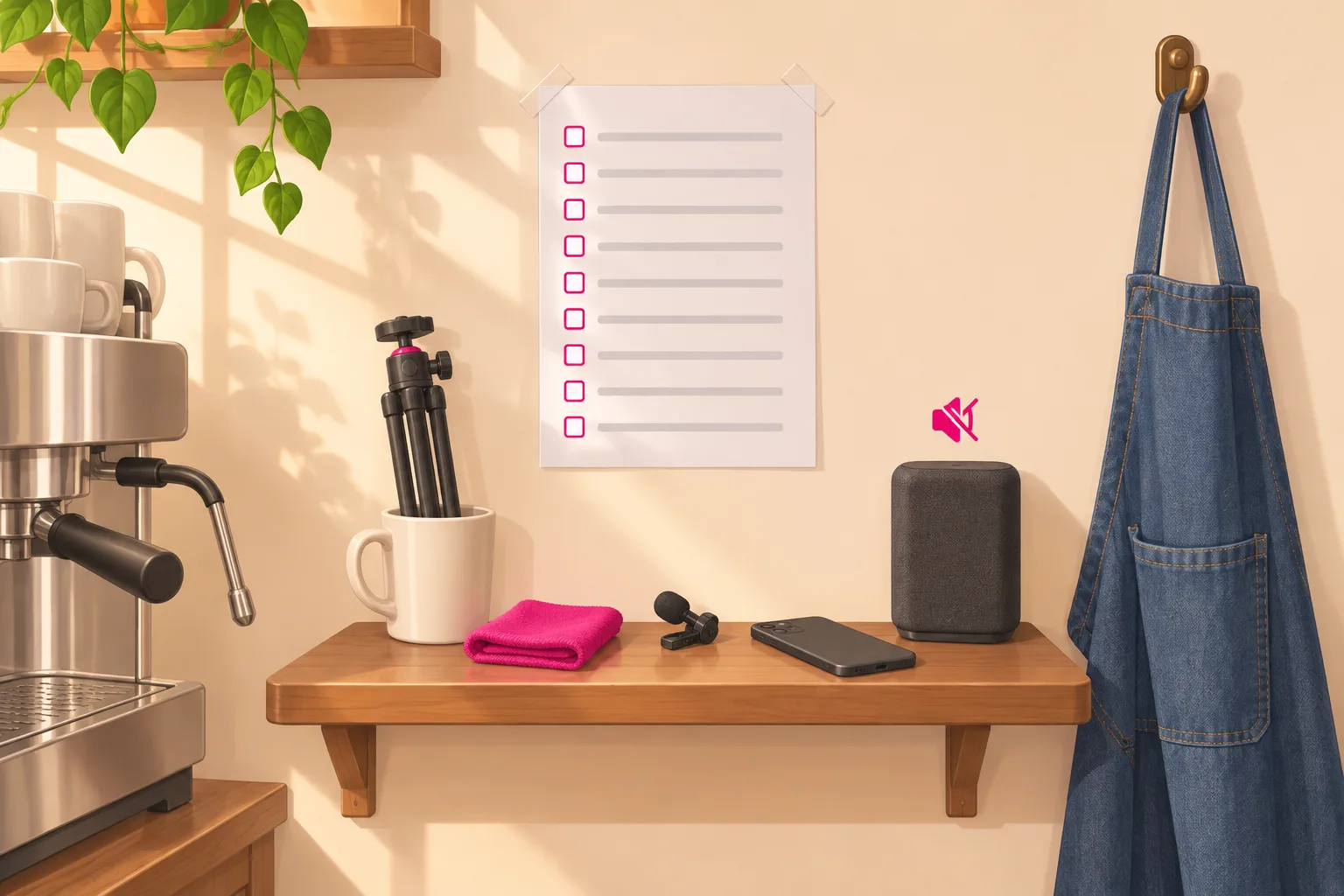
Before you film
- 1. Film before opening or after the rush. Never during it.
- 2. Speakers off. Before the phone comes out, not after.
- 3. Wipe the lens, the bar and the steam wand. In that order, with different cloths.
- 4. Tripod on the tape mark, phone upright. Back camera, focus locked on the cup.
- 5. Point at the machine and your hands. Never at the line, the tables or the door.
- 6. If a customer walks into the frame, the take is over. Stop, wait and start again.
- 7. Nothing private in the picture. No customers, no children, no laptop screens, no names on cups, no register screen, no staff schedule.
- 8. Staff appear only if they signed the page. And they can still say no today.
- 9. Watch it back with the sound on before it posts. Check the edges, the reflections and the voices. Then add the name of the drink, the price and the cross streets.
The last line matters most. Two minutes of watching before you post catches almost every problem in this guide. It is much easier than taking a video down after a customer has seen themselves in it.
12. When a Video Works
Film this way for a month and one video will do better than the rest. People will watch it to the end, and a few first-time customers will mention it at the counter. That is your sign that the video is worth showing to more people.
Start with the free steps. Pin the video. Film a second one in the same style. Answer the comments, because people often ask about hours and prices there. Our guide to local business TikTok marketing has more ways to reach people close to your door.
Paying to promote a video comes after that, and only for a video that has already done well on its own. This is the part Viryze can take off your hands. You pick the video. Viryze shows it to several different audiences, sees which one follows for the least money, and moves the budget there. The promotion runs on your real post, as explained in our Spark Ads guide.
One caution applies to every tool and service, ours included. Check the location choices before you pay. A follower three states away will never buy a latte from you. If a service cannot keep a campaign close to your shop, use it for videos meant for a wider audience, such as a pour video for a shop that ships beans.
The filming rules still apply once money is involved. If a staff member or a customer is in the video, ask them again before you promote it.
Frequently Asked Questions
When is the best time to film in a coffee shop?
Film when the shop is calm. Most shops have two quiet windows: the half hour before the doors open, and the lull after the morning rush, often between 9:30 and 11. Use the time before opening for talking videos and for walking through the empty shop. Use the lull for drink videos, because there is daylight in the window. Twenty minutes, twice a week, is enough for a week of videos. Never film during the rush.
What equipment do I need to film coffee shop videos?
A phone, a small tabletop tripod with a phone clamp, and a clean cloth for the lens. That is usually under $25. A clip-on microphone is a useful extra if you plan to talk in a room with a loud refrigerator or grinder, and it brings the total to under $50. You do not need a camera, a ring light or editing software beyond the TikTok app.
Do I need permission to film customers in my coffee shop?
The simple rule is to keep customers out of the frame, and to ask first on the rare occasion that you want one in a video. Point the camera at the bar, the machine and your own hands. Never show children, laptop screens, or the name written on a cup. If a customer agrees to appear, get the yes in writing (a text message is enough), show her the clip before it posts, and ask again before you pay to promote it. Laws about filming and recording people differ from place to place, so check the ones that apply to you. This is general guidance and not legal advice.
How do I film latte art for TikTok?
Put the phone upright on a small tripod at the end of the bar, with the lens a little above the rim of the cup and tilted down. Place the cup where light from a window reaches it from the side, with something dark behind it so the steam shows. Lock the focus on the cup, press record, and make the whole drink without stopping. Hold the finished cup still for three seconds at the end. Then cut the clip to about twenty seconds and add the name of the drink, the price and your cross streets as text.
Can I use the music playing in my shop in a TikTok video?
It is safer not to. The license that lets you play music for customers does not cover using those songs in a video, and a song in the background can get a video muted or removed. Turn the speakers off before you film. If you want music, business accounts on TikTok have a Commercial Music Library of tracks cleared for business use. The sounds of the grinder, the steam and the pour often work better than a song.
Do my baristas have to be in the videos?
No. Appearing in a video should always be a choice, and saying no should change nothing about shifts or pay. Hands at the machine are enough for most coffee videos. For staff who do want to appear, write one short page that says the videos go on the shop account, that filming is paid time, that paid promotion is asked about separately, that a video comes down on request, and that the account belongs to the shop. Employment rules differ by place, so treat this as general guidance and not legal advice.
Filmed one that people watch to the end?
Start with the tape mark, the window light and the nine lines on the wall. They cost almost nothing. Later, when one of your videos has brought new faces to the counter and you want more people to see it, Viryze can put it in front of several audiences, find the one that follows for the least money, and shift the budget there. You stay behind the bar.
Related Reading
- TikTok for Coffee Shops and Cafes: The Complete 2026 Guide - the full plan this filming guide belongs to.
- Coffee Shop TikTok Content Ideas: 55 Videos That Bring In Regulars - what to film once the tripod is on its mark.
- How to Film TikTok Recipe Videos That Go Viral - more on filming food and drink up close.
- How to Film Salon Videos for TikTok (The Yes Card, Minors, the Mirror & the Break-Room Rule) - how another business with customers in the room handles permission.
- Restaurant TikTok Marketing: Fill Your Tables With Viral Content - for cafes with a full kitchen and a food menu.
- Local Business TikTok Marketing: Get Customers in Your Area - how to reach people close to your door.
- Spark Ads on TikTok: Creator's Complete Guide - how to promote a post that is already on your account.