
Veterinary15 min read
How to Film Veterinary Content for TikTok (Consent, Clinic Setup & What Not to Show)
The complete filming guide for veterinarians and clinic teams on TikTok in 2026: the exam-room studio under $75, the rooms where patient data physically cannot appear, the check-in media release that makes patients filmable, the six capture points in a normal clinic week, how to film with an animal in frame without stressing it, the graphic-content and dosing lines you never cross on camera, lighting and audio fixes for stainless-steel rooms full of barking, the trigger-calendar shoot schedule, and the pre-post frame check that protects your license.
By Ryan MitchellHead of Creator Success at Viryze

Ask a veterinarian why they haven't started posting, and it's almost never "I have nothing to say." It's the practical wall. Which room? Whose dog? Do I need the owner to sign something? What happens if a cage card is in the shot, or the recovery I filmed looks like an animal in distress to a stranger? And when, between a double-booked morning and an emergency at four, is any of this supposed to happen?
Those are the right questions, and they have short answers. This guide is the filming manual for veterinary content: the under-$75 setup, the rooms where confidentiality is built into the walls, the one-checkbox consent system that makes patients filmable, the six capture points in a normal clinic week, how to keep an animal calm while a phone is pointed at it, the lines you never cross on camera, and the season-ahead schedule that has the new-puppy video live before the puppies arrive.
If you haven't read our complete TikTok guide for veterinarians yet, start there for the strategy. If you're short on what to film, our 52 veterinarian content ideas supply the list. This article is about how to get those ideas onto your phone without spending money, stressing a patient, or exposing a single client.
The one-sentence version:
Phone at eye level, light on your face, microphone on your collar, a blank wall behind you and a consent box checked for any animal in frame - then answer one real pet-owner question in one take, without a dose in it, and stop when the answer is done. Everything below is detail on those instructions.
What's Inside
- 1. The Exam-Room Studio (Under $75)
- 2. Where to Film: Rooms Where Patient Data Can't Appear
- 3. Consent: The Check-In Media Release
- 4. The Six Capture Points in a Clinic Week
- 5. Filming the Talking-Head Answer (Inside the VCPR Line)
- 6. Filming With an Animal in the Frame
- 7. What Not to Show
- 8. Lighting and Audio Fixes for Clinics
- 9. The Trigger-Calendar Shoot Schedule
- 10. The Pre-Post Frame Check
- 11. Editing for Trust (Not Polish)
- 12. What to Do When a Video Works
- Frequently Asked Questions
1. The Exam-Room Studio (Under $75)
The equipment question has a shorter answer than most veterinarians expect. Everything a clinic account needs fits in a scrub pocket and a drawer, and most of it you already own.
- Your phone. Any phone from the last four or five years shoots better video than the cameras that built the first wave of VetTok. Use the rear camera when you can - it's sharper - and wipe the lens before every session. Clinic hands touch a lot of things, and a smudged lens is the most common reason vet videos look "off" without anyone being able to say why.
- A small tripod or a clamp mount ($15-25). The tripod's job is to put the lens at eye level and keep both of your hands free, which matters more here than in any office profession because one of your hands is usually on an animal. A tabletop tripod on the counter works; so does a phone clamp that grips a counter edge, a cabinet door, or an IV pole. Never hand the phone to whoever is holding the patient.
- A clip-on lavalier microphone ($15-25). This is the one non-negotiable. Clinics are acoustically hostile - stainless steel, tile, glass, HVAC, a compressor somewhere, and a dog barking two doors down - and a phone microphone four feet away captures all of it. A $20 lav clipped above the stethoscope makes you sound like you're in the room with the viewer. Viewers forgive average picture; they leave over bad sound.
- A ring light (optional, $25-40). Only necessary if your exam rooms have no window. A window is better light than any ring light, and free.
That's it. No camera rig, no softboxes, no editing software beyond what's on the phone. The veterinarians who build large audiences almost universally film on a phone on a tripod, and the ones who upgrade to a rig usually regret it - the extra setup shows up as fewer posts, and fewer posts is the only thing that actually kills a clinic account.
2. Where to Film: Rooms Where Patient Data Can't Appear
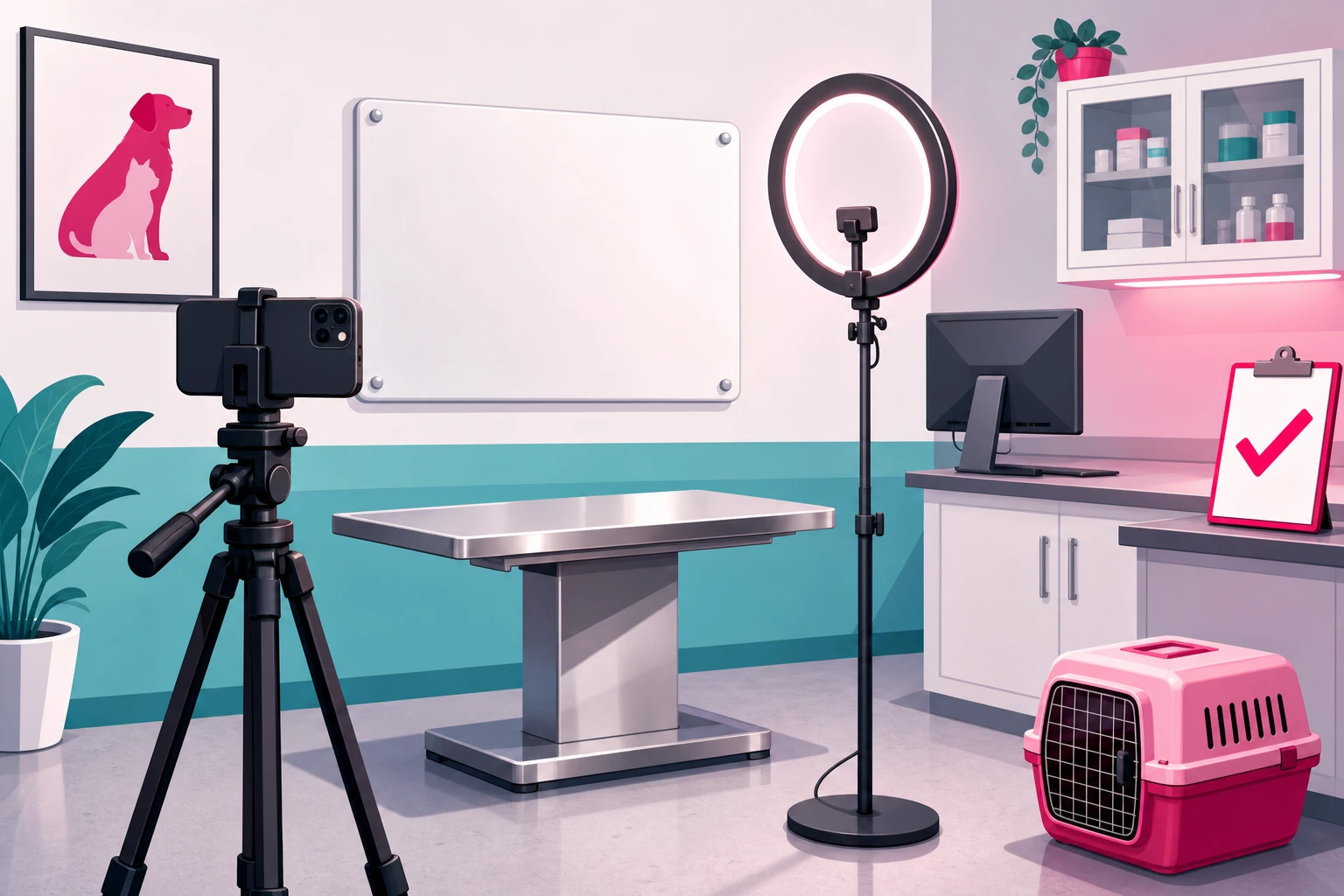
Here is the principle that makes clinic filming safe: don't try to spot patient information shot by shot. Choose rooms where it physically cannot appear. When confidentiality is structural, you stop worrying about it, and the worrying is what keeps most veterinarians from ever pressing record.
The stakes are worth naming once, plainly. A patient's record is the client's business under your state practice act and the AVMA Principles of Veterinary Medical Ethics, and a cage card with a family's last name on it in your background is a privacy problem before it is anything else. The good news: general pet education needs zero patient information, so the fix is entirely about the room.
Three spaces work in almost every clinic:
- An exam room, camera facing the blank wall. The setup rule: the lens points at the wall or the wiped whiteboard, and the counter - with the computer, the printouts, the day's chart - is behind the camera, so nothing on it can be in frame. Book the room on the schedule like an appointment, because it is one.
- The break room or your office. Neutral, quiet, usually the farthest point from the lobby phone. The best room for the talking-head answers that will be most of your posts. Clear the table, turn the monitor, close the door.
- Outside. The parking lot, the side yard, the front walk. Free daylight and the natural home of the recovery walk-out and the leash-and-owner shot. Face the building so the street and other clients' cars stay out of it.
And one room to rule out: the treatment area and the kennel run. Cage cards, the patient whiteboard, lab results by the centrifuge, the practice-management screen, and animals belonging to clients who never consented - all of it is unavoidable in a moving shot. If you want to show the treatment area, film it empty, after hours, with every card and board cleared. Otherwise it is the one place the phone stays in the pocket.
Whatever room you choose, do a one-time sweep of everything in the lens's field of view and everything within earshot:
The frame sweep - in view:
- Cage cards, kennel tags, carrier labels, anything with a pet or family name
- The patient whiteboard, even "erased" ones with ghost writing
- Computer monitors with the practice-management software (turn them away or off)
- Lab printouts, radiographs on a viewer, the day's charts and estimates
- Prescription bottles and pharmacy bags with client labels
- Thank-you cards, memorial plaques, and photo walls with pet names on them
The audio sweep - in earshot:
- The front desk confirming an appointment by name, or reading a phone number back
- A technician calling a patient name in the treatment area
- An animal in obvious distress in the next room - stop until it settles
Close the door, tell the team you're recording for ten minutes, and the audio problem mostly disappears. The visual problem disappears once, when you pick the right wall. After that, the room is safe every time you walk into it.
3. Consent: The Check-In Media Release
This is the section that separates veterinary filming from every other profession's. An accountant's content never needs a client in the frame. Yours is better with one - the calm dog on the table, the kitten at its first visit, the senior cat walking out after a dental - and every one of those animals belongs to someone. One principle governs all of it: consent to treat is not consent to film.
The fix is a system, not a daily judgment call. Our pillar guide introduces the single checkbox at check-in; here is what makes it hold up.
What the media release should cover:
- A separate, plain-language checkbox on the intake form - not buried in the consent-to-treat paragraph. "May we photograph or film your pet for our clinic's social media?" Yes or no, initialed.
- Where it goes. Name the platforms, and say that posts are public and may be shared by others.
- What you will never include. The owner's name, contact details, or any medical information about the case. The pet's first name is a judgment call; many clinics ask separately.
- That it can be withdrawn. A phone call takes the post down, no reason needed.
- No compensation, no promise of posting. A yes is permission, not a booking.
A few edge cases the checkbox doesn't settle on its own. Staff are people too: a technician in the background of your talking-head is in your video, and a quick standing yes from everyone on the team - and a real no respected from anyone who gives one - avoids an awkward conversation later. Other clients' pets in the lobby never consented, so lobby shots are framed tight or not taken. Shelter and rescue animals are consented by the organization, in writing, before the first frame. And the cases that ended badly deserve a rule of their own: a checked box on a good day is not permission to post a memorial the owner didn't ask for. Ask again, specifically, or don't post it.
Done this way, the consent question stops being a source of hesitation and becomes a source of content. The owners who check the box are usually thrilled to be tagged, and an owner sharing "that's my dog at our vet" to their own followers is the most local, most trusted reach a clinic can get.
4. The Six Capture Points in a Clinic Week
The veterinarians who sustain this for years don't "make content." They capture what already happens in a normal clinic week - at six points, five of which involve no patient at all and none of which involve an extra hour. The pillar introduces this as the exam-room content engine; here is the filming side of each point.
- 1. The exam-room question log (all week, no filming). Every question an owner asks you - in the room, at the front desk, in a DM, at a barbecue - goes into a note on your phone verbatim, in their words. This isn't a capture point for footage; it's the capture point for every script you'll ever need. Thirty questions is a quarter of content.
- 2. The preventable-emergency note (ten seconds, whenever it happens). The cooked bone, the flea infestation that became anemia, the dental that waited two years. Into the log it goes - the case stripped out, the lesson kept. When you film it later, the explanation is already polished because you've given it in the room a hundred times.
- 3. The "I explained this again" answer (one take, between rooms). A ten-minute gap plus one question from the log. Sit in your filming room, press record, answer it the way you would to the owner in front of you, stop. This is the workhorse format - the one most of your posts will be.
- 4. The seasonal-danger reminder (filmed a month early). Whatever is about to walk through your door because of the calendar - ticks, heat stroke, chocolate, the Thanksgiving pancreatitis. Same setup as #3, but shot thirty to sixty days ahead, which is what section 9 is about.
- 5. The overheard myth (one planned video a week). The confidently wrong thing you heard at the dog park, in a breed group, or in your own comments. This is the video you give slightly more care - a tighter outline, the best light in the building - because it is the one you'll pin and, later, amplify.
- 6. The consented patient moment (thirty seconds, box checked). The one capture point unique to your profession. The day's most photogenic patient, box checked at check-in, a technician's hands on the animal, the phone on the counter clamp. Thirty seconds of a calm dog getting a treat after its vaccines, or a kitten discovering the scale, is the clinic-life clip that makes strangers want to bring their pet to you.
Total filming time across all six: well under an hour a week, and most of it in gaps you already have. The log fills itself, and the preventable-emergency note takes less time than the estimate did.
5. Filming the Talking-Head Answer (Inside the VCPR Line)
Most of what you post will be one format: you, facing the camera, answering one pet-owner question. It's the format that builds trust, because it's the closest thing on the internet to standing in the exam room with you. Here is exactly how to film it - and where the line is.
- Frame: Phone vertical, on the tripod, lens at eye level, about an arm and a half away. Head and shoulders fill the middle of the frame with a little space above your head. Blank wall or wiped whiteboard behind you.
- Open on the question. No "Hi, I'm Dr. So-and-So at Such-and-Such Animal Hospital." The first words out of your mouth are the question, in the owner's phrasing: "Why does my cat throw up right after eating?" The viewer decides in two seconds whether this video is for them - make those two seconds the words they typed into a search bar.
- Answer it the way you would to one person. Plain English. The clinical term after the plain-English answer, not before. If you'd say "it depends" in the room, say it here - then say what it depends on.
- Explain how it works, not what to give. This is the VCPR line, and the most-asked question in the vertical sits right on it: "how much of this human medication can I give my dog?" You can explain what the drug is, why the dose depends on species, weight, and kidneys, and why the answer is a phone call to the vet who knows the animal. You cannot state a dose for a dog you have never examined. Not on camera, not in the comments, not in a DM.
- Say what the video is. Once, out loud, when the topic warrants it: general education, not advice for anyone's specific animal; watching doesn't make someone a client; when in doubt, call your vet or the ER. It costs three seconds and prevents the most likely misunderstanding.
- Stop when the answer is done. No recap, no "follow for more," no pitch. Thirty to sixty seconds. Completion rate is the ranking signal that matters most, and the veterinarians who cut hard get watched all the way through.
One take, no script. If you stumble, pause, and say the sentence again - you'll cut the stumble in ten seconds. A slightly imperfect explanation reads as more credible than a polished one, because the viewer is evaluating you, not a production. The mechanism behind why this format gets distributed is in our TikTok algorithm guide: watch time and completion, both of which reward a tight answer to a question someone actually asked.
6. Filming With an Animal in the Frame
Veterinary medicine has a filming format most professions can only envy: a living co-star the camera loves. It is also where this niche's real mistakes happen - not spoken disclosures, but a stressed animal on screen, which is a community-guidelines problem, a welfare problem, and the fastest way to look like exactly what the profession is accused of being. So this section is one rule and its supporting habits.
The rule: the animal is the priority and the video is optional. If those two ever conflict, the phone goes down. Every habit below exists to keep them from conflicting.
- A technician handles; you talk. The animal gets a familiar pair of hands and a body between it and the edge of the table. You get both hands free and eye contact with the lens. Never hand the phone to the person holding the patient.
- Short bursts, not long takes. Ten to twenty seconds at a time. An animal that is fine for fifteen seconds is often not fine for ninety, and three calm clips edit together better than one long one with a squirm in the middle.
- Set the table up for calm first. Non-slip mat, treats within reach, pheromone spray if you use it, the room already quiet. The things you do for a fearful patient anyway are the things that make filmable footage.
- Read the stress signals and stop. Ears back, tail tucked, lip licking, whale eye, freezing, a cat gone flat. The moment you see one, filming is over - the clip you already have is the clip. Never restrain an animal for a shot, and never film a restraint.
- Props for verdicts, not patients. The "can my dog eat this?" format doesn't need a dog. A chocolate bar, a lily, a bunch of grapes, a xylitol gum pack on the counter beside you is the whole prop list, and it's the safest filming you'll ever do.
- Recruit a recurring cast member. A consented staff pet, or the clinic cat who has never once minded a camera, gives you an animal in frame with zero consent paperwork and zero stress. Demonstrations - how to trim nails, how to pill a cat, what a body-condition score looks like - live here.
- Recovery walk-outs are filmed from the lobby, not the kennel. The consented dog leaving under its own power with the owner is the most shared clinic-life clip there is. The wake-up in the kennel is not - see the next section.
A parallel worth reading: our pet-video filming guide covers the creator-side craft of getting a calm, watchable animal on camera. Everything in it applies in a clinic - with the difference that your animals have owners, a chart, and a much lower stress threshold than a pet in its own living room.
7. What Not to Show
This is the section a veterinarian's intuition gets wrong, because the things that are routine to you are exactly the things a platform or a stranger will read as graphic. Two rulebooks overlap here: TikTok's community guidelines, which restrict graphic content and depictions of animals in distress, and your own professional judgment, which knows what a grieving owner should not stumble across on a lunch break.
Off camera, always:
- Surgery, open wounds, and anything with blood. Medically routine to you; graphic content to the platform. Suppressed or removed, even when it's educational.
- The gross-out genre. Abscess draining, maggot removal, tick pulling in close-up. There is an audience for it and it is not the audience that books an appointment, and it trips the same guidelines.
- Animals in distress. Seizures, dyspnea, the frightened dog in the kennel, the anesthesia wake-up. Even with the best intent, this reads as suffering for content. Never film an animal in distress, and never create distress for a shot.
- Euthanasia and end-of-life. Not never - some of the most important videos in the vertical are about how to know when it's time - but only with explicit, specific consent, extraordinary care, and the awareness that the people watching are grieving.
- A dose. Any dose. Not for a patient, not "what I'd give my own dog," not as a chart in the background. The VCPR line does not care how the number got on screen.
- Prescription products presented as easy to get. Showing a controlled or prescription product in a way that implies anyone can have it without an exam is a practice-act problem and a platform problem at once.
- Labels with names. Prescription bottles, pharmacy bags, cage cards, radiograph headers. If a name can be read at full zoom, it's a reshoot.
- A promise. "We'll fix him" is a guarantee no clinician can keep and a claim no board will forgive.
Show this instead:
- The before and the after - the matted cat and the clean cat, never the middle
- The recovery walk-out from the lobby, owner in frame, box checked
- The explanation - what the surgery does, on a model, a diagram, or your own hands
- The prop verdict - the chocolate bar, the lily, the grapes
- The human - your face, explaining, in plain English
One more group belongs in this section: unlicensed staff and medical advice. Your technicians and assistants are frequently the best on-camera talent in the building, and they should be on camera. What they cannot do is diagnose, prescribe, or give treatment advice, on TikTok or anywhere else. "Here's what I do when a nervous cat comes in" is wonderful. "Here's what your cat needs" is a practice-act problem. Build the line into the team's filming rules on day one.
8. Lighting and Audio Fixes for Clinics
Clinics have three specific problems: fluorescent panels, stainless steel, and noise. All three are fixed in under a minute once you know the rule.
Lighting
The rule: light on your face, not behind you. If the exam room has a window, turn the setup so the window is beside or in front of you - a bright window behind you turns you into a silhouette, and overhead fluorescents alone cast green and put shadows under your eyes.
- Window in front or to the side: soft, flattering, free. Film in daylight when you can, and outside for anything with a leash in it.
- Windowless exam room: ring light directly behind the phone, at face height, overhead fluorescents off if the room has a switch.
- Stainless steel bounces light and reflects the room. A towel or a non-slip mat on the table kills the glare, keeps the animal from sliding, and blocks the reflection of whatever is behind the camera - including the monitor you turned away.
- Teal and navy scrubs read well on camera. Busy prints and pure white fight the auto-exposure. Not a rule, just an easy win.
Audio
A quiet clinic is not a silent one. The HVAC adds a hum you stopped hearing years ago, the compressor kicks on at the worst moment, the front-desk phone rings through the wall, and a dog two rooms over has opinions. The phone microphone hears all of it.
- Lavalier on the collar, six inches below your chin, above where the stethoscope sits so the tubing doesn't rub it. This alone solves most clinic audio.
- Soft surfaces help: the towel on the table, a closed door, a room away from the lobby. Tile-and-steel exam rooms echo the most - the lav matters most there.
- Barking is not a reason to reshoot. A distant bark reads as "real clinic" and viewers like it. A bark that drowns a sentence is a ten-second re-take, not a lost video.
- Three-second test clip before every batch. Record, play back, listen for the hum, the compressor, the phone. Fix it now, not after five videos.
9. The Trigger-Calendar Shoot Schedule
Every profession batches. Veterinary medicine is the one where the batch has a calendar, because demand for a vet is event-driven and the biggest event is scheduled a year in advance. Puppies and kittens arrive in December and January. The "first year with a new puppy" video has to be live, and found, before they do - which means it is filmed in October. A video needs thirty to sixty days of runway to reach the people who will need it.
- October-November (the big shoot): The new-puppy and new-kitten explainers - vaccine schedule, what the first visit costs and covers, the house-danger sweep, how to become a client. Plus the holiday-toxin set: chocolate, table scraps, tinsel, lilies, the pancreatitis warning. This one batch block carries the clinic through its largest acquisition moment of the year.
- January (film for February): Dental month explainers - why the cleaning is under anesthesia, what the estimate covers, the "dog breath is normal" myth.
- February-March (film for spring): Parasite prevention, tick season, spring allergies, Easter lilies, the grass-eating question.
- May (film for summer): Heat stroke, hot pavement, the fireworks-anxiety video that has to be up before the Fourth, water safety, foxtails where you have them.
- August-September (film for fall): Separation anxiety when school starts back, the Halloween chocolate warning, the senior-pet checkup reminder as the year winds down - and the question log from the summer, which is longer than the rest of the year's combined.
The unit inside that calendar is one ninety-minute batch block a month: five minutes of setup and a test clip, an hour answering ten to fifteen questions from the log back to back in the same scrubs, twenty minutes trimming, captioning, and scheduling, and a frame check on all of them. Fifteen videos is five weeks of posting from one slow Wednesday afternoon. Protect that block on the schedule the way you protect a surgery slot.
One habit makes the calendar work: date-stamp nothing. Filmed in October, posted in December only works if the video doesn't say "this fall" or show a pumpkin on the counter. The seasonal reminder names the season; the evergreen explainer names nothing.
10. The Pre-Post Frame Check
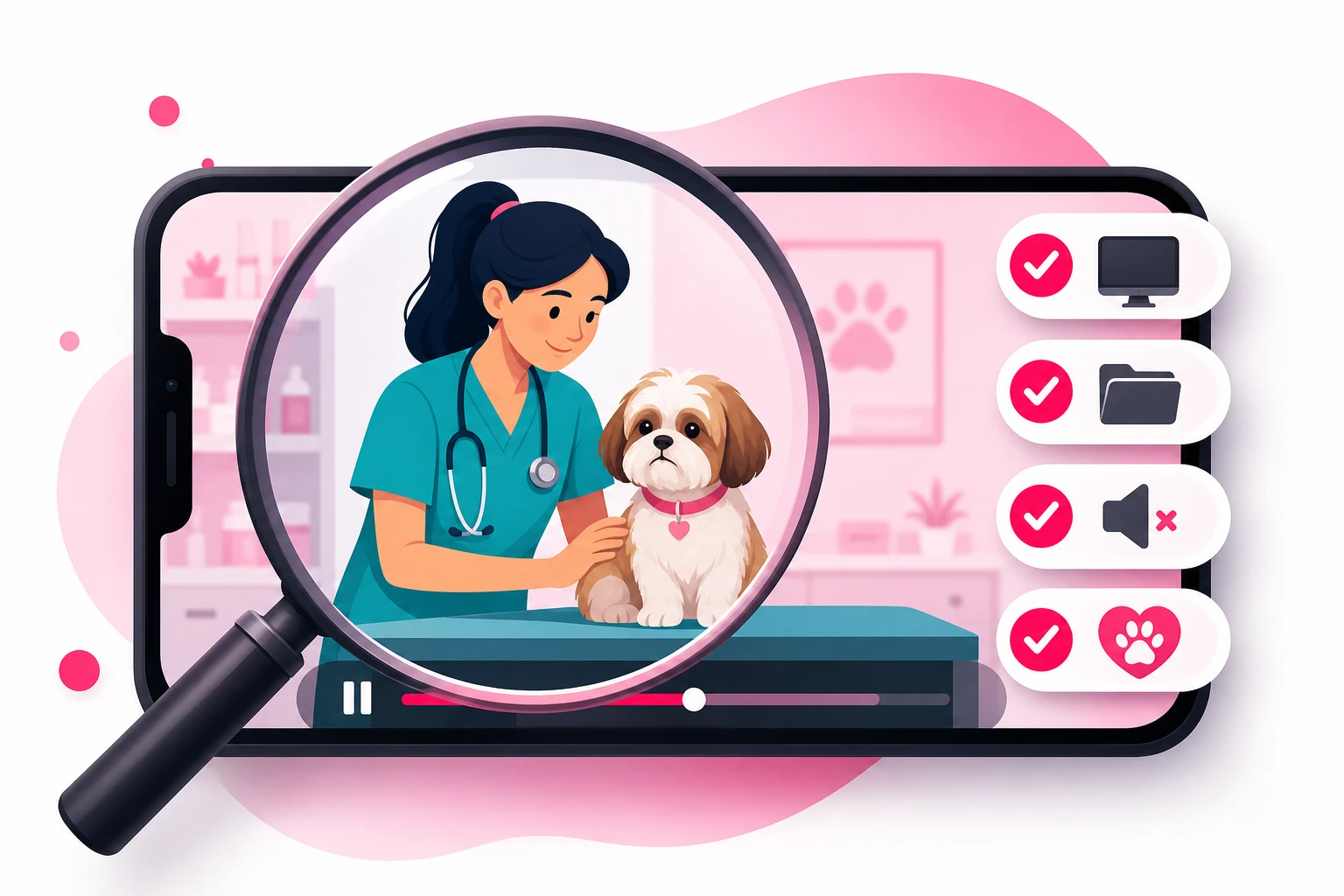
The structural approach in section 2 prevents almost every problem. The frame check catches the rest - the cage card someone set on the counter Tuesday, the monitor reflection in the steel, the technician who called a name through the door. Run it on every video, before it posts, every time. Two minutes per video, and it is the cheapest professional-liability insurance you will ever buy.
Before you post:
- Pause on every frame change. If the camera moved or you moved, stop and look at what's newly in view.
- Zoom on every surface. Cage cards, labels, printouts, the whiteboard, the steel table's reflection. If you can't read it at full zoom, nobody else can either. If you can, reshoot.
- Check the consent. Every animal in frame has a checked box on file; every staff member in frame said yes; no lobby pets wandered into the shot.
- Watch the animal, not yourself. Any stress signal in the footage - ears, tail, mouth, posture - and the clip is cut, not posted.
- Listen with headphones. A name from the front desk, a patient called in treatment, an animal in distress next door. Headphones catch what speakers hide.
- Listen to yourself. Did you state a dose? Describe a case specific enough to identify an owner? Promise an outcome? Any yes means re-record.
- Check the disclaimer and the caption. General education, not advice for a specific animal; when in doubt, call your vet or the ER. In the caption at minimum, out loud when the topic warrants it.
One more thing the frame check should confirm: your rulebooks. Your state practice act and licensing board on advertising, the use of "Dr." and your degree, and who may call themselves a specialist; the AVMA Principles of Veterinary Medical Ethics on misleading advertising and client privacy; your employer's social media policy if you are at a corporate-owned clinic; and a clear label on any video where a pet food, supplement, or insurance company paid you or sent product. Read them once, build the requirements into your caption template, and the check takes care of itself.
11. Editing for Trust (Not Polish)
The editing that helps veterinary content is almost entirely subtractive. You're not adding production value - you're removing anything between the viewer and a clear answer from a kind person.
- Cut the first second. The reach for the record button, the breath, the "okay so." The video starts on the first word of the question.
- Captions on every video. A large share of viewers watch on mute - at work, in a waiting room, in bed next to a sleeping dog. Auto-captions are fine; fix the drug names and the breed names they mangle, because they mangle most of them.
- One on-screen line for the question. Text overlay of the question for the first few seconds. It's the mute viewer's hook and the searchable headline.
- Disclaimer in the caption, every time. Build it into a template so it never gets forgotten: "General pet education, not advice for your specific animal. Watching doesn't make you a client - when in doubt, call your vet or the nearest ER."
- Cut the ending. End on the answer. No logo animation, no "book today." Where to take the viewer next belongs in your bio - with the city in it, if you want local clients - and your pinned videos, not in the last three seconds of a video people would otherwise finish.
- Skip the effects. Trending sounds, zoom cuts, and text animations read as "content creator." Your viewer wants "the vet who explains things clearly and is kind to my dog." Be that.
Everything about this process is the same education-first engine we documented for the other licensed clinical professions - our healthcare filming guide is the parallel version, with HIPAA where you have the practice act and the VCPR. If you serve a drive radius - and most clinics do - the filming choices that build local recognition are in our local business TikTok guide.
12. What to Do When a Video Works
Film this way for a few weeks and something predictable happens: one video - usually a between-rooms answer you almost didn't post - dramatically outperforms the rest. High completion, saves piling up, profile visits jumping, a comment section full of new questions for the log.
That video has done something expensive: it proved, with real viewers, that a specific pet question matters to a specific audience. For a clinic, that proof is worth more than it is in almost any other profession, because a converted follower isn't a transaction - it's a decade of visits, multiplied by every pet in the household. The trap, as the pillar explains, is that pet content travels: your best video will reach thousands of owners two thousand miles away who can never book with you. The lever is to put that proven explainer in front of the owners inside your drive radius, timed to the trigger - the new-puppy video in December, the parasite video in March.
That selective, radius-targeted approach is what our TikTok promotion service is built for: we amplify the videos that have already proven themselves organically, to the audience that could actually walk through your door, timed before the demand spike rather than during it. Our Spark Ads guide covers the format clinics should default to, since it promotes your organic post with its comments and credibility intact. Just run the frame check one more time before anything gets promoted - and confirm the video clears TikTok's ad policies and your state board's advertising rules.
Frequently Asked Questions
What equipment do veterinarians need to film TikTok videos?
A phone from the last few years, a small tripod or a clamp mount that grips a counter edge or IV pole ($15-25), and a clip-on lavalier microphone ($15-25) - under $75 total. The microphone is the one non-negotiable, because clinics are acoustically hard rooms: stainless steel, tile, HVAC, and a dog barking two doors down. A ring light only matters in a windowless interior exam room. Nobody needs a camera rig, and the extra friction of one shows up as fewer posts, which is the only thing that actually kills a clinic account.
Do I need the owner's permission to post a pet on TikTok?
Yes. A patient is a client's animal, and its record and its image are the client's business. Consent to treat is not consent to film, so add a separate, plain-language checkbox to your intake form asking whether the clinic may photograph or film the pet for social media - noting that posts are public, that the owner can ask for removal, and that no medical details will be shared. Never name the owner or describe the case. Staff who appear need the same yes, and other clients' pets in the lobby stay out of frame entirely. The owners who check the box are usually delighted to be tagged.
Can I film in the treatment area or kennels?
It's the one room to avoid. Treatment areas and kennel runs have cage cards with names, the patient whiteboard, lab printouts, the practice-management screen, and animals belonging to clients who never consented - all of it unavoidable in a moving shot. Film in an exam room with the camera facing a blank wall, in the break room, or outside for recovery walk-outs. If you must show the treatment area, film it empty, after hours, with every card and board cleared.
What veterinary content is not allowed on TikTok?
TikTok's community guidelines restrict graphic content and depictions of animals in distress, so surgical footage, open wounds, euthanasia, and the gross-out genre - abscess draining, maggot removal, tick pulling in close-up - get suppressed or removed even when they're medically routine. Beyond platform rules, never state a dose for an animal you haven't examined (the VCPR line), never show prescription labels with client names, never promise an outcome, and handle end-of-life content with explicit consent and extraordinary care. Show the before and the after, the recovery walk-out, and the explanation instead.
How do I keep an animal calm while filming?
Treat the animal as the priority and the video as optional. Have a technician handle while you talk so the animal has a familiar pair of hands, film in bursts of ten to twenty seconds rather than long takes, keep treats and a non-slip mat on the table, and stop the moment you see stress signals - ears back, tail tucked, lip licking, freezing. Never restrain an animal for a shot. For toxin and food verdicts, use props instead of patients, and let a consented staff pet or the clinic cat be your low-stress recurring cast member.
When should a vet clinic film content around the seasonal calendar?
Thirty to sixty days ahead of whatever is about to walk through the door, because a video needs runway to be found before its moment. The biggest shoot of the year is October-November: the new-puppy and new-kitten explainers that have to be live before the holiday-to-January new-pet wave. Under that, film the monthly toxin-and-danger reminders a month early - dental in January for February, parasites and lilies in February for March, heat and fireworks in May for June, chocolate in September for October, table scraps in October for November. One ninety-minute batch block a month covers it.
Ready to turn your best explainer into lifetime clients?
Film the way this guide describes and one of your between-rooms answers will eventually break out. When it does, Viryze amplifies that proven video to the pet owners inside your drive radius - timed to the new-pet wave or the parasite season, not scattered across a national audience that can never book with you. Your question log supplies the content; a phone on a counter clamp captures it; selective amplification turns the best of it into a roster of clients who stay for the life of the pet.
Related Reading
- TikTok for Veterinarians: The Complete 2026 Guide - the full strategy this filming guide plugs into.
- Veterinarian TikTok Content Ideas: 50+ Video Concepts - what to film, now that you know how.
- The TikTok Algorithm Guide - why tight, single-question videos get distributed.
- How to Film Healthcare Content for TikTok - the parallel guide for the other licensed clinical profession.
- How to Film Pet Videos for TikTok - the creator-side craft of a calm, watchable animal on camera.
- TikTok Spark Ads Guide - the amplification format for the video that takes off.