Ask a healthcare provider why they haven't started posting, and it's almost never "I have nothing to say." It's the practical wall: where do I film without a patient in the background? What if a chart is visible? Do I need equipment? When, exactly, in a fully booked clinic day is this supposed to happen?
Here's the good news: every one of those is a solved problem. The providers filming confidently aren't braver or less busy than you - they run a system where the room handles compliance, the gear fits on a counter, and the filming attaches itself to a workday that was already happening.
This guide is that system, end to end: the under-$75 counter-top studio, the spaces where privacy is structural, the five patient-free capture points, the talking-head answer format that builds patient trust, lighting and audio fixes for clinical rooms, and the one-hour weekly batch block that keeps a working clinician posting consistently. It's the "how" that pairs with our complete TikTok guide for healthcare professionals (the strategy) and our 50+ idea content vault (the what).
The honest summary:
- Let the room do the compliance work. Film where patient information physically cannot appear, and HIPAA stops being a per-video anxiety.
- Audio beats video in healthcare. A $20 clip-on mic matters more than any camera upgrade, because your content is your voice.
- Capture daily, film weekly. Ninety seconds of capturing per clinic day plus one weekly batch hour covers an entire posting schedule.
- When a video earns real traction, selective amplification pushes that proven explainer to your metro area - filming gets it made, promotion decides how far it goes.
What's Inside
- 1. The Counter-Top Studio: Everything You Need for Under $75
- 2. Where to Film: Make Privacy Structural, Not a Checklist
- 3. The Five Patient-Free Capture Points of a Clinic Day
- 4. Filming the Talking-Head Answer (Your Core Format)
- 5. Lighting & Audio Fixes for Clinical Rooms
- 6. Filming Demonstrations: Models, Props & Overhead Shots
- 7. The One-Hour Batch Block (How Busy Providers Stay Consistent)
- 8. The Privacy Frame Check: Run It Before Every Post
- 9. Editing for Trust (Hooks, Captions & Disclaimers)
- 10. When a Video Hits: What Filming Can't Do
- Frequently Asked Questions
1. The Counter-Top Studio: Everything You Need for Under $75
Start with what you don't need: a camera, studio lights, a backdrop, or an editing workstation. Patients aren't choosing the practice with the best cinematography - they're choosing the provider who feels knowledgeable and human. Polished production actually works against you here, because polish reads as advertising, and advertising is exactly what viewers scroll past.
The entire kit:
- Your phone. Any model from the last three or four years shoots better video than you need. Wipe the lens on your sleeve before every session - a smudged pocket-phone lens is the number one reason footage looks foggy, and the fix is free.
- A small tripod ($15-25). Anything that holds the phone at seated or standing eye level on a desk or counter. Eye level is non-negotiable: a phone angled up from a desk gives every video the "looming over you" look that reads as unapproachable - the opposite of what a healthcare account is built to feel like.
- A clip-on lavalier microphone ($15-25). The one purchase that matters most. Clinical rooms are hard-surface echo chambers - tile, glass, laminate - and phone microphones amplify that echo. A $20 lav clipped to your collar makes you sound close, warm, and clear. In a niche where your voice carries all the value, this is the entire production budget well spent.
- Optional: a small ring light ($20-30). Only needed if your best filming space has no window. If you have daylight, you have better light than the ring light provides.
Total: under $75, and it lives permanently in a drawer or on a shelf in your filming spot. The goal is zero setup friction - when the kit is always assembled, a between-patients gap becomes a filming opportunity instead of a missed one.
2. Where to Film: Make Privacy Structural, Not a Checklist
Here's the mindset shift that unfreezes most providers: HIPAA-safe filming isn't about vigilantly scanning every shot for violations. It's about choosing rooms where a violation physically cannot happen. When the space itself contains no patient information, the compliance work is done before you press record.
Three spaces do this reliably:
- Your private office. The default choice. Clear the desk of documents, angle the camera away from any computer screen, and you have a controlled room no patient ever appears in. Bonus: diplomas and bookshelves in the background quietly do credibility work.
- An empty exam or consult room, off-hours. The most visually "medical" option, which helps content feel authentic. Film before doors open or after close, confirm the schedule screen is off and no charts are out, and the room is yours. The exam chair or equipment in frame instantly tells viewers where they are.
- A dedicated filming corner. The best long-term answer: one corner - break room, storage-adjacent wall, anywhere with a clean background - set up permanently with the tripod, mic, and light. A plant and a framed certificate beat a bare wall. Providers with a standing corner post three times more consistently than providers who rebuild their setup every session, for the same reason gym clothes laid out the night before get used.
Wherever you film, the audio boundary matters as much as the visual one: if patient voices can reach your microphone, it's the wrong room or the wrong time. Hallway conversations, a name called at the front desk, a phone call bleeding through a thin door - background audio is the HIPAA risk providers forget, and the reason off-hours and interior rooms are worth the small scheduling effort.
3. The Five Patient-Free Capture Points of a Clinic Day
The biggest myth in healthcare content is that filming requires time a clinician doesn't have. The providers who post daily aren't seeing fewer patients - they've attached about ninety seconds of capturing to a workday that was happening anyway.
Five capture points, every clinic day:
- The question log (ongoing, 5 seconds each). Every question a patient asks - in the chair, at the desk, in your comments - goes into a running phone note, verbatim. This is the engine of the entire system: every entry is a video a real person has already proven demand for. Our healthcare content ideas vault shows the 50+ video patterns this log feeds.
- The morning setup shot (10 seconds). Before doors open: lights coming on, instruments laid out, the empty waiting room. Calm, patient-free, and the natural "before" of any day-in-the-life post.
- The between-patients answer (60 seconds). One gap in the schedule, one question from the log, one take in your private space. This is the workhorse capture - one per day is a strong posting cadence by itself.
- The team moment (10 seconds). The huddle, a staff birthday, the sterile tray build. Ask the team first - written consent for staff who appear regularly is cheap insurance. Personality content converts viewers into people who feel they already know your practice.
- The end-of-day note (30 seconds). A voice memo before you leave: what today's most interesting question was, what you wish patients knew. That memo is next week's talking-head video, scripted in your own words while it was still real.
Notice what's missing: no patient ever appears, nothing was staged, and no time was added to the day. The filming attached itself to clinical work that was already happening - which is the only version of content creation a working provider sustains past week three.
4. Filming the Talking-Head Answer (Your Core Format)
Eighty percent of what a healthcare account posts is one format: you, talking to the camera, answering a patient question. Master this single setup and everything else is a variation.
The mechanics:
- Phone at eye level, arm-and-a-half away. Close enough to feel like a conversation, far enough to see your hands. Look at the lens, not the screen - the difference between talking to a patient and talking to a mirror.
- Open with the question, in the patient's words. "Does a root canal hurt?" beats any introduction of yourself. The patient-question hook works because the viewer scrolling past has asked the same thing - your credentials can wait until they care about the answer.
- Answer like it's chairside. Same pace, same words, same warmth you use with one nervous patient. Presenting to an imaginary audience is what reads as stiff; explaining to one person never does.
- One take, and keep the imperfect one. A restarted sentence or a mid-thought pause reads as human and honest. Providers who chase the flawless take burn their filming hour on three videos instead of ten, and the flawless takes perform worse.
- Stop when the answer is done. No outro, no "follow for more." 30-60 seconds is the target - a tight answer people finish beats a thorough lecture people abandon.
If talking to a lens still feels unnatural after a week, steal from the coaches - the coaching filming guide is the deepest playbook on camera presence for talking-head experts, and nearly all of it transfers directly to healthcare.
5. Lighting & Audio Fixes for Clinical Rooms
Clinics are built for procedures, not video - overhead fluorescents, hard reflective surfaces, humming equipment. Three fixes handle nearly everything:
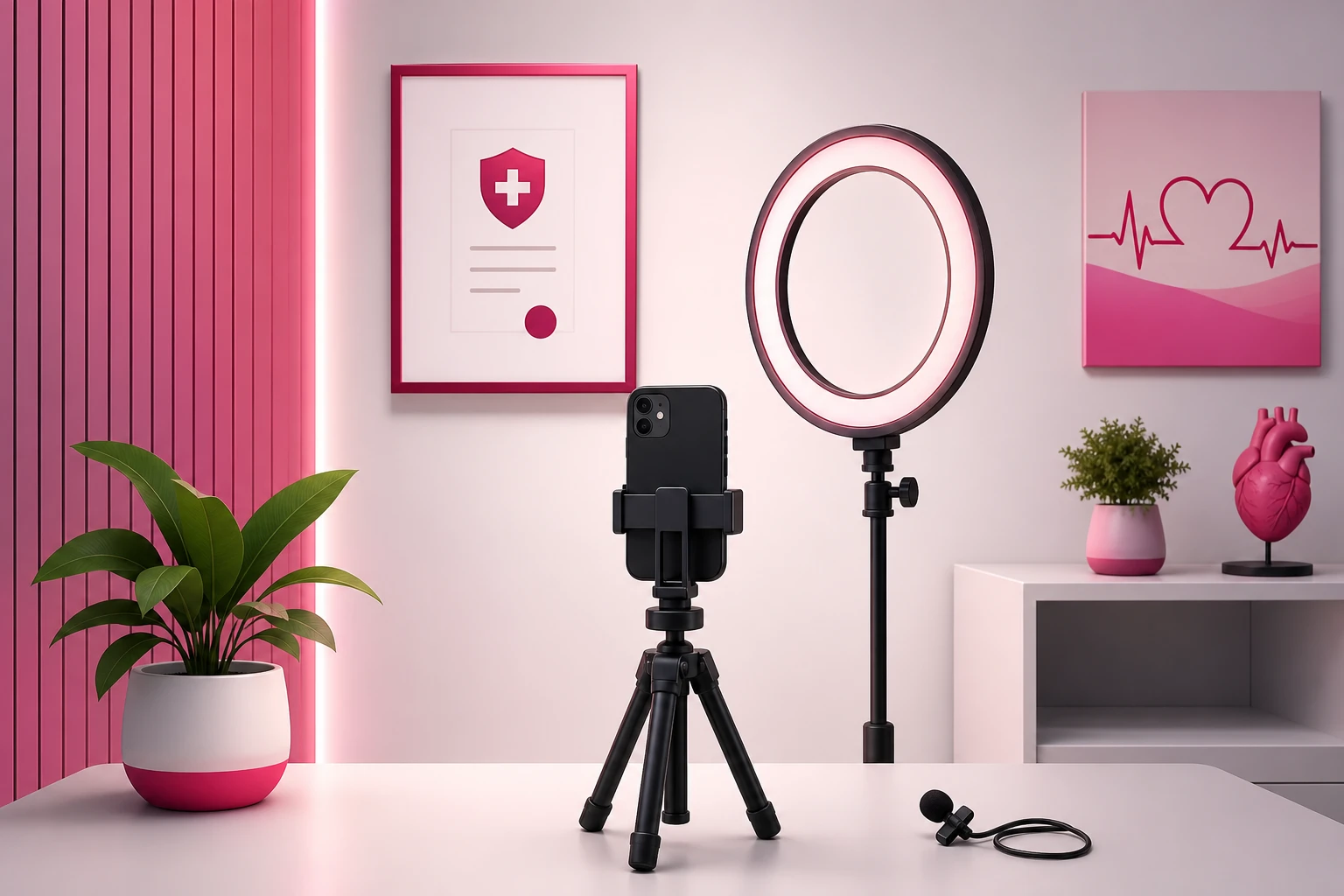
- Face the light, never fight it. Position yourself facing a window so daylight lands on your face - it's the most flattering light available and it's free. No window? Put the ring light directly behind the phone at face height. The one unforgivable setup is a bright window behind you, which turns a trusted provider into an anonymous silhouette.
- Beat the fluorescents. Overhead-only fluorescent light casts downward shadows that read as tired and slightly clinical-horror. If you must film under them, the ring light in front cancels the shadows. Better: turn them off and use the window.
- Kill the echo with proximity. Tile and laminate bounce sound, and echo reads as distance - the opposite of the intimacy that makes health content work. The lav mic solves it by putting the microphone inches from your voice. No mic yet? Film closer to the phone and pick the smaller, softer room: a private office over an open bay, every time.
Then adopt the three-second rule: before every batch, film a three-second test clip and play it back with the volume up. You're listening for the compressor hum, the HVAC drone, the sterilizer cycle - noise your brain filters out live but the microphone faithfully records. Three seconds of checking has saved more filming hours than any gear purchase ever will.
6. Filming Demonstrations: Models, Props & Overhead Shots
The second-most-valuable healthcare format is the demonstration: showing on a model or prop what you can't show on a patient. A dentist explaining a crown on a typodont, a PT demonstrating a stretch, a dermatologist showing how much sunscreen a face actually needs - these are save-magnets, and saves are among the strongest signals the algorithm rewards.
- Get the model close. Fill the frame with the typodont, the spine model, the anatomy prop - viewers on phones can't see detail from desk distance. Hold it at chest height next to your face so you and the model share the frame.
- Use the overhead shot for hands-and-surface demos. Phone propped above, pointing down at the counter - the cooking-video angle. Perfect for showing product amounts, instrument explanations, or step-by-step sequences. A tripod with a boom arm does this, and so does a phone laid across two stacked books with the lens over the edge.
- Demonstrate on yourself or a consenting colleague. The PT's exercise demo, the injection-site walkthrough on a willing staff member (written consent, again) - movement demos need a body, and it should never be a patient's.
- Slow motion is a spice, not a meal. Two seconds of slo-mo on the critical moment - the floss curve, the joint movement - sells the mechanic. Full videos in slow motion put viewers to sleep.
7. The One-Hour Batch Block (How Busy Providers Stay Consistent)
Daily captures feed the system; the weekly batch block runs it. One protected hour - a slow afternoon, before doors open, whatever your schedule gives - produces the entire week's talking-head content:
- Minutes 0-5: setup and test. Kit out of the drawer, three-second test clip, volume check with headphones.
- Minutes 5-45: five answers, back to back. Pick the five best questions from the log and answer them one take each, straight through. Don't review between takes - momentum is the point, and take one is usually the keeper.
- Minutes 45-60: quick edit pass. Trim the starts and ends, add captions, write the on-screen question hook. Five videos, scheduled across the week, done.
A useful wardrobe trick from providers who batch: keep it simple and consistent. Same scrubs or coat every batch means five videos posted across five days never advertise that they were filmed in one afternoon - and your look becomes a recognizable thumbnail signature as the account grows.
Three to five posts a week is the sustainable target, and it's enough - healthcare accounts win on trust per video, not volume. Consistency is what compounds: the algorithm and your future patients both reward an account that reliably shows up.
8. The Privacy Frame Check: Run It Before Every Post
Structural privacy handles filming; the frame check handles posting. HIPAA problems on social media almost never come from the subject of the video - they come from the background: a schedule on a wall monitor, a chart on a desk, a name audible from the hallway, a reflection in a glass cabinet. Sixty seconds of checking removes the entire risk class.
Before every post, check four things:
- The frame: scrub through the video and pause on every camera move. Screens, documents, whiteboards, schedules, reflections - if you can read it, cut it or reshoot.
- The audio: one playback with headphones. Background voices, names called at the desk, a phone call through the wall - if a patient can be heard, the clip doesn't post.
- The people: anyone visible who isn't you has given written consent - staff included. No patient appears without explicit written consent, ever, and "they probably won't mind" is not consent.
- The story: if you discussed a case, could the patient recognize themselves? Change or omit identifying details - timing, location, unusual specifics. General education, not individual diagnosis.
One more layer for regulated specialties: know your state board's advertising rules on testimonials, before-and-after images, and superlative claims - they vary by state and profession, and they apply to organic social content, not just paid ads. The pillar guide's compliance section covers the full rule set. None of this is a reason to stay off camera - it's a checklist that takes one minute and lets you post with a clear head while competitors stay frozen by vague fear.
9. Editing for Trust (Hooks, Captions & Disclaimers)
Healthcare editing has one job: remove every barrier between a scrolling viewer and your answer. The whole philosophy fits in one line: open on the question, caption everything, stop at the answer.
- The question is the hook - put it on screen in second one. Text overlay with the patient's exact words: "Is teeth whitening safe?" Completion rate is the dominant ranking signal, and the open decides it. The TikTok algorithm guide breaks down why the first two seconds outweigh everything after them.
- Caption every word. Most viewers scroll on mute, and health information is exactly what people watch in waiting rooms and at work. Auto-caption in TikTok or CapCut, then hand-fix the errors - especially clinical terms, drug names, and numbers, where an auto-caption error isn't a typo, it's misinformation with your license attached.
- Trim the ramp-up. Cut everything before the question and after the answer. The settling-in breath, the "so, a lot of people ask me..." - every dead second is an exit ramp.
- Add the general-education line. One caption line or spoken sentence: "General education, not medical advice - see your provider about your specific situation." It protects you, and it visibly signals professionalism to the exact patients you want to attract.
- Tag your specialty and city. In the caption, every time: "#DentistInAustin" does more for patient acquisition than any trending sound, because local patients search - and the algorithm serves local content to local viewers.
10. When a Video Hits: What Filming Can't Do
Run this system for a few weeks and the pattern appears: most videos do fine, and then one - a myth-bust, a what-actually-happens explainer, a question you almost didn't bother answering - dramatically outruns the rest. Completion high, saves stacking up, profile visits spiking, and the comments filling with the next month of content ideas.
That's the moment filming hands off to distribution. A proven video has done the hard part: it's demonstrated that strangers watch it to the end and trust you more because of it. What it can't do on its own is choose who sees it next - and for a healthcare practice, who is everything, because a viral view in another time zone is entertainment, while the same view in your metro area is a prospective patient.
That's the model behind our TikTok promotion service: selective amplification of the educational videos that already earned it, pushed to viewers in your city - where a single booked patient is routinely worth hundreds of times the promotion cost. Not boosting every upload; fueling the proven ones. For the mechanics of promoting through TikTok's native format, see the Spark Ads guide and the complete TikTok advertising guide.
Frequently Asked Questions
What equipment do healthcare professionals need to film TikTok videos?
A phone from the last few years, a small tripod that holds it at eye level ($15-25), and a clip-on lavalier microphone ($15-25) - under $75 total. The microphone is the one non-negotiable, because healthcare content is talking content filmed in echoey rooms with hard surfaces, and viewers abandon videos with bad audio faster than videos with average picture. A ring light is optional and only matters in windowless interior rooms.
Is it legal to film TikTok videos inside a medical clinic?
Yes - filming in your own clinic is fine as long as no protected health information appears in the frame or on the audio track. That means no patients without written consent, no charts, schedules, screens, or documents in the background, and no patient names or voices within microphone range. The reliable approach is structural: film in a private office, an empty consult room, or a dedicated corner where patient information physically cannot appear, rather than trying to spot problems shot by shot.
How do busy healthcare providers find time to film TikTok content?
By separating capture from production. Across a normal clinic day, five patient-free capture points - the question log, a morning setup shot, one between-patients answer, a team moment, and an end-of-day voice note - cost about ninety seconds total. Then one weekly batch block of 45-60 minutes, answering five questions from the log back to back in the same setup, produces a full week of posts. No provider needs daily filming time; they need one protected hour a week.
Do healthcare TikTok videos need professional production quality?
No - and over-production actively hurts. Patients are choosing a human being to trust with their health, and a provider answering a real question naturally, with decent light and clean audio, consistently outperforms agency-produced promotional videos. The three quality basics that do matter: phone at eye level (not looking down at you), light on your face (not behind you), and a clip-on microphone. Beyond that, spend the effort on answering a better question, not on production.
How long should healthcare TikTok videos be?
Thirty to sixty seconds for most patient-question answers: state the question in the first two seconds, answer it completely, and stop. Completion rate is the dominant ranking signal, and a tight answer people finish outperforms a thorough lecture people abandon. Bigger topics - a full procedure walkthrough, a multi-part myth-bust - work better as a series of 45-60 second videos than as one three-minute video, and the series format gives followers a reason to come back.
Already filmed an explainer that's outperforming everything else?
Filming gets the video made - distribution decides who it reaches. Viryze amplifies the educational videos that have already proved themselves, putting your best explainer in front of thousands more people in your metro area, so the trust you build on camera turns into inquiries and booked patients.
Amplify your best healthcare videoRelated Reading
- TikTok for Healthcare Professionals: The Complete 2026 Guide - the full strategy this filming system plugs into.
- Healthcare TikTok Content Ideas: 50+ Video Concepts - the vault of ideas your question log and captures feed.
- The Complete TikTok Algorithm Guide - why the first two seconds of your edit decide everything.
- How to Film Coaching Videos for TikTok - the deepest talking-head playbook on the platform, and nearly all of it transfers.
- Local Business TikTok Marketing - how local services turn city-level attention into customers.

Head of Creator Success at Viryze
TikTok growth strategist helping creators reach their first 100K followers through data-driven promotion strategies.