
Ask an attorney why they haven't started posting, and it's almost never "I have nothing to say." It's the practical wall: where do I film without a case file in the shot? What if a client's name is on the calendar behind me? Do I need equipment? When, exactly, between a deposition and a filing deadline, is this supposed to happen?
Those are the right questions, and they have short answers. This guide is the filming manual for legal content: the under-$75 setup, the office spaces where confidentiality is built into the room, the five client-free moments in a normal docket week that become a week of posts, the talking-head format that builds client trust, and the frame check that protects your license before every upload.
If you haven't read our complete TikTok guide for lawyers yet, start there for the strategy. If you're short on what to film, our 52 LawTok content ideas supply the list. This article is about how to get those ideas onto your phone without spending money, time, or a single client's privacy.
The one-sentence version:
Phone at eye level, light on your face, microphone on your lapel, nothing with a client's name in the frame - then answer one real question in one take and stop when the answer is done. Everything below is detail on those six instructions.
What's Inside
- 1. The Desk-Corner Studio (Under $75)
- 2. Where to Film: Spaces Where Confidentiality Is Structural
- 3. The Five Client-Free Capture Points in a Docket Week
- 4. Filming the Talking-Head Answer
- 5. Lighting and Audio Fixes for Law Offices
- 6. Filming Outside the Office: Courthouse Steps and the Car
- 7. The One-Hour Weekly Batch Block
- 8. The Confidentiality Frame Check
- 9. Editing for Trust (Not Polish)
- 10. What to Do When a Video Works
- Frequently Asked Questions
1. The Desk-Corner Studio (Under $75)
The equipment question has a shorter answer than most attorneys expect. Everything a legal account needs fits in a desk drawer, and most of it you already own.
- Your phone. Any phone from the last four or five years shoots better video than the cameras that built the first wave of LawTok. Use the rear camera when you can - it's sharper - and wipe the lens on your sleeve before every session. A smudged lens is the most common reason legal videos look "off" and nobody can say why.
- A small tripod ($15-25). The job of the tripod is to put the lens at eye level. A phone propped against a stack of reporters points up at your chin; a phone held at arm's length shakes and keeps one hand busy. A tabletop tripod on your desk, or a floor tripod if you film standing, solves both forever.
- A clip-on lavalier microphone ($15-25). This is the one non-negotiable. Law offices are acoustically hostile - glass, hardwood, high ceilings, HVAC - and a phone microphone four feet away captures all of it. A $20 lav clipped to your lapel makes you sound like you're in the room with the viewer. Viewers forgive average picture; they leave over bad sound.
- A ring light (optional, $25-40). Only necessary if your office has no window. Windows are better light than any ring light, and free.
That's it. No DSLR, no softboxes, no editing software beyond what's on the phone. The attorneys who build large accounts almost universally film on a phone on a tripod, and the ones who upgrade to a camera rig usually regret it - the extra friction shows up as fewer posts, and fewer posts is the only thing that actually kills a legal account.
2. Where to Film: Spaces Where Confidentiality Is Structural
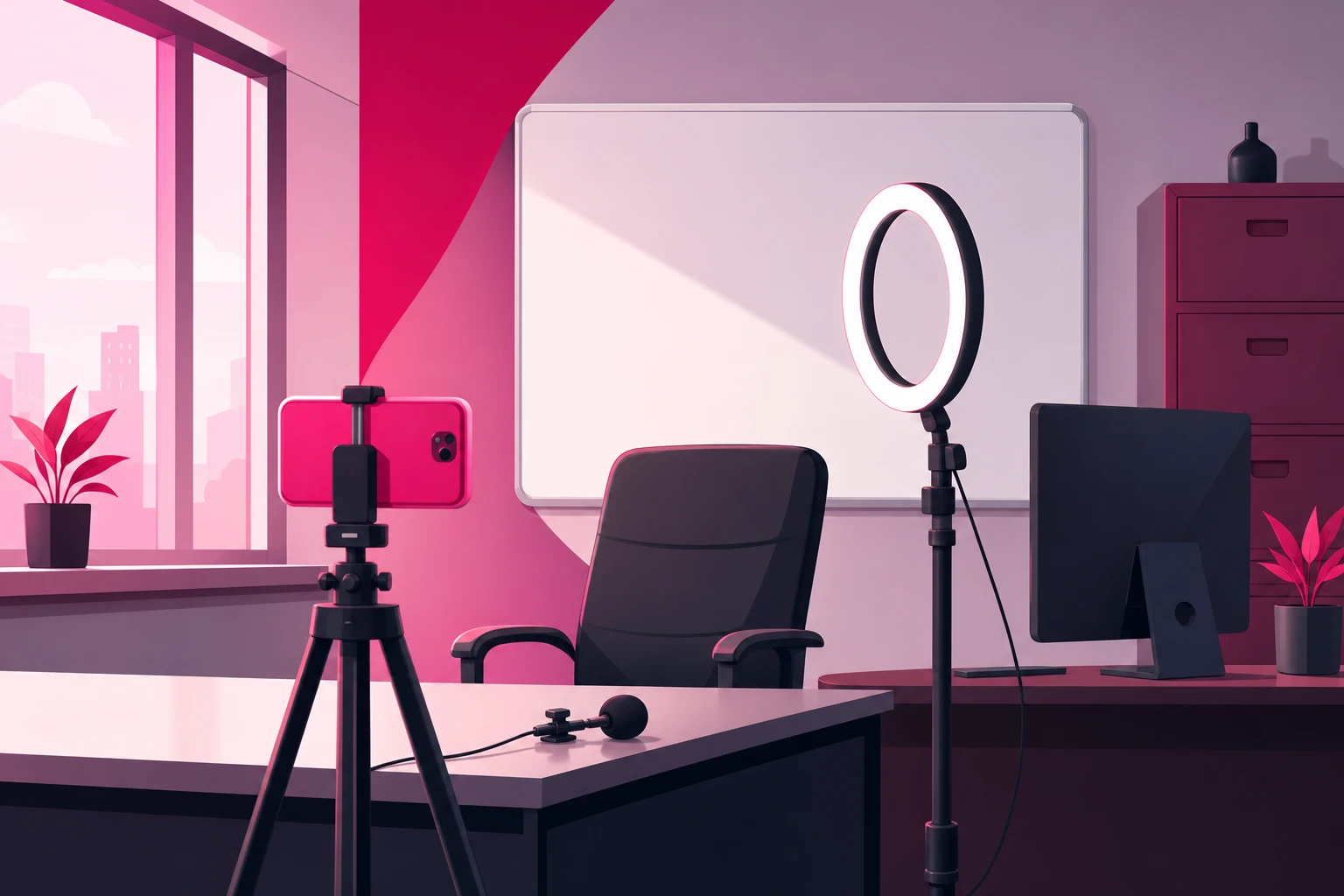
Here is the principle that makes legal filming safe: don't try to spot confidential information shot by shot. Choose spaces where it physically cannot appear. When confidentiality is structural, you stop worrying about it, and the worrying is what keeps most attorneys from ever pressing record.
Three spaces work in almost every office:
- Your private office, against the bookshelf. The classic LawTok background for a reason - it signals credibility instantly and it's already there. The setup rule: the camera faces the bookshelf, and your desk is behind the camera, so nothing on it can be in frame. If you must shoot across the desk, clear it completely first - not tidy, clear.
- An empty conference room. Neutral walls, a big table you can sit at the end of, and usually the best window in the building. Wipe the whiteboard and turn any screen to a blank input before you start. Book it on the calendar like a meeting - because it is one.
- A dedicated filming corner. A chair, a plain wall or a single shelf, a tripod left standing. The advantage is zero setup time: walk over, sit, press record. Attorneys who keep a corner permanently ready post three times as often as the ones who set up from scratch each time.
Whatever space you choose, do a one-time sweep of everything in the lens's field of view and everything within earshot:
The frame sweep - in view:
- Case files, redwelds, banker's boxes, anything with a label
- Wall calendars, docket printouts, sticky notes
- Computer monitors (turn them away or off - a reflection can read)
- Whiteboards, even "erased" ones with ghost writing
- Mail, envelopes, courier slips, checks
- Framed documents with a client's name - settlement plaques, thank-you notes
The audio sweep - in earshot:
- Reception or a paralegal on a call saying a client's name
- A speakerphone in the next office
- A hallway conversation about a matter
Close the door, tell the team you're recording for ten minutes, and the audio problem disappears. The visual problem disappears once, when you pick the right wall. After that, the room is safe every time you walk into it.
3. The Five Client-Free Capture Points in a Docket Week
The attorneys who sustain this for years don't "make content." They capture what already happens in a normal work week - at five points, none of which involve a client, a case fact, or an extra hour. Our pillar guide introduces this as the case-file content engine; here is the filming side of each point.
- 1. The consult-question log (all week, no filming). Every legal question anyone asks you - in a consult, at intake, at a barbecue - goes into a note on your phone verbatim, in their words. This isn't a capture point for footage; it's the capture point for every script you'll ever need. Thirty questions is a quarter of content.
- 2. The courthouse-steps note (60 seconds, after any hearing). Walk outside, put the phone on the front camera at arm's length, and explain one thing about the process you just went through - what a status conference actually is, why a motion got continued, what a judge means when they say "taken under advisement." Nothing about the parties or the facts. Natural light, city background, a human being fresh out of court. Series gold.
- 3. The between-meetings answer (one take, in the office). A fifteen-minute gap plus one question from the log. Sit in your filming space, press record, answer it the way you would across a consult table, stop. This is the workhorse format - the one most of your posts will be.
- 4. The news-reaction take (when a story is live). A new state law, a viral traffic-stop video, a policy change that touches your practice area. Film the legal mechanics behind the headline the same day, while interest is peaking. Same setup as #3, just faster.
- 5. The end-of-week explainer (one planned video). The single video you give slightly more care: a good question, a tighter outline, the best light in the building. The most useful thing someone in your city could know about your practice area this week. This is the video you'll pin and, later, amplify.
Total filming time across all five: well under an hour a week, and most of it in gaps you already have. The log fills itself, and a courthouse-steps note takes less time than the walk to the parking garage.
4. Filming the Talking-Head Answer
Most of what you post will be one format: you, facing the camera, answering one question. It's the format that builds trust, because it's the closest thing on the internet to sitting across the table from you. Here is exactly how to film it.
- Frame: Phone vertical, on the tripod, lens at eye level, about an arm and a half away. Your head and shoulders fill the middle of the frame with a little space above your head. Bookshelf or plain wall behind you.
- Open on the question. No "Hi, I'm Attorney So-and-So." The first words out of your mouth are the question, in the asker's phrasing: "Can my landlord actually just walk in like that?" The viewer decides in two seconds whether this video is for them - make those two seconds the question they typed into a search bar.
- Answer it the way you would to one person. Plain English. The legal term after the plain-English answer, not before. If you'd say "it depends" in a consult, say it here - then say what it depends on.
- Name the jurisdiction. "In Texas" or "in most states, but check yours." This is both good content and good ethics - it's the sentence that keeps you clear of unauthorized-practice territory.
- Stop when the answer is done. No recap, no "follow for more," no pitch. Thirty to sixty seconds. Completion rate is the ranking signal that matters most, and the attorneys who cut hard get watched all the way through.
One take, no script. If you stumble, pause, and say the sentence again - you'll cut the stumble in ten seconds. A slightly imperfect explanation reads as more credible than a polished one, because the viewer is evaluating you, not a production. The mechanism behind why this format gets distributed is in our TikTok algorithm guide: watch time and completion, both of which reward a tight answer to a question someone actually asked.
5. Lighting and Audio Fixes for Law Offices
Law offices have two specific problems: dramatic windows and bad acoustics. Both are fixed in under a minute once you know the rule.
Lighting
The rule: light on your face, not behind you. The corner office with the floor-to-ceiling window is the most common lighting mistake in legal video - the attorney sits with the skyline behind them and becomes a silhouette. Turn the setup ninety degrees so the window is beside or in front of you, and the same window becomes the best light in the building.
- Window in front or to the side: soft, flattering, free. Film in daylight when you can.
- Windowless office: ring light directly behind the phone, at face height. Turn off the overhead fluorescents, which cast green and put shadows under your eyes.
- Mixed light (window plus overheads) makes skin look uneven. Pick one.
Audio
Glass walls, hardwood floors, and high ceilings make an office echo, and the building's HVAC adds a hum your ears stopped noticing years ago. The phone microphone hears all of it.
- Lavalier on the lapel, six inches below your chin. This alone solves ninety percent of legal audio problems.
- Soft surfaces help: a rug, a closed curtain, a row of books behind you. Conference rooms with bare walls are the worst rooms acoustically - the lav matters most there.
- Three-second test clip before every batch. Record, play back, listen for hum, the elevator, the printer. Fix it now, not after five videos.
6. Filming Outside the Office: Courthouse Steps and the Car
Two locations outside the office produce some of the best-performing legal content, and both have their own rules.
The courthouse steps. Outside, on public property, filming yourself is fine in most jurisdictions - and the backdrop does enormous work for you: a real attorney, at a real courthouse, fresh out of a hearing. Inside is different. Most courts prohibit recording in courtrooms, and many restrict hallways; check the local rules, and when in doubt, walk outside. Two absolute rules wherever you are: never film anyone identifiable - other parties, witnesses, jurors, your own client - and keep the content about the process, never the matter. "Here's what a continuance actually is" is great. "Here's what happened in my case today" is a bar complaint.
The car. The parked car is the most underrated studio in legal content: private, quiet, soft light through the windshield, and available right after every hearing, mediation, and consult. Phone on the dash mount or held at arm's length, engine off, windows up. Parked. Always parked - an attorney filming while driving is a different kind of video.
Both locations share one benefit: they're structurally free of client documents, so the confidentiality risk drops to the audio track and what you choose to say.
7. The One-Hour Weekly Batch Block
Daily filming doesn't survive a trial week. A weekly batch block does. Here is the session that keeps a practicing attorney posting for years:
- Minutes 0-5: Open the question log, pick five questions. Set up in the filming space. Test clip for audio and light.
- Minutes 5-35: Answer all five, back to back, in the same setup. Don't review between takes - momentum matters more than perfection. Change your jacket or move the chair between videos if you want them to look like different days.
- Minutes 35-55: Trim the starts and ends, add captions, write a one-line description and the disclaimer. Schedule them across the week.
- Minutes 55-60: Run the frame check (next section) on all five. Done.
Keep four evergreen explainers filmed and unposted at all times as a buffer, so a trial week or a vacation never goes dark. With the batch block plus the courthouse-steps notes and news-reaction takes you capture opportunistically, the account posts five or six times a week on an hour of deliberate effort. Protect that hour on the calendar the way you protect a court date.
8. The Confidentiality Frame Check
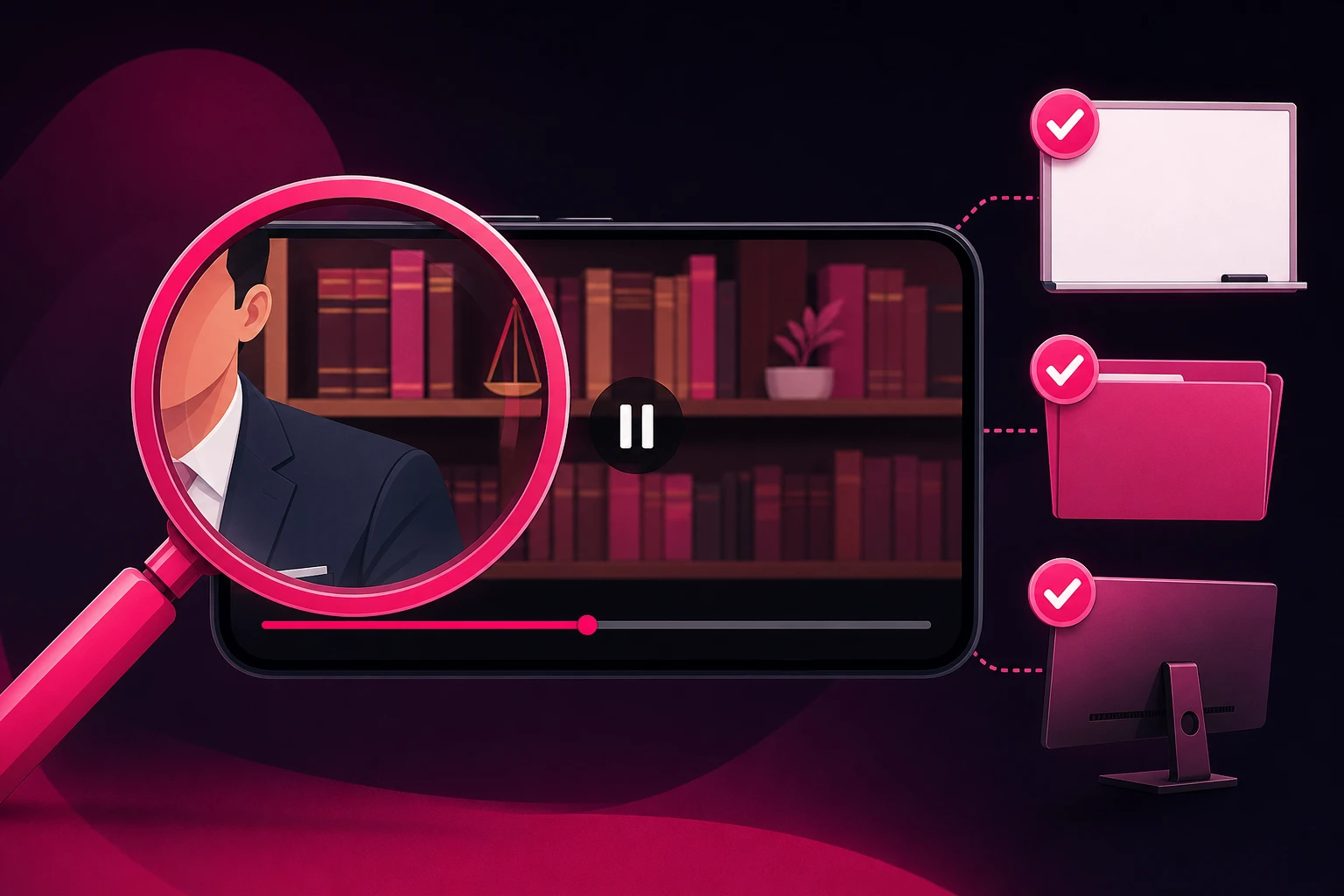
The structural approach in section 2 prevents almost every problem. The frame check catches the rest - the redweld someone set on the credenza Tuesday, the reflection in the window, the paralegal who knocked and said a name. Run it on every video, before it posts, every time. Two minutes per video, and it is the cheapest malpractice insurance you will ever buy.
Before you post:
- Pause on every frame change. If the camera moved or you moved, stop and look at what's newly in view.
- Zoom on every surface. Papers, screens, reflections, the spine of any binder. If you can't read it at full zoom, nobody else can either. If you can, reshoot.
- Listen with headphones. Background voices, a name on a speakerphone, a hallway conversation. Headphones catch what speakers hide.
- Listen to yourself. Did you say "a client of mine"? Did you give a fact pattern specific enough to identify a matter? Did you guarantee an outcome? Any yes means re-record.
- Check the disclaimer and the jurisdiction. General information, not legal advice; no attorney-client relationship; where you're licensed. In the caption at minimum, out loud when the topic warrants it.
- Check the caption and on-screen text. The same rules apply to the words you typed.
One more thing the frame check should confirm: your state bar's advertising rules. Some states require "advertising material" labeling on certain content; most restrict testimonials and prohibit any language that suggests a guaranteed result. Read your state's version of ABA Model Rules 7.1 through 7.3 once, build the requirements into your caption template, and the check takes care of itself.
9. Editing for Trust (Not Polish)
The editing that helps legal content is almost entirely subtractive. You're not adding production value - you're removing anything between the viewer and a clear answer.
- Cut the first second. The reach for the record button, the breath, the "okay so." The video starts on the first word of the question.
- Captions on every video. A large share of viewers watch on mute - in waiting rooms, at work, on the train. Auto-captions are fine; fix the legal terms they mangle.
- One on-screen line for the question. Text overlay of the question for the first few seconds. It's the mute-viewer's hook and the searchable headline.
- Disclaimer in the caption, every time. Build it into a template so it never gets forgotten: "General information, not legal advice. No attorney-client relationship is formed. Licensed in [state]."
- Cut the ending. End on the answer. No logo animation, no "call us today." Where to take the viewer next belongs in your bio and your pinned videos, not in the last three seconds of a video people would otherwise finish.
- Skip the effects. Trending sounds, zoom cuts, and text animations read as "content creator." Your viewer wants "lawyer who explains things clearly." Be that.
Everything about this process is the same education-first engine we documented for the other high-trust, regulated profession - our healthcare filming guide is the parallel version, with HIPAA where you have confidentiality. If you serve a local market - and most attorneys do - the filming choices that build local recognition are in our local business TikTok guide.
10. What to Do When a Video Works
Film this way for a few weeks and something predictable happens: one video - usually a between-meetings answer you almost didn't post - dramatically outperforms the rest. High completion, saves piling up, profile visits jumping, a comment section full of new questions for the log.
That video has done something expensive: it proved, with real viewers, that a specific question matters to a specific audience. For a law firm, that proof is worth acting on. Legal search clicks are the most expensive on the internet, and a single retained case can be worth more than a year of content effort. Putting that proven explainer in front of thousands more people in your metro - the only people who can actually hire you - costs a rounding error against either number.
That selective approach is what Viryze is built for: we amplify the videos that have already proven themselves organically, to the local audience that could actually retain you, rather than boosting every upload and hoping. Our Spark Ads guide covers the format firms should default to, since it promotes your organic post with its comments and credibility intact. Just run the frame check one more time before anything gets promoted - and confirm the video clears both TikTok's ad policies and your state bar's advertising rules.
Frequently Asked Questions
What equipment do lawyers need to film TikTok videos?
A phone from the last few years, a small tripod that holds it at eye level ($15-25), and a clip-on lavalier microphone ($15-25) - under $75 total. The microphone is the one non-negotiable, because legal content is talking content filmed in offices full of glass, hardwood, and HVAC hum, and viewers abandon videos with bad audio faster than videos with average picture. A ring light is optional and only matters in windowless interior offices.
Can lawyers film TikTok videos in their office without violating confidentiality?
Yes - filming in your own office is fine as long as no client information appears in the frame or on the audio track. That means no case files, redwelds, calendars, monitors, mail, or whiteboards in the background, and no client names or voices within microphone range. The reliable approach is structural: film against a bookshelf in a private office with a cleared desk, or in an empty conference room, so client information physically cannot appear - rather than trying to spot problems shot by shot.
Can lawyers film at the courthouse for TikTok?
Outside, usually yes - the courthouse steps are public space in most jurisdictions, and a sixty-second note about process or a ruling in general terms is one of the strongest recurring formats on LawTok. Inside is a different matter: most courts prohibit recording in courtrooms and many restrict it in hallways, so check local rules before you press record. Never film anyone identifiable - other parties, witnesses, jurors, or your own client - and keep the content about the process, not the case.
How do busy attorneys find time to film TikTok content?
By separating capture from production. Across a normal docket week, five client-free capture points - the question log, a courthouse-steps note, one between-meetings answer, a news-reaction take, and an end-of-week explainer - cost a few minutes total. Then one weekly batch block of 45-60 minutes, answering five questions from the log back to back in the same setup, produces a full week of posts. No attorney needs daily filming time; they need one protected hour a week.
Do legal TikTok videos need professional production quality?
No - and over-production actively hurts. Viewers are choosing a human being to trust with the worst week of their life, and an attorney answering a real question naturally, with decent light and clean audio, consistently outperforms agency-produced promotional videos that read as ads and get scrolled. The three quality basics that do matter: phone at eye level, light on your face, and a clip-on microphone. Beyond that, spend the effort on answering a better question.
Ready to turn your best explainer into signed cases?
Film the way this guide describes and one of your between-meetings answers will eventually break out. When it does, Viryze amplifies that proven video to the local audience that could actually retain you - instead of boosting every upload and hoping. Your consult questions supply the content; a phone on a tripod captures it; selective amplification turns the best of it into a client pipeline.
See how selective amplification worksRelated Reading
- TikTok for Lawyers: The Complete 2026 Guide to LawTok - the full strategy this filming guide plugs into.
- LawTok Content Ideas: 50+ Video Concepts - what to film, now that you know how.
- The TikTok Algorithm Guide - why tight, single-question videos get distributed.
- How to Film Healthcare Content for TikTok - the parallel guide for the other regulated, high-trust profession.
- TikTok Spark Ads Guide - the amplification format for the video that takes off.

Head of Creator Success at Viryze
TikTok growth strategist helping creators reach their first 100K followers through data-driven promotion strategies.