Ask a dentist why they haven't started posting, and it's almost never "I have nothing to say." It's the practical wall. Which room? Whose mouth? Does the consent form we already use cover this? What happens if the schedule is on the monitor behind the chair, or a stone model with a patient's name on the base is sitting on the counter in the shot? And when, between a double-booked hygiene column and a crown prep that ran long, is any of this supposed to happen?
Those are the right questions, and they have short answers. This guide is the filming manual for dental content: the under-$75 setup, the rooms where confidentiality is built into the walls, the one-page authorization that makes a patient filmable, the six capture points in a normal dental week, how to film the model mouth so the satisfying clip needs no patient at all, the lines you never cross on camera, and the season-ahead schedule that has the benefits-deadline video live before the rush.
If you haven't read our complete TikTok guide for dentists yet, start there for the strategy. If you're short on what to film, our 54 dentist content ideas supply the list. This article is about how to get those ideas onto your phone without spending money, exposing a single patient, or earning a letter from your state board.
The one-sentence version:
Phone at eye level, light on your face, microphone on your collar, mask off, a blank wall behind you and the monitor behind the camera, and a signed social-media authorization for any patient in frame - then answer one real front-desk question in one take, without a diagnosis in it, and stop when the answer is done. Everything below is detail on those instructions.
What's Inside
- 1. The Operatory Studio (Under $75)
- 2. Where to Film: Rooms Where Patient Information Can't Appear
- 3. Consent: The Social-Media Authorization (Not the Consent to Treatment)
- 4. The Six Capture Points in a Dental Week
- 5. Filming the Talking-Head Explainer (Mask Off, Not an Exam)
- 6. Filming the Model Mouth: The Patient-Free Operatory
- 7. Filming a Real Patient in the Chair (Form Signed First)
- 8. What Not to Show
- 9. Lighting and Audio Fixes for Operatories
- 10. The Benefits-Calendar Shoot Schedule
- 11. The Pre-Post Frame Check
- 12. Editing for Trust, and What to Do When a Video Works
- Frequently Asked Questions
1. The Operatory Studio (Under $75)
The equipment question has a shorter answer than most dentists expect. Everything a practice account needs fits in a lab-coat pocket and one drawer, and most of it you already own.
- Your phone. Any phone from the last four or five years shoots better video than the cameras that built the first wave of TeethTok. Use the rear camera when you can - it's sharper - and wipe the lens before every session. Gloved hands and barrier film leave a haze on a lens that nobody can name but everybody notices.
- A small tripod or a clamp mount ($15-25). The tripod's job is to put the lens at eye level and keep both of your hands free. A tabletop tripod on the counter works; so does a phone clamp that grips the counter edge or a cabinet door. Two rules unique to your room: never clamp the phone to the delivery unit or the light arm, because they move, and never hand the phone to the person holding the mirror and the suction.
- A clip-on lavalier microphone ($15-25). This is the one non-negotiable. Operatories are acoustically hostile - tile, glass, cabinets, the compressor kicking on, the suction, and an ultrasonic scaler whining through the wall - and a phone microphone four feet away captures all of it. A $20 lav clipped on your collar makes you sound like you're in the room with the viewer. Viewers forgive average picture; they leave over bad sound.
- A ring light (optional, $25-40). Only necessary if your operatory has no window. And one thing that is not on this list: the overhead operatory light. It is a spotlight designed for a mouth, and pointed at a face it makes raccoon shadows and a shine on the forehead. Turn it off for talking heads and save it for the model mouth, where it is the best light in the building.
That's it. No camera rig, no softboxes, no editing software beyond what's on the phone. The dentists who build large audiences almost universally film on a phone on a counter clamp, and the ones who upgrade to a rig usually regret it - the extra setup shows up as fewer posts, and fewer posts is the only thing that actually kills a practice account.
2. Where to Film: Rooms Where Patient Information Can't Appear
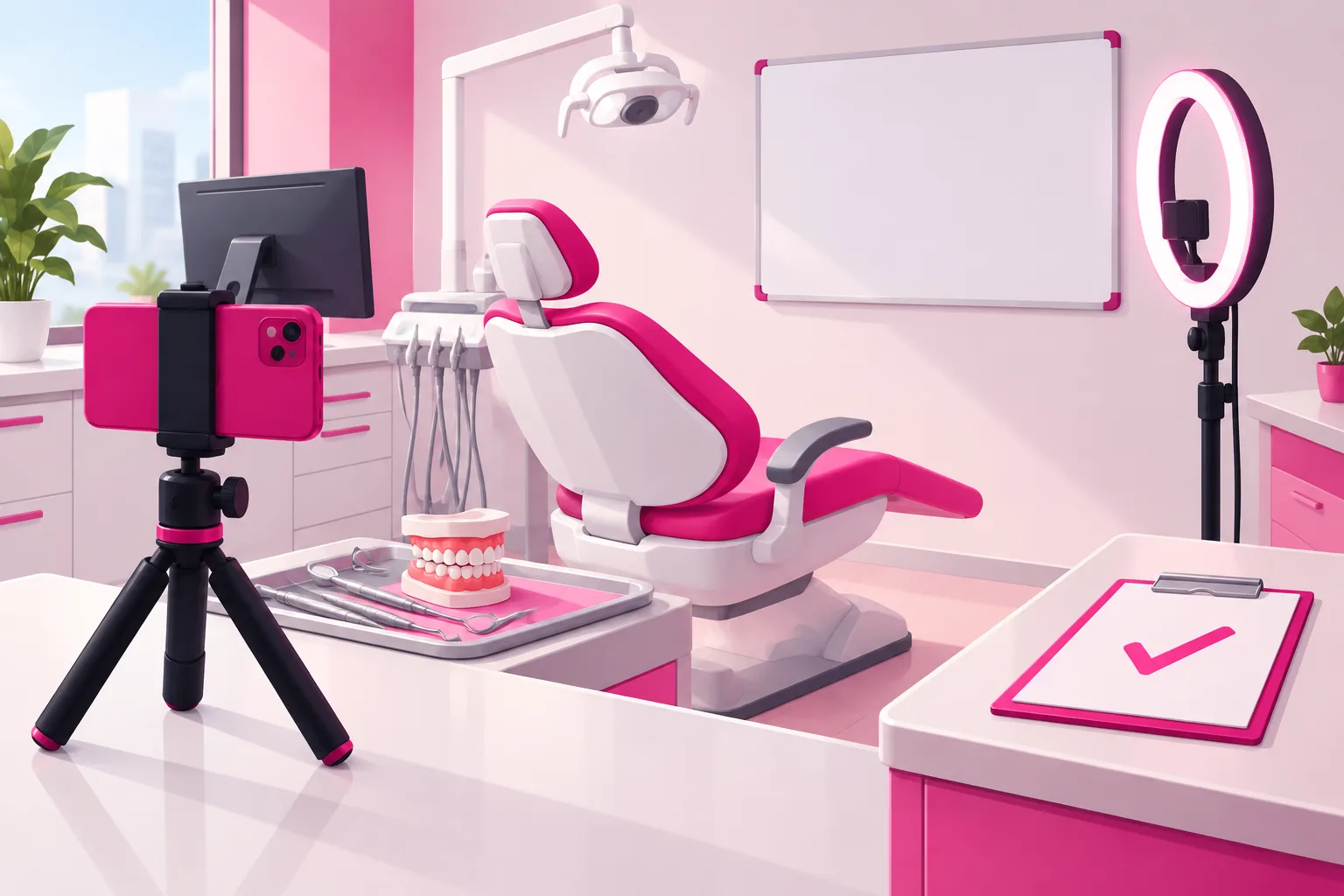
Here is the principle that makes dental filming safe: don't try to spot patient information shot by shot. Choose rooms and angles where it physically cannot appear. When confidentiality is structural, you stop worrying about it, and the worrying is what keeps most dentists from ever pressing record.
The stakes are worth naming once, plainly. A name on a lab slip, a panoramic x-ray with a header, or the day's schedule on the monitor behind the chair is protected health information, and it is a HIPAA problem before it is anything else. The good news: general dental education needs zero patient information, so the fix is entirely about the room and the direction the lens points.
Three spaces work in almost every practice:
- The operatory you always use, camera facing the blank wall or the cabinet. The setup rule: the lens points at the wall, and the monitor - with the schedule, the chart, and the x-ray - is behind the camera, so nothing on it can be in frame. If your operatory has a ceiling-mounted or chair-mounted screen the patient watches, turn it off or turn it to a screensaver before you start. Book the room on the schedule like an appointment, because it is one.
- The consult room or your office. Neutral, quiet, and where you already explain treatment plans to one person at a time - which is exactly the register of the talking-head videos that will be most of your posts. Clear the desk, turn the monitor, close the door.
- The break room. Usually the farthest point from the front-desk phone. The best room for the team-as-humans clips and the flossing demonstration on your own teeth.
And three places to rule out: the front desk (the schedule on the screen, the sign-in sheet, the phone, and patients in the waiting room who never consented), the hallway with operatory doors open (a moving shot past a patient in a chair is the single most common way a practice ends up posting someone's face), and the lab bench (stone models with names written on the base, lab cases and pans with slips, night guards in bags labeled for pickup). If you want to show the lab or the sterilization area, film it empty, after hours, with every case cleared. Otherwise it is where the phone stays in the pocket.
Whatever room you choose, do a one-time sweep of everything in the lens's field of view and everything within earshot:
The frame sweep - in view:
- The monitor, the schedule, the chart, and any x-ray or intraoral photo on a screen
- Route slips, the day sheet, treatment plans and estimates on the counter
- Stone models, lab cases, lab slips, and appliances in bags with names
- The whiteboard, even "erased" ones with ghost writing
- Prescription pads and pharmacy bags, referral slips, and insurance printouts
- Thank-you cards, the smile wall, and before-and-after prints from patients who signed for a frame in the hallway, not for the background of a video
- The reflection in the glass cabinet doors and the operatory light's handle, which shows whatever is behind the camera - including the monitor you turned away
The audio sweep - in earshot:
- The front desk confirming an appointment by name or reading a date of birth back
- A hygienist calling a patient from the waiting room
- The intercom, the overhead page, and the treatment discussion in the next operatory
Close the door, tell the team you're recording for ten minutes, and the audio problem mostly disappears. The visual problem disappears once, when you pick the right wall. After that, the room is safe every time you walk into it.
3. Consent: The Social-Media Authorization (Not the Consent to Treatment)
This is the section that separates dental filming from every other profession's in this series. A therapist's content can never show a client. An accountant's never needs one. Yours is better with a real person in the chair - the walk-through of a cleaning, the braces-off reveal, the "it had been eight years" visit that ends with a handshake - and every one of those people has a health record that includes their face. One principle governs all of it: consent to treatment is not consent to film.
The reason is specific. Under HIPAA, full-face photographs are an identifier, and so are "comparable images" - which is why a close-up of a distinctive smile, a voice, or a tattooed hand on the armrest counts even when the face is out of frame. Posting any of it is a disclosure for a purpose that is not treatment, payment, or operations, and that requires a written authorization the patient signs for this use. The general consent form in your intake packet does not cover it. Neither does a verbal "sure" as the phone comes out. Our pillar guide introduces the rule; here is what makes the form hold up.
What the social-media authorization should say:
- Exactly what will be recorded. Photos or video of the visit, the procedure, the smile before and after - named specifically, not "images."
- Where it will go. Name the platforms and the practice website, and say that posts are public, can be reshared by strangers, and cannot be fully recalled once shared.
- Whether it may be used in paid promotion. An authorization signed for an organic post does not automatically cover the same clip as an ad two years later. If you might ever amplify it, the form says so now.
- How long it lasts. An expiration date or event. "Until revoked" is common; whichever you choose, it is written down.
- That it can be revoked, in writing, at any time. You take the post down on request; you say plainly that you cannot retrieve copies others already shared.
- That treatment never depends on it. Signing is optional, saying no changes nothing about care, and the form says so in one sentence.
- What you will never include. The patient's name unless they ask to be tagged, contact details, or clinical information beyond what the video plainly shows.
- A signature, a date, and a copy for the patient. Filed with the record, not in a drawer by the phone charger.
Three timing rules matter as much as the wording. Before the camera comes out - not after the reveal, when the patient is delighted and would sign anything. Before any sedation - a person who is sedated, or still coming out of it, cannot give meaningful consent, and a signature obtained in the chair afterward is worth nothing. And never at the front desk as part of the intake stack, where it reads as a condition of being seen. Ask in the chair, by a person, for a specific video, and accept a no with no change in your tone.
A few edge cases the form doesn't settle on its own. Minors - and orthodontic content is largely minors - need a parent or guardian to sign, and the teen should also be asked, because a fourteen-year-old who did not want to be on your account will find the video. Staff are people too: the hygienist who is the star of the account is also an employee, so her consent is written, voluntary, and paired with a social-media policy that says who owns the account, who approves posts, what happens to the videos if she leaves, and that being on camera is optional - have an employment attorney read it once. Other patients in the waiting room never consented, so lobby shots are framed tight or not taken. And the case that ended badly - the implant that failed, the patient who moved on to another office - deserves a rule of its own: a signed form on a good day is not a reason to keep the video up if they ask, and it is never a reason to post a "what went wrong" explainer with their smile in it.
Done this way, the consent question stops being a source of hesitation and becomes a source of content. The patients who sign are usually thrilled to be tagged, and a patient sharing "that's me at my dentist" to their own followers is the most local, most trusted reach a practice can get.
4. The Six Capture Points in a Dental Week
The dentists who sustain this for years don't "make content." They capture what already happens in a normal week - at six points, five of which involve no patient at all and none of which involve an extra hour. The pillar introduces this as the consent-first content engine; here is the filming side of each point.
- 1. The front-desk question log (all week, no filming). Everything people ask before they are your patient - "do you take my insurance," "will it hurt," "how long has it been too long," "can I be sedated for a cleaning" - goes into one running note on the front-desk computer, verbatim, in their words. This isn't a capture point for footage; it's the capture point for every script you'll ever need. Thirty questions is a quarter of content.
- 2. The model mouth (any gap, no form). The typodont on the tray, the phone clamped above it, the hygienist's hands. A scaling on a training jaw, a filling on a plastic tooth, what a night guard actually does. Section 6 is entirely about filming this, because it is the format that gives you the satisfying genre with no patient and no risk.
- 3. The team's own teeth (thirty seconds, staff form on file). The hygienist flossing around her own molar, the assistant's aligner check-in on her own smile, the dentist showing an old filling next to a new one on his own tooth. Consenting adults who work for you, and the content is warmer for it. Film it in the break room with the window in front of them.
- 4. The "I explained this again" answer (one take, between patients). A ten-minute gap plus one question from the log. Sit in your filming operatory, mask off, press record, answer it the way you would to the person in the chair, stop. This is the workhorse format - the one most of your posts will be - and section 5 is how to film it.
- 5. The myth on your own feed (one planned video a week). The lemon-juice whitening, the nail-file reshaping, the mail-order aligner, the unlicensed "veneer tech." This is the video you give slightly more care - a tighter outline, the best light in the building, the model mouth in hand to show what enamel actually does - because it is the one you'll pin and, later, amplify. Screenshot the idea, not the creator; never stitch someone to humiliate them.
- 6. The consented patient moment (form signed, camera out after). The one capture point that requires a patient. The day's braces-off reveal, the "here's exactly what a cleaning is" walk-through, the first visit after eight years ending in a handshake - with the authorization signed before the phone comes out. Section 7 covers how to film it without a chart, a screen, or a second patient in the shot.
Total filming time across all six: well under an hour a week, and most of it in gaps you already have. The log fills itself, and the model mouth never cancels.
5. Filming the Talking-Head Explainer (Mask Off, Not an Exam)
Most of what you post will be one format: you, facing the camera, answering one question a person asked before they were your patient. It's the format that builds trust, because it's the closest thing on the internet to sitting in the consult room with you. Here is exactly how to film it - and where the line is.
- Frame: Phone vertical, on the tripod, lens at eye level, about an arm and a half away. Head and shoulders fill the middle of the frame with a little space above your head. Blank wall or cabinet behind you, monitor behind the camera.
- Mask off, loupes off. The viewer is deciding whether you are a kind human, and they cannot do that through a mask. Loupes reflect the light and hide your eyes. Film before the first patient, at lunch, or in the consult room - never mid-procedure with the mask pulled down.
- Open on the question. No "Hi, I'm Dr. So-and-So at Such-and-Such Family Dental." The first words out of your mouth are the question, in the caller's phrasing: "How long is too long to go without a cleaning?" The viewer decides in two seconds whether this video is for them - make those two seconds the words they typed into a search bar.
- Hook on the sensation, never the shame. "If your heart races in the dentist's parking lot" is universal and true. "This is what happens when you skip the dentist" is the sentence the viewer has been hiding from you, and it sends them further away. Show what happens in the room; never show what happens to people who avoid it.
- Answer it the way you would to one person. Plain English. The clinical term after the plain-English answer, not before. If you'd say "it depends" in the chair, say it here - then say what it depends on.
- Explain how it works, not what is wrong with their tooth. This is the line. You can explain what causes sensitivity, why a crown costs what it costs, what a deep cleaning is and who needs one. You cannot tell a stranger that the thing they described - or the photo they sent - is fine, or is not. Not on camera, not in the comments, not in a DM. A diagnosis is an exam you have not done, delivered to a person you have not seen.
- Say what the video is. Once, out loud, when the topic warrants it: education, not an exam; watching doesn't make someone your patient; a video can't diagnose anyone. It costs three seconds and prevents the most likely misunderstanding.
- Stop when the answer is done. No recap, no "follow for more," no pitch. Thirty to sixty seconds. Completion rate is the ranking signal that matters most, and the dentists who cut hard get watched all the way through.
One take, no script. If you stumble, pause, and say the sentence again - you'll cut the stumble in ten seconds. A slightly imperfect explanation reads as more credible than a polished one, because the viewer is evaluating you, not a production. The mechanism behind why this format gets distributed is in our TikTok algorithm guide: watch time and completion, both of which reward a tight answer to a question someone actually asked.
6. Filming the Model Mouth: The Patient-Free Operatory
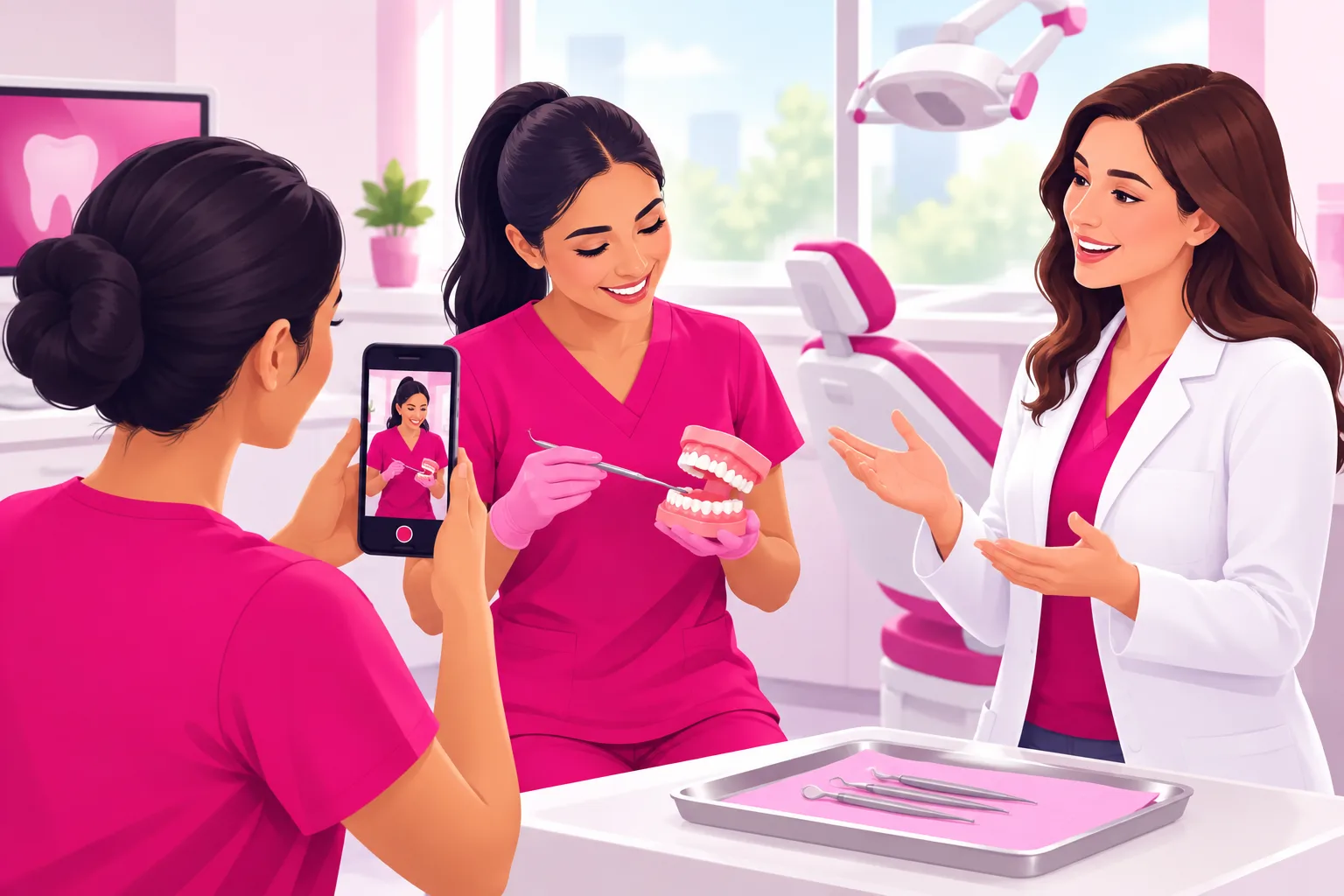
Dentistry has a filming format most professions can only envy: the work itself is watchable. The satisfying-clip genre - the scaling, the filling, the crown seating, the braces-off moment - is one of the largest on the platform, and the reason most practices never make it is that they believe it needs a patient. It doesn't. It needs a typodont and twenty minutes, and the typodont never has to sign anything.
The setup. Model on the tray or a towel on the counter. Phone in the clamp on the cabinet door above it, pointed straight down or at a slight angle so the instrument and the tooth are both visible - the overhead shot is the genre's native angle, and it keeps every face out of frame automatically. Now aim the operatory light at the model. This is the one place that light belongs: it is bright, focused, and shadowless on a small object, and it makes plastic teeth look like a clinical demonstration instead of a craft project.
- Real instruments, plastic teeth. The scaler on a training jaw with simulated calculus, the handpiece on a plastic tooth for a filling or a crown prep, the floss threading around a bracket on a typodont with brackets. The mechanic is what viewers want, and the mechanic is identical on a model.
- Keep the real audio. The sound of the scaler, the suction, the handpiece winding up - this is the ASMR half of the genre, and viewers watch for it. Clip the lav to the sleeve of whoever is working so the instrument is louder than the compressor.
- Slow down by a third. The hand that is fast in a real mouth is a blur on a phone screen. Work at demonstration speed, pause on the reveal, and let the camera sit on the finished tooth for a full two seconds before you stop.
- Let the hygienist star. This is her format. The dentist explains over it in a voiceover recorded afterward, or steps into frame at the end holding the model. The team accounts that grow are the ones where the person whose hands do the work is the person on camera.
- Buy two typodonts, one with a healthy dentition and one with the restorative or periodontal setup, because one of them will end up in a video every day. The DIY-dentistry correction lives here too: the nail-file demonstration is never performed, but the enamel it destroys is shown on the model.
- Explain the same thing on your own tooth. The dentist's own molar with the old amalgam next to the new composite, filmed with an intraoral camera or a phone macro, is the model mouth's warmer cousin - and it is the one video that proves you have sat in the chair too.
Twenty minutes with the model produces five clips. Five clips, each with a one-line explanation on screen, is nearly two weeks of the highest-completion content in your vertical, and nobody in it is a patient.
7. Filming a Real Patient in the Chair (Form Signed First)
Some videos are better with a real person. The no-judgment walk-through of a first visit after years away, the braces-off reveal with the parent in the doorway, the "here is exactly what a cleaning is" from the patient's point of view. These are the cluster's conversion videos, because they show the anxious viewer that the room is kind. They are also where a practice's real mistakes happen. So this section is one rule and its supporting habits.
The rule: the authorization is signed, specific, and filed before the camera comes out, and the patient can stop at any moment for any reason. If those ever conflict with the shot, the phone goes down.
- Ask at the previous visit, or in the consult, never in the chair with the bib on. A patient who has already agreed to be filmed arrives ready. A patient who is asked mid-visit says yes because saying no to a dentist holding a mirror is hard, and that yes is not the kind you want.
- Agree on the shot before you start. Face or no face. Hands and smile only. Voice or silent. What happens in the caption. A patient who knows exactly what will be posted signs comfortably and never asks for a takedown.
- The assistant runs the camera. The dentist and the hygienist have their hands in a mouth; the phone belongs to the third person, handheld and vertical, standing where the patient's feet are so the shot looks up the chair and the monitor is behind them.
- The screen is off. The chair-mounted or ceiling monitor showing the patient's own x-ray is the most common leak in a filmed procedure. Screensaver or off, every time, before the first frame.
- Never a sedated patient. The loopy post-wisdom-teeth video is a genre, and it should not be yours. A sedated person cannot consent, a signature from an hour earlier does not make a disoriented person a willing performer, and the viewer who is already afraid of you watches your practice laugh at someone at their most vulnerable and decides never to be that person. The wisdom-teeth walk-through - what sedation feels like, what the recovery looks like - is filmed on you or a consenting staff member instead.
- Before-and-after inside your state's rules. Many state boards require that before-and-after images be your own patient, unaltered, with consent, and carry a statement that results vary. Some restrict them further. The reveal is the vertical's most-shared format and the most-cited in board complaints, so know your state's rule before the first one, not after.
- Minors: the parent signs, the teen agrees, the parent is in the room. The braces-off reveal is wonderful. It is wonderful because the fourteen-year-old wanted it posted, and the way you find that out is by asking them, separately from their parent.
- Short bursts, then let them go. Fifteen to twenty seconds at a time. The patient is there for care; the video is optional; and three short clips edit together better than one long take with a wince in the middle that you would never post anyway.
A parallel worth reading: our healthcare filming guide covers the clinic-side craft of a patient on camera under HIPAA. Everything in it applies in an operatory - with the difference that your patient's identifier is the exact thing your video is about.
8. What Not to Show
This is the section a dentist's intuition gets wrong, because the things that are routine to you are exactly the things a platform or a stranger will read as graphic. Three rulebooks overlap here: TikTok's community guidelines, which restrict graphic content; your state dental board's advertising rules, which treat every post as an advertisement; and your own judgment, which knows what a person who is afraid of you should not stumble across on a lunch break.
Off camera, always:
- Blood, extractions, and surgical close-ups. Medically routine to you; graphic content to the platform. Age-restricted, kept off the For You feed, or removed, even when it's educational. The implant explainer is filmed on the model.
- The gross-out genre. Extreme close-up calculus removal, abscess drainage, the broken-tooth reveal. There is an audience for it and it is not the audience that books a hygiene visit, and it trips the same guidelines.
- The shame video. "This is what happens when you don't floss," over someone else's neglected mouth. It gets views, confirms the fear that kept the viewer away, and fills your comments with people defending themselves instead of booking.
- A sedated patient. No consent is possible, and no signature from earlier changes that.
- Anything with a name. A pano with a header, a chart on a monitor, a stone model with a name on the base, a lab slip, an appliance bag. If it can be read at full zoom, it's a reshoot.
- A diagnosis for a stranger. Not from a description in a comment, not from a photo in a DM, not "that looks fine." The prepared reply from the pillar - come in, or see a dentist near you - is the only answer.
- "Painless," "guaranteed," and "best." The three words state boards cite most. Say "comfortable," say what you do to make it so, and say that results vary.
- A title your state doesn't allow. Cosmetic dentistry is not a specialty recognized by the American Dental Association, and many states restrict "specialist" and "cosmetic dentist" language to recognized specialties or require a disclaimer. "A general dentist who focuses on cosmetic care" is the safe phrasing.
- A discount without its terms. A new-patient special on camera often has to carry the full terms and an expiration under your state's rules. If the video can't hold them, the video doesn't mention the price.
- The harmful technique, performed. Never demonstrate the nail file, the lemon juice, or the at-home veneer, even to mock it. Show the enamel on the model and explain what the technique does to it.
Show this instead:
- The mechanic on the model mouth - the scaling, the filling, the crown, the implant
- The before and the after, inside your state's rules, with the form signed
- The walk-through of the room, the chair, and what happens in the first visit
- The explanation - why it costs that, why it hurts, why the lemon juice can't
- The human - your face, unmasked, explaining, in plain English
One more group belongs in this section: your team and scope of practice. Hygienists and assistants are frequently the best on-camera talent in the building, and they should be on camera. What they cannot do is diagnose or recommend treatment, on TikTok or anywhere else. "Here's how I clean around braces" is wonderful. "Your tooth needs a crown" is a diagnosis, and only the dentist makes it. Build the line into the team's filming rules on day one.
9. Lighting and Audio Fixes for Operatories
Operatories have three specific problems: a spotlight designed for a mouth, hard reflective surfaces, and a soundtrack of machines. All three are fixed in under a minute once you know the rule.
Lighting
The rule: soft light on your face, spotlight on the model. If the operatory has a window, turn the setup so the window is beside or in front of you - a bright window behind you turns you into a silhouette, and overhead panels alone cast a green tint and put shadows under your eyes.
- Window in front or to the side: soft, flattering, free. Film talking heads in daylight when you can.
- Windowless operatory: ring light directly behind the phone at face height, overhead panels off if the room has a switch, operatory light off.
- The operatory light is for the model, never the face. It is a focused spot: on a typodont it is perfect; on a person it makes raccoon shadows, a shine on the forehead, and a squint.
- Glass cabinet doors and the light handle reflect the room. Angle the phone a few degrees off square to the cabinets, and check the reflection for the monitor you turned away.
- Solid-color scrubs read well on camera. Busy prints and pure white fight the auto-exposure, and a white coat over pure white scrubs blows out. Not a rule, just an easy win.
Audio
A quiet practice is not a silent one. The compressor cycles, the suction runs somewhere, the ultrasonic scaler whines through the wall, the sterilizer beeps at the worst moment, and the lobby music leaks under the door. The phone microphone hears all of it.
- Lavalier on the collar, six inches below your chin, under the loupes strap so nothing rubs it. This alone solves most operatory audio.
- Film talking heads when the machines are off: before the first patient, at lunch, or the last hour of the Friday half-day. The model-mouth clips are the opposite - the instrument sound is the point.
- Mask off means audible. A mask muffles consonants and auto-captions mangle the result. If you must film masked, don't; move to the consult room.
- A distant handpiece is not a reason to reshoot. It reads as "real dental office" and viewers like it. A sterilizer beep that lands on your key sentence is a ten-second re-take, not a lost video.
- Three-second test clip before every batch. Record, play back, listen for the compressor, the lobby music, the front desk. Fix it now, not after five videos.
10. The Benefits-Calendar Shoot Schedule
Every profession batches. Dentistry is the one where the batch has a deadline, because most dental insurance annual maximums and FSA balances reset on December 31, and the year's biggest predictable rush is October through December. The "use it or lose it" explainer has to be live, and found, before people start deciding - which means it is filmed in September. A video needs thirty to sixty days of runway to reach the people who will need it.
- September (the big shoot): The benefits-deadline set - what an annual maximum is, what an FSA is and why it resets, why the second half of a two-visit treatment should be scheduled now, how to become a new patient before the calendar fills. Plus the Halloween candy video for October. This one batch block carries the practice through its largest acquisition moment of the year.
- December (film for January): New plans, new deductibles, the "I finally made the appointment" resolution video, and the no-judgment walk-through for everyone whose resolution is the same one they made last year.
- January (film for February): Children's Dental Health Month - the first-visit demystifier for parents, the sippy-cup and bedtime-bottle explainer, sealants, what the pediatric visit actually looks like.
- March-April (film for May-June): Wedding and graduation whitening - what works, what the lemon juice does, the realistic timeline so nobody books ten days before the ceremony.
- May (film for summer): Teens starting braces and aligners, the summer-break start date, sports mouthguards before tryouts, and the what-a-consult-costs video that parents search in June.
- July (film for August): Back-to-school checkups, the orthodontic consult, the mouthguard again, and the question log from the summer, which is longer than the rest of the year's combined.
The unit inside that calendar is one ninety-minute batch block a month: five minutes of setup and a test clip, an hour answering ten to fifteen questions from the log back to back in the same scrubs, twenty minutes on the model mouth, and a frame check on all of it. Fifteen videos is five weeks of posting from one admin morning. Protect that block on the schedule the way you protect a crown seat.
One habit makes the calendar work: date-stamp nothing. Filmed in September, posted in November only works if the video doesn't say "this fall" or show a pumpkin on the counter. The seasonal reminder names the season; the evergreen explainer names nothing.
11. The Pre-Post Frame Check
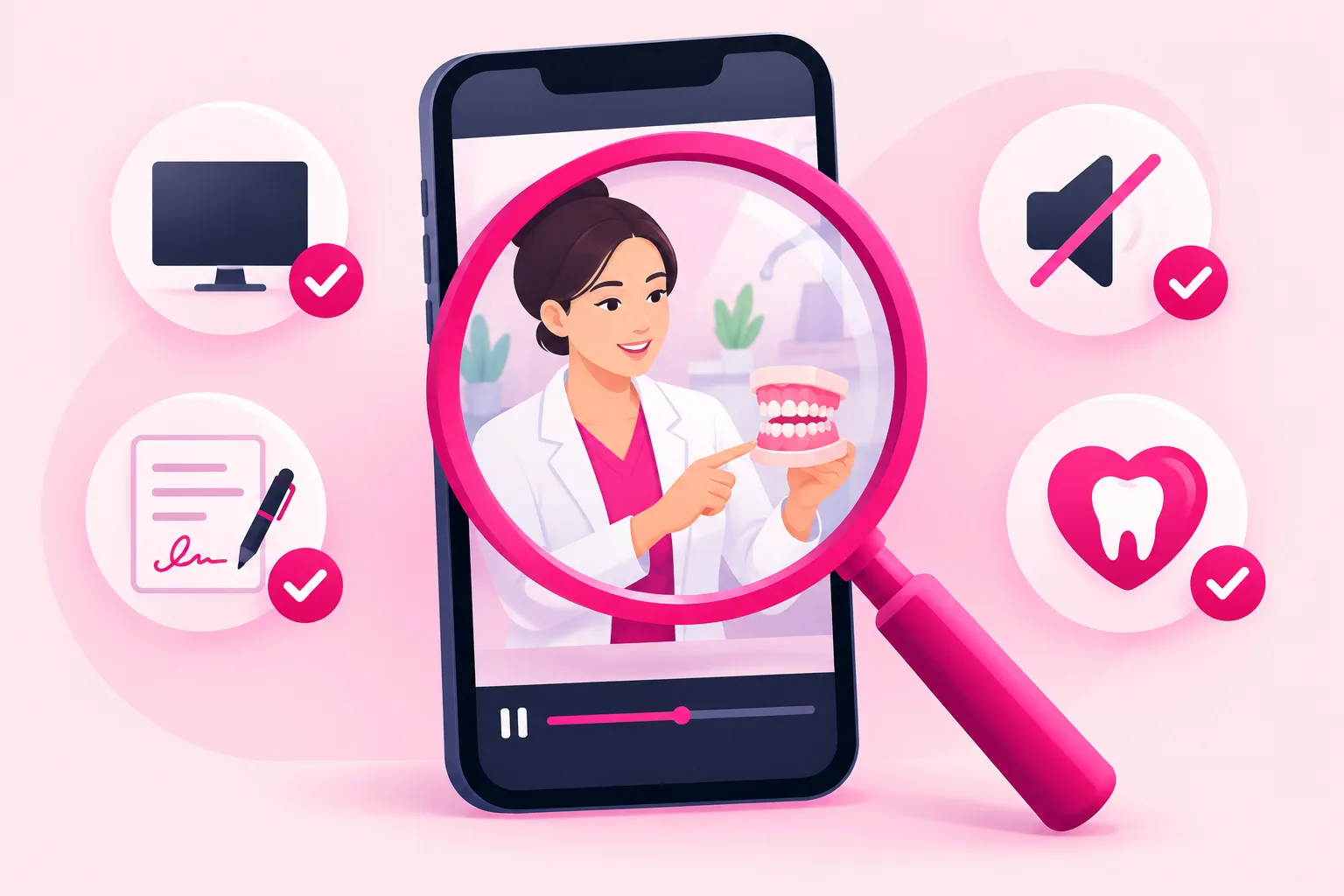
The structural approach in section 2 prevents almost every problem. The frame check catches the rest - the lab case someone set on the counter Tuesday, the x-ray reflected in the cabinet glass, the hygienist who called a name through the door. Run it on every video, before it posts, every time. Two minutes per video, and it is the cheapest professional-liability insurance you will ever buy.
Before you post:
- Pause on every frame change. If the camera moved or you moved, stop and look at what's newly in view.
- Zoom on every surface. The monitor, the x-ray, the lab case, the route slip, the whiteboard, the cabinet glass. If you can't read it at full zoom, nobody else can either. If you can, reshoot.
- Check the consent. Every patient in frame has a signed authorization for this use on file; every staff member in frame said yes in writing; nobody walked past an open door behind you.
- Check the patient, not yourself. Any wince, any moment that would embarrass them, any hint of sedation in the footage - and the clip is cut, not posted.
- Listen with headphones. A name from the front desk, a patient called from the waiting room, a treatment discussion next door. Headphones catch what speakers hide.
- Listen to yourself. Did you diagnose? Say "painless" or "guaranteed"? Call yourself a specialist in something your state doesn't recognize? Quote a price without its terms? Any yes means re-record.
- Check the disclaimer and the caption. Education, not an exam; watching doesn't make you a patient; a video can't diagnose anyone. In the caption at minimum, out loud when the topic warrants it.
One more thing the frame check should confirm: your rulebooks. HIPAA and your own authorization form; your state dental board's advertising rules on before-and-after images, specialty and "cosmetic dentist" titles, claims, discounts, and testimonials; the ADA Principles of Ethics on advertising - nothing false or misleading in any material respect; your employer's or DSO's social-media policy if you don't own the practice; and a clear #ad label on any video where a whitening brand, a toothbrush company, or an aligner company paid you or sent product. Read them once, build the requirements into your caption template, and the check takes care of itself. Our healthcare TikTok playbook covers the broader privacy frame that applies to every clinical account.
This guide is general information for planning purposes, not legal or regulatory advice. Your obligations depend on your state board, your license, your employer, and your insurance contracts. Confirm the details against your own board's rules and current HIPAA guidance - and if you are unsure about a particular video, a five-minute question to your state dental association or your liability carrier before you post is faster than anything that happens after.
12. Editing for Trust, and What to Do When a Video Works
The editing that helps dental content is almost entirely subtractive. You're not adding production value - you're removing anything between the viewer and a clear answer from a kind person.
- Cut the first second. The reach for the record button, the breath, the "okay so." The video starts on the first word of the question.
- Captions on every video. A large share of viewers watch on mute - at work, in a waiting room, in bed. Auto-captions are fine; fix the procedure names they mangle, because they mangle most of them.
- One on-screen line for the question. Text overlay of the question for the first few seconds. It's the mute viewer's hook and the searchable headline.
- Disclaimer in the caption, every time. Build it into a template so it never gets forgotten: "Education, not an exam. Watching doesn't make you our patient, and a video can't diagnose anyone - see a dentist near you."
- Cut the ending. End on the answer. No logo animation, no "book today." Where to take the viewer next belongs in your bio - with the city in it, if you want local patients - and your pinned videos, not in the last three seconds of a video people would otherwise finish.
- Skip the effects. Trending sounds, zoom cuts, and the team dance read as "content creator." Your viewer wants "the dentist who explains things clearly and won't lecture me." Be that.
Film this way for a few weeks and something predictable happens: one video - usually a between-patients answer you almost didn't post - dramatically outperforms the rest. High completion, saves piling up, profile visits jumping, a comment section full of new questions for the log.
That video has done something expensive: it proved, with real viewers, that a specific question matters to a specific audience. For a practice, that proof is worth more than it is in almost any other profession, because a converted viewer isn't one appointment - it's a hygiene visit every six months for as long as they live in town, the family that follows, and the eventual big case. The trap, as the pillar explains, is that dental content travels: your best video will reach thousands of people three time zones away who will never sit in your chair. The lever is to put that proven explainer in front of the people inside your drive radius, timed to the moment - the benefits video in October, the new-plans video in January.
That selective, radius-targeted approach is what our TikTok promotion service is built for: we amplify the videos that have already proven themselves organically, to the audience that could actually walk through your door, timed before the rush rather than during it. Our Spark Ads guide covers the format practices should default to, since it promotes your organic post with its comments and credibility intact. Just run the frame check one more time before anything gets promoted - confirm the authorization for anyone in it covers paid use, that the video clears TikTok's ad policies, and that any before-and-after stays inside your state board's rules, because an ad is held to a stricter reading than an organic post. If you serve a drive radius - and most practices do - the filming choices that build local recognition are in our local business TikTok guide.
Frequently Asked Questions
What equipment do dentists need to film TikTok videos?
A phone from the last few years, a small tripod or a clamp mount that grips the counter edge or a cabinet door ($15-25), and a clip-on lavalier microphone ($15-25) - under $75 total. The microphone is the one non-negotiable, because operatories are acoustically hard rooms: tile, glass, the compressor, suction, and an ultrasonic scaler running next door. A ring light only matters in a windowless operatory, and the overhead operatory light is never your face light - it's a spotlight that belongs on the model mouth. Nobody needs a camera rig, and the extra friction of one shows up as fewer posts, which is the only thing that actually kills a practice account.
Do I need patient consent to post dental videos on TikTok?
Yes - and the consent to treatment doesn't cover it. A face is a HIPAA identifier, and so are "comparable images," which means a close-up of a distinctive smile, a voice, or a tattooed hand on the armrest. Any patient in any clip needs a separate, specific, written authorization for social-media use: what will be recorded, where it will be posted, that posts are public and can be reshared, how long the authorization lasts, that it can be revoked, and that treatment never depends on it. It's signed before the camera comes out and before any sedation, a parent or guardian signs for a minor, and a verbal "sure" in the chair is not enough. Most of your content never needs it, because most of your content never needs a patient.
Can I post the funny video of my patient waking up from sedation?
No. A patient who is sedated or still coming out of it can't give meaningful consent, and a signature obtained earlier for a procedure video doesn't turn a disoriented person into a willing performer. Beyond HIPAA, it's a dignity problem and a trust problem: the viewer who is already afraid of the dentist watches your practice laugh at someone at their most vulnerable and decides never to be that person. The wisdom-teeth walk-through - what sedation feels like, what recovery looks like, filmed on you or a consenting staff member - gets the same views without the cost.
What dental content is not allowed on TikTok?
TikTok's community guidelines restrict graphic content, so extractions with blood in frame, surgical close-ups, and the gross-out genre - calculus removal in extreme close-up, abscess drainage, the broken-tooth reveal - can be age-restricted, kept off the For You feed, or removed even when they're medically routine. Beyond platform rules, never show a chart, x-ray, or lab case with a name, never film a sedated patient, never diagnose a stranger from a photo, and never say "painless," "guaranteed," or a specialty title your state board doesn't allow. Show the model mouth, the before and the after inside your state's rules, and the explanation instead.
Can my hygienist or dental assistant be on camera?
They should be - hygienists are the natural stars of the satisfying-clip genre and the front desk owns the question log. Two conditions: their consent is written, voluntary, and paired with a social-media policy that says who owns the account, who approves posts, what happens to the videos if they leave, and that being on camera is optional; and they stay inside their scope on camera. "Here's how I clean around braces" is wonderful. "Your tooth needs a crown" is a diagnosis, and only the dentist can make it, on camera or anywhere else.
When should a dental practice film content around the calendar?
Thirty to sixty days ahead of whatever is about to land on the schedule, because a video needs runway to be found before its moment. The biggest shoot of the year is September: the use-it-or-lose-it explainer about annual maximums and FSA balances that has to be live before the October-through-December rush. Under that, film the new-plans and resolutions set in December for January, the Children's Dental Health Month videos in January for February, wedding and graduation whitening in March for May, summer orthodontics and sports mouthguards in May for June, and back-to-school checkups in July for August. One ninety-minute batch block a month covers it.
Ready to turn your best explainer into patients who stay?
Film the way this guide describes and one of your between-patients answers will eventually break out. When it does, Viryze amplifies that proven video to the people inside your drive radius - timed to the benefits deadline or the January reset, not scattered across a national audience that can never sit in your chair. Your front-desk question log supplies the content; a phone on a cabinet clamp captures it; selective amplification turns the best of it into a hygiene schedule full of families who keep every appointment.
See how selective amplification worksRelated Reading
- TikTok for Dentists: The Complete 2026 Guide - the full strategy this filming guide plugs into.
- Dentist TikTok Content Ideas: 50+ Video Concepts - what to film, now that you know how.
- The TikTok Algorithm Guide - why tight, single-question videos get distributed.
- How to Film Healthcare Content for TikTok - the parallel HIPAA guide for the other clinical professions.
- How to Film Veterinary Content for TikTok - the same consent-first engine in another clinical room.
- TikTok Spark Ads Guide - the amplification format for the video that takes off.

Head of Creator Success at Viryze
TikTok growth strategist helping creators reach their first 100K followers through data-driven promotion strategies.