
Mental Health16 min read
How to Film Therapy Content for TikTok (Confidentiality, Office Setup & What Never to Say)
The complete filming guide for therapists, counselors, psychologists, and clinical social workers on TikTok in 2026: the office-chair studio under $75, the three places to film and the one frame rule (no client can appear in it, ever), the schedule rule that keeps filming away from sessions and the waiting room, the six client-free capture points, how to film the talking-head answer inside the education-not-therapy line, what never to say on camera, how to film suicide, self-harm, and trauma topics under safe-messaging rules, lighting and audio fixes for soft rooms with a sound machine, the wave-calendar shoot schedule, and the pre-post frame check that protects your license.
By Ryan MitchellHead of Creator Success at Viryze

Ask a therapist why they haven't started posting, and it's almost never "I have nothing to say." It's the practical wall. Where do I film - my office is the room my clients sit in. What if a folder is on the desk, or my calendar is on the wall, or someone in the waiting room hears me through the door? What am I allowed to say on camera, and what happens when a stranger in the comments tells me they don't want to be here anymore? And when, between a full caseload and the notes I'm already behind on, is any of this supposed to happen?
Those are the right questions, and they have short answers. This guide is the filming manual for therapy content: the under-$75 setup, the three places to film and the one rule that makes each of them confidential, the schedule rule that keeps the camera away from sessions, the six capture points that never touch a client, how to film the talking-head answer inside the education-not-therapy line, what never to say on camera, how to film the hard topics safely, and the season-ahead schedule that has the first-session video live before the January wave arrives.
If you haven't read our complete TikTok guide for therapists yet, start there for the strategy. If you're short on what to film, our 52 therapist content ideas supply the list. This article is about how to get those ideas onto your phone without spending money, borrowing a minute from a session, or exposing a single client.
The one-sentence version:
Phone at eye level, lamp on your face, microphone on your collar, the wall behind your chair as the backdrop and no client in the building - then answer one question a real person asked before they were your client, in one take, with a pattern in it and no diagnosis, and stop when the answer is done. Everything below is detail on those instructions.
What's Inside
- 1. The Office-Chair Studio (Under $75)
- 2. Where to Film: Your Office, Your Telehealth Room, or Home
- 3. Confidentiality of the Frame (and the Clock)
- 4. The Six Client-Free Capture Points
- 5. Filming the Talking-Head Answer (Inside the Education Line)
- 6. What Never to Say on Camera
- 7. Filming the Hard Topics Safely
- 8. Lighting and Audio Fixes for Therapy Offices
- 9. The Wave-Calendar Shoot Schedule
- 10. The Pre-Post Frame Check
- 11. Editing for Trust (Not Polish)
- 12. What to Do When a Video Works
- Frequently Asked Questions
1. The Office-Chair Studio (Under $75)
The equipment question has a shorter answer than most clinicians expect. Everything a therapist account needs fits in a desk drawer, and if you see clients by telehealth, you already own most of it.
- Your phone. Any phone from the last four or five years shoots better video than the cameras that built the first wave of TherapyTok. Use the rear camera when you can - it's sharper - and wipe the lens before every session. A smudged lens is the most common reason a video looks "off" without anyone being able to say why.
- A small tabletop tripod ($15-25). Its whole job is to put the lens at eye level from the chair you already sit in and keep both of your hands free, because a therapist who talks with their hands on camera is a therapist who looks like themselves. Set it on the side table or the desk, angle it once, and leave it there.
- A clip-on lavalier microphone ($15-25). The one worthwhile purchase. Your office is a soft room, which is good news, but the phone microphone is still four feet away and picks up the HVAC and the hallway. A $20 lav clipped to the cardigan makes you sound like you're in the room with the viewer, which is the entire effect you're after. Viewers forgive average picture; they leave over bad sound.
- A ring light (you probably own one). If you do telehealth, the light you bought for it is the only light you need. If you don't, a window or the floor lamp turned toward your face does the same job for free.
That's it. No camera rig, no softboxes, no editing software beyond what's on the phone. The therapists who build large audiences almost universally film on a phone on a tripod in the chair they see clients from, and the ones who upgrade to a rig usually regret it - the extra setup shows up as fewer posts, and fewer posts is the only thing that actually kills an account.
2. Where to Film: Your Office, Your Telehealth Room, or Home
Here is the principle that makes therapy filming safe: don't try to spot confidential material shot by shot. Choose a frame where it physically cannot appear. When confidentiality is structural, you stop worrying about it, and the worrying is what keeps most clinicians from ever pressing record.
The stakes are worth naming once, plainly. Your office is not a neutral backdrop. It is the room where your clients say the things they have never said out loud, and everything in it that belongs to them - the file, the calendar slot with their initials, the mug they gave you at termination - is confidential under HIPAA, your state's confidentiality law, and your ethics code. The good news: general psychoeducation needs none of it, so the fix is entirely about where you point the lens.
Three places work for almost every clinician:
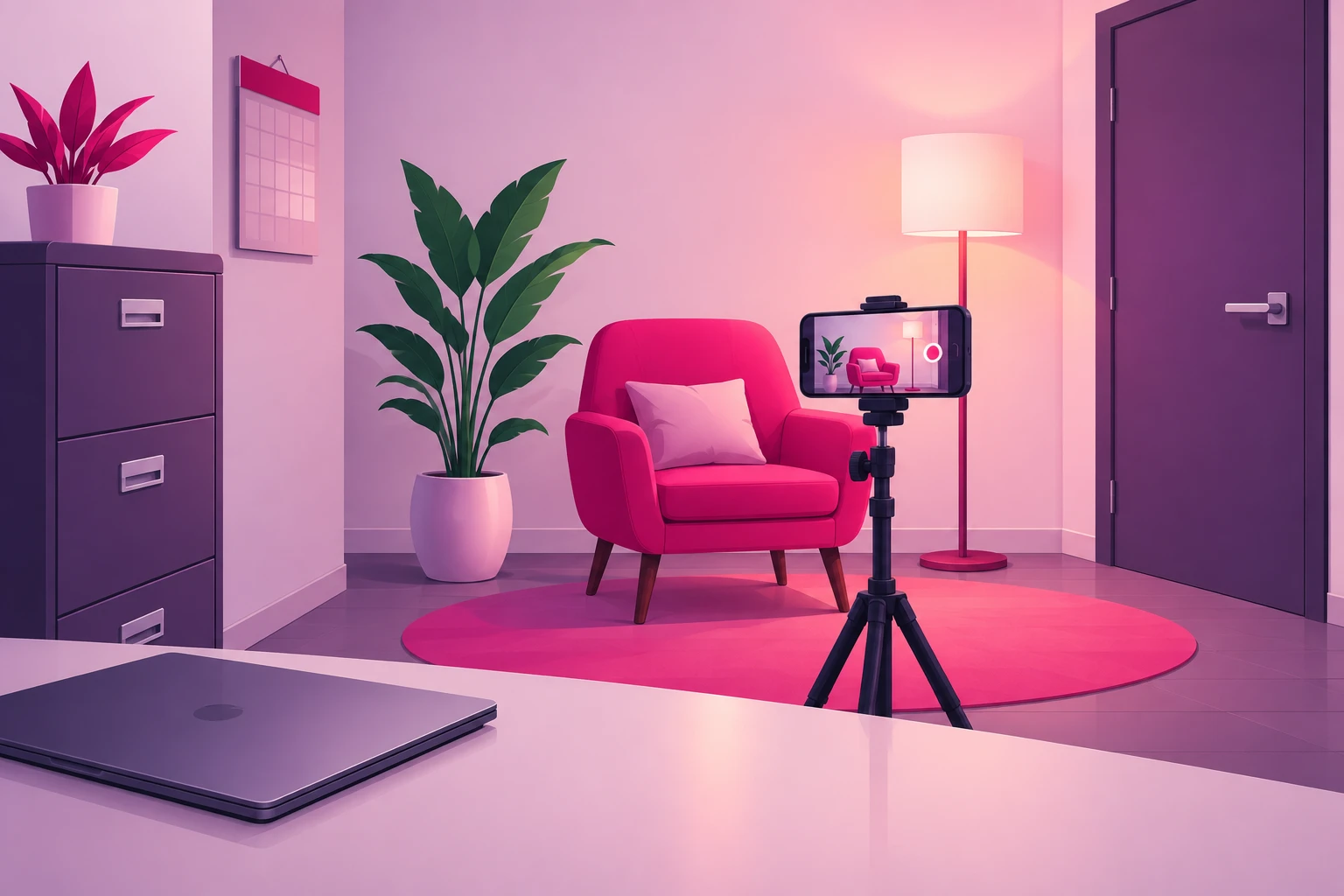
- Your office, lens pointed at the wall behind your chair. The setup rule: the camera sits where the client's chair is, pointed at you and the wall behind you, so your desk - the computer, the files, the calendar, the notepad - is behind the camera and nothing on it can be in frame. You are sitting the way you always sit, in the light you already know, which is why this is the best studio in the building. Book the time on your calendar like a session, because it is one.
- Your telehealth room. If you see clients on video, you already have a corner that is lit, quiet, and framed. Use it. The one difference from a session is what is on the desk in front of you: close the platform, close the EHR, and put the phone where the webcam is. The telehealth ring light doubles as the studio light.
- Home. Quiet, no waiting room, no colleague through the wall, and free daylight if you sit near a window. The trade is that the confidential material is now your own: family names on the fridge art, mail on the counter, the partner walking through. Pick a wall, not a room.
And one place to rule out: the waiting room, the hallway, and any door that opens onto them. The lobby is where clients are visible - yours and the other practices' on the floor - and a walk-through shot of an empty lobby still shows the sign-in sheet, the sound machine, and the door your clients recognize. Film in a room with the door closed and the lens pointed away from it. There is no lobby shot worth the risk.
One consideration that is unique to your profession: if you film in the same chair you see clients from, the client who finds your account will recognize the room. That is not a problem - most clinicians find it builds trust, because the person on the screen is visibly the person in the session - but it is a reason to treat what you say in that chair with the same care you give the session, and a reason to add the social-media clause to your informed consent that the pillar guide describes. If you would rather keep the two rooms separate, home is the answer.
3. Confidentiality of the Frame (and the Clock)
This is the section that separates therapy filming from every other profession's. A veterinarian can put a consented patient on camera. A contractor can film the job site. You have a frame and a clock, and both have a rule. The frame rule: nothing that belongs to a client can be in it, ever. The clock rule: sessions and filming never share one.
Whatever room you choose, do a one-time sweep of everything in the lens's field of view and everything within earshot:
The frame sweep - in view:
- Files, folders, intake packets, anything with a name, initials, or a date on it
- The appointment calendar - paper on the wall or a scheduling screen - because initials and times are enough to identify someone who knows their own slot
- The EHR, the telehealth platform, the email inbox, on any screen in the frame
- Your notepad and any session notes, including the "erased" whiteboard with ghost writing on it
- Client gifts, artwork, thank-you cards, and the sand-tray or worksheet a client left behind - a client can recognize their own work in a background
- Invoices, superbills, insurance correspondence, and the checks on the desk
- Anything visible through the door if it opens onto the waiting room
The audio sweep - in earshot:
- The front desk confirming an appointment by name, or reading a phone number back
- A colleague's session through a shared wall - if you can hear it, so can the phone
- The waiting room, which means someone is in it, which means you are not filming yet
The clock rule deserves its own paragraph, because it is where well-meaning clinicians slip. "Between sessions" sounds like free time; it isn't, if someone is already in the waiting room reading a magazine and can hear you through the door. Film before your first client, in a cancellation with the door closed and the lobby empty, or after your last session. The Wednesday cancellation is the classic filming slot in this profession for a reason.
On a telehealth day the clock rule gets stricter, not looser. Close the platform and the EHR before you open the camera app - not minimized, closed - so no notification, no waiting-room chime, and no name can land on a screen that is in the frame or in your screen recording. Never use the telehealth software's recording feature for content. And never film in the minutes around a session, in either direction: the "here's what I'm thinking after that session" video does not exist in this profession, no matter how carefully it avoids detail. The mood is the disclosure.
Close the door, tell the front desk you're recording for fifteen minutes, and the audio problem mostly disappears. The visual problem disappears once, when you pick the right wall. After that, the room is safe every time you sit down in it.
4. The Six Client-Free Capture Points
The therapists who sustain this for years don't "make content." They capture what already happens in a normal clinical week - at six points, none of which is a session and none of which involves an extra hour. The pillar introduces this as the content engine that never touches a client; here is the filming side of each point.
- 1. The intake-call question log (all week, no filming). Every question someone asks you before they are your client - on the consult call, in the "not sure if this is something you help with" email, at the dinner party - goes into a note on your phone verbatim, in their words. This isn't a capture point for footage; it's the capture point for every script you'll ever need, and it is administrative rather than clinical, which is why it is safe. Thirty questions is a quarter of content.
- 2. The consult that said no (ten seconds, whenever it happens). The cost, the fear, the partner who disapproves, the belief that they are "not bad enough." Into the log it goes - the person stripped out, the objection kept. When you film it later, the answer is already polished because you've given it on the phone a hundred times.
- 3. The concept you explained again (one take, in the cancellation slot). The window of tolerance, the anxiety-avoidance loop, why the nervous system does not care that the threat is an email. Any concept you have taught a hundred times is a video, and the fact that it bores you is the signal that the explanation is ready. The concept is the content. The person you explained it to never appears. This is the workhorse format - the one most of your posts will be.
- 4. The myth on your own feed (one planned video a week). Whatever confidently wrong thing the algorithm showed you this week. Screenshot the idea, not the creator - never stitch someone to humiliate them - and correct it kindly. This is the video you give slightly more care, a tighter outline and the best lamp in the office, because it is the one you'll pin and, later, amplify.
- 5. The seasonal moment (filmed a month early). Whatever the calendar is about to send into your inbox - the family dinner in November, the resolution in January, the empty house in September. Same setup as #3, but shot thirty to sixty days ahead, which is what section 9 is about.
- 6. The profession's own conversation (thirty seconds, when it moves you). What came up in consultation group, what you learned at the last training, what your own therapist said that reframed something, why you chose your modality. The one capture point where the subject is you, and the source of the therapist-as-human clip - filmed with the same clinical judgment about self-disclosure you would apply in the room.
Total filming time across all six: well under an hour a week, and most of it in gaps you already have. The log fills itself, and none of it required a client.
5. Filming the Talking-Head Answer (Inside the Education Line)
Most of what you post will be one format: you, in your chair, answering one question someone asked before they were your client. It's the format that builds trust, because it's the closest thing on the internet to sitting across from you. Here is exactly how to film it - and where the line is.
- Run the test first. Before you press record: could this video exist if you had never met a single client? If yes, it is education and it is yours. If it needed a client to exist - even de-identified, even a composite, even changed in every detail - it is not, and no disclaimer repairs it.
- Frame: Phone vertical, on the tripod, lens at eye level, about an arm and a half away. Head and shoulders fill the middle of the frame with a little space above your head. The wall behind your chair - a plant, a lamp, a shelf - is the backdrop.
- Open on the inner sentence. No "Hi, I'm Maya, I'm a licensed professional counselor." The first words out of your mouth are the viewer's own experience in their own words: "If you replay a conversation from three days ago and still feel your face get hot." The viewer decides in two seconds whether this video is for them - make those two seconds the sentence they already say inside their own head.
- Name the pattern, never the diagnosis. This is the education line, and the strongest hook in the genre sits right on the wrong side of it. You can explain what the pattern is, why a nervous system does it, and what tends to help. You cannot tell a stranger what they have. "This is what rumination is" is education. "This means you have an anxiety disorder" is an assessment you have not done, delivered to someone you have not met.
- Answer it the way you would to one person. Plain English. The clinical term after the plain-English explanation, not before. If you'd say "it depends" across a dinner table, say it here - then say what it depends on. And answer the question in the video. The tease - "book a consult to find out" - kills completion, and completion is what decides whether the video travels.
- Say what the video is. Once, out loud, when the topic warrants it: this is education, not therapy; watching doesn't make me your therapist; a video cannot assess anyone. It costs three seconds, it is what the APA code's media-presentations rule asks of you, and it prevents the most likely misunderstanding.
- Stop when the answer is done. No recap, no "follow for more," no pitch. Thirty to sixty seconds. The therapists who cut hard get watched all the way through.
One take, no script. If you stumble, pause, and say the sentence again - you'll cut the stumble in ten seconds. A slightly imperfect explanation reads as more credible than a polished one, because the viewer is evaluating you, not a production, and "is this a person I could sit across from?" is the only question they are really asking. The mechanism behind why this format gets distributed is in our TikTok algorithm guide: watch time and completion, both of which reward a tight answer to a question someone actually asked.
6. What Never to Say on Camera
In most professions, the filming mistakes are visual - the label in the background, the wound in the shot. In yours, they are spoken. The frame can be perfect and the video can still cost a client or a license because of one sentence, and the sentences that do it are the ones that feel most natural to say. So this section is a list, and it is worth reading twice.
Never on camera, in any form:
- A client story. Not de-identified, not a composite, not "someone I work with," not "a client of mine once." The person watching may recognize themselves, and the moment they do, the treatment relationship is damaged in a way no disclaimer repairs. "People often ask me" is fine when the question could have come from a thousand people.
- A diagnosis for a stranger. "Five signs you might have this disorder" is the highest-performing video in the genre and the most harmful one. Name the pattern; leave the label to the room. The symptom checklist is the idea to leave out.
- A promise. "Six sessions and you'll feel better" is a claim no clinician can make and no board will forgive.
- "My client said." The APA, ACA, and NASW codes all prohibit soliciting testimonials from current clients, and the ACA extends it to former clients. Your account grows on explanation, never on a quote from the room - and the same rule follows the video into any ad, which section 12 comes back to.
- A title your state did not grant you. "Psychologist," "licensed professional counselor," and "clinical social worker" are protected terms in most states; "therapist" often is not. Say the license you hold, exactly as you hold it. If you are an associate, say the provisional title, and get your supervisor's sign-off on public-facing content before the first post.
- Medication or dosing advice - unless you are a prescriber. "Ask your prescriber" is the whole answer to the question you will be asked most.
- A diagnosis of a public figure. The celebrity, the politician, the person in the viral clip. The professional consensus against diagnosing people you have not evaluated exists for a reason, and this is the fastest way to become a cautionary tale on the platform.
- "DM me" as an invitation for clinical questions. It fills the inbox with two kinds of people you cannot help by DM: people in crisis, and people in states where you are not licensed. The consult path belongs in your bio, with the state screen in front of it.
- The personal disclosure you haven't run through a clinical filter. Self-disclosure on camera is a clinical decision, not a content decision. Before the story about your own anxiety or your own divorce, ask what it will mean to the client who hears it on Thursday.
Say this instead:
- The pattern - what it is, why a nervous system does it, what tends to help
- The question people ask before they are clients, answered in general terms
- What actually happens in a first session, in the plainest language you own
- The correction - what the word really means, kindly, with no creator named
- The human - your face, explaining, in the chair you always sit in
One more group belongs in this section: the people on your team. A group practice's intake coordinator or office manager is often the best on-camera talent in the building, and they should be on camera. What they cannot do is explain what a client should do about a symptom, on TikTok or anywhere else. "Here's what happens when you call us" is wonderful. "Here's what your anxiety means" is a licensing problem. Build the line into the team's filming rules on day one.
7. Filming the Hard Topics Safely
Unlike any other profession, some of your most important videos will be about suicide, self-harm, eating disorders, and trauma - and some of the people watching will be in the middle of exactly that. Two rulebooks overlap here and point the same direction: the safe-messaging guidelines your training already gave you, and TikTok's community guidelines on suicide, self-harm, and disordered eating, which suppress or remove content that crosses them regardless of intent. The safe version of the video is also the version that reaches people.
Before you film a hard topic:
- Open with what the video is about. "This one is about suicidal thoughts - if today isn't the day for that, keep scrolling, I'll be here." It gives the viewer the choice, and it is the kindest hook in the vertical.
- Describe the pattern and the path to help, never the event. No methods, no locations, no numbers, weights, or behaviors that function as instructions, no graphic detail of a traumatic event. What the thought is like, why it shows up, what the next hour can look like, who to call.
- Never frame suicide as relief, escape, or a solution - including in a sympathetic retelling. This is the line safe-messaging guidelines draw most firmly, because it is the one that does harm.
- Put the resource in three places. The 988 Suicide & Crisis Lifeline in the caption, in the pinned comment, and said out loud in the video. Outside the US, name your country's line.
- Prepare the comments before the video posts. Keyword filters on, the saved crisis response from the pillar's caseload ladder ready to send, and a rule about when the app is closed for the night.
- Skip the trending audio. A dance sound under a grief video reads as exactly what it is. Your own voice, or nothing.
Trauma content has one more rule: you are not filming a reenactment. The video that walks the viewer through a flashback in vivid second-person detail can trigger the person it was meant to help. Explain the mechanism - what the body does, why the past feels present - and stop short of the scene. September, which is Suicide Prevention Month, is when these rules matter more than reach; the ideas guide's calendar lists which concepts belong there.
8. Lighting and Audio Fixes for Therapy Offices
Here is a piece of good news no other profession in this series gets: your office is the best-sounding room any clinician films in. Couches, rugs, curtains, and a closed door are exactly what a sound engineer would add to a room to make voices warm. The problems are specific and small - low lamps, one machine, and the wall you share - and each is fixed in under a minute.
Lighting
The rule: light on your face, not behind you. Therapy offices are lit for calm - warm lamps, low and to the side - and a lamp behind your shoulder turns you into a silhouette while the overhead fluorescents, if you have them, cast green and put shadows under your eyes.
- Window in front or to the side: soft, flattering, free. Turn the setup so the window is beside or in front of you, never behind.
- Move the lamp, not the chair. The floor lamp that lives behind the couch for sessions goes in front of you for filming, just out of frame, at face height. Ten seconds each way.
- The telehealth ring light is already in the right place. Directly behind the phone, at face height, overheads off if the room has a switch.
- Solid, mid-tone colors read well on camera. Busy prints and pure white fight the auto-exposure; the cardigan you actually wear is usually right. Not a rule, just an easy win - and wear the same one across a batch so the videos match.
Audio
A quiet office is not a silent one. The white-noise machine outside your door is doing its job for sessions and ruining yours for filming, the HVAC adds a hum you stopped hearing years ago, and the wall you share with the next office carries more than you think. The phone microphone hears all of it.
- Turn the sound machine off - only when no session is nearby. If a colleague is in session next door, the machine stays on and you are not filming yet. The clock rule from section 3 solves this before it starts.
- Lavalier on the collar, six inches below your chin, cable tucked inside the cardigan so it doesn't rub. This alone solves most office audio.
- Soft surfaces are already helping: the rug, the couch, the closed door. If your room is unusually bare, a blanket over the back of the client's chair - behind the camera - takes the echo out.
- Three-second test clip before every batch. Record, play back, listen for the hum, the machine, the hallway. Fix it now, not after five videos.
9. The Wave-Calendar Shoot Schedule
Every profession batches. Yours is one where the batch has a calendar, because demand for a therapist arrives in two predictable waves. January brings the resolution, the aftermath of the holidays with family, and a flood of people with new insurance plans looking up who is in-network. September brings the return to routine, when the thing someone put off in June comes due. The "what a first session actually looks like, and how to find someone licensed in your state" video has to be live, and found, before both - which means it is filmed in August and again in December. A video needs thirty to sixty days of runway to reach the people quietly deciding.
- August (the first big shoot): The first-session demystifier, the how-to-find-a-therapist explainer, the "do I have to talk about my childhood" answer, and the back-to-school anxiety set for parents. This one batch block carries the account into the September wave.
- September (film for October): The seasonal-mood explainer that becomes the most-saved video of the quarter, and the Suicide Prevention Month content filmed under section 7's rules.
- October (film for November): The single biggest genre in the vertical - how to get through a holiday dinner with your family - plus holiday grief and the "first holiday after" video.
- December (the second big shoot): The first-session explainer again, the insurance and superbill walkthrough for people with new plans, the "you're allowed to go for something that isn't a crisis" permission video, and the resolution set. Filmed before the holidays, scheduled through January.
- January (film for February): The relationship season - the couples-therapy demystifier and the "my partner wants me to go" video.
- April (film for May): Mental Health Awareness Month, when everyone posts. Film the correction format - be the licensed voice in a month full of slogans.
- June-July (the summer slump): Cancellations rise and caseloads thin. This is the batching season: the question log from spring, the concepts you explained all year, and the August shoot pulled forward while you have the time.
The unit inside that calendar is one ninety-minute block a month: five minutes of setup and a test clip, an hour answering ten to fifteen questions from the log back to back in the same cardigan, twenty minutes trimming, captioning, and scheduling, and a frame check on all of them. Fifteen videos is five weeks of posting from one Wednesday cancellation. Protect that block on the schedule the way you protect a session.
One habit makes the calendar work: date-stamp nothing. Filmed in August, posted in September only works if the video doesn't say "this summer" or show a beach towel on the chair. The seasonal video names the season; the evergreen explainer names nothing.
10. The Pre-Post Frame Check
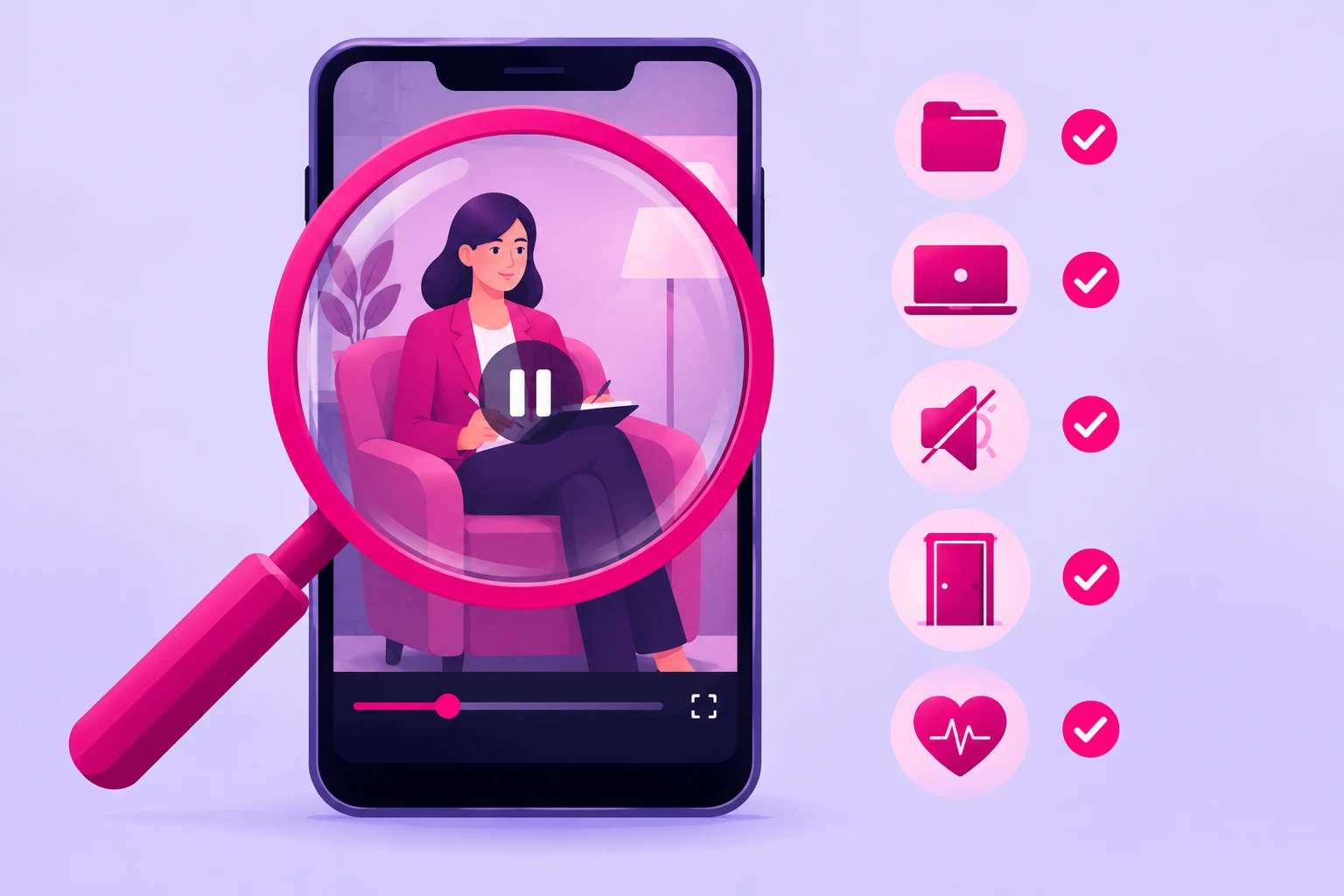
The structural approach in sections 2 and 3 prevents almost every problem. The frame check catches the rest - the intake packet someone set on the side table Tuesday, the calendar reflected in the window, the sentence that started "I had a client once." Run it on every video, before it posts, every time. Two minutes per video, and it is the cheapest professional-liability insurance you will ever buy.
Before you post:
- Pause on every frame change. If the camera moved or you moved, stop and look at what's newly in view.
- Zoom on every surface. Folders, the calendar, any screen, the notepad, the window's reflection. If you can't read it at full zoom, nobody else can either. If you can, reshoot.
- Check the door. Closed, and nothing visible through it. No waiting room, no hallway, no one.
- Listen with headphones. A name from the front desk, a colleague's voice through the wall, the waiting-room chime from a platform you thought was closed. Headphones catch what speakers hide.
- Listen to yourself. Did you hand a stranger a diagnosis? Tell a client story in any disguise? Promise an outcome? Use a title your state didn't grant? Say "DM me"? Any yes means re-record.
- Run the test one last time. Could this exist if you had never met a client? If the honest answer wavers, it doesn't post.
- Check the caption. The education-not-therapy line, every time; the crisis line whenever the topic warrants it; the state and license in your bio if not in the video.
One more thing the frame check should confirm: your rulebooks. Your state licensing board's advertising rules, which govern everything you post and are stricter than the platform's; your ethics code's social-media and media-presentation provisions; your supervisor's sign-off if you are an associate; your group practice's or employer's social media policy if you are not the owner; and a clear label on any video where a meditation app, a therapy platform, or a supplement company paid you or sent product - after you have vetted where that partner sends your followers' data. Read them once, build the requirements into your caption template, and the check takes care of itself.
11. Editing for Trust (Not Polish)
The editing that helps therapy content is almost entirely subtractive. You're not adding production value - you're removing anything between the viewer and a clear explanation from a calm person.
- Cut the first second. The reach for the record button, the breath, the "okay so." The video starts on the first word of the inner sentence.
- Captions on every video. A large share of viewers watch on mute - at work, in bed, in a waiting room of their own. Auto-captions are fine; fix the clinical terms they mangle, because they mangle most of them, and a caption that turns one modality's initials into a blood clot is not the credibility you were going for.
- One on-screen line for the hook. Text overlay of the inner sentence for the first few seconds. It's the mute viewer's hook and the searchable headline.
- The disclaimer in the caption, every time. Build it into a template so it never gets forgotten: "Education, not therapy. Watching doesn't make me your therapist and a video can't assess anyone. If you're in crisis, call or text 988 (US)." Your license and your state live in the bio, so the caption doesn't have to carry them.
- Cut the ending. End on the answer. No logo animation, no "book a consult." Where to take the viewer next belongs in your bio - with the state in it, if you want clients - and your pinned videos, not in the last three seconds of a video people would otherwise finish.
- Skip the effects, and skip the trending sound on anything serious. Zoom cuts and text animations read as "content creator." Your viewer wants "the therapist who explains things clearly and seems like a safe person to sit with." Be that.
Everything about this process is the same education-first engine we documented for the other licensed clinical professions - our healthcare filming guide is the parallel version, with a consented patient sometimes allowed on camera where you have a frame no client may ever enter. And if you want the craft of delivering advice to a lens without going stiff, our coaching-video filming guide covers the one-person delivery method that translates directly to the chair.
12. What to Do When a Video Works
Film this way for a few weeks and something predictable happens: one video - usually a cancellation-slot answer you almost didn't post - dramatically outperforms the rest. High completion, saves piling up, profile visits jumping, a comment section full of new questions for the log.
That video has done something expensive: it proved, with real viewers, that a specific question matters to a specific audience. For a therapist, that proof is worth more than it is in almost any other profession, because a converted viewer isn't a transaction - it's a course of treatment, often months of sessions, and one well-matched client repays a modest budget many times over. The trap, as the pillar explains, is that mental health content travels: your best video will reach thousands of people in states where you can never legally treat them. The lever is to put that proven explainer in front of the people inside your state line, timed to the wave - the first-session video in December, the back-to-routine video in August.
Two rules follow the video into promotion. The first is that the ad is always the explainer, never a testimonial - the same ethics-code rule from section 6, now with money on it. The second is TikTok's personal-attributes policy: a promoted video cannot assert or imply that the viewer has a condition, which is one more reason the hook lives on the experience rather than the label. The video that was filmed correctly is, almost without exception, the video that clears ad review.
That selective, state-targeted approach is what our TikTok promotion service is built for: we amplify the videos that have already proven themselves organically, to the audience that could actually book a consult with you, timed before the wave rather than during it. Our Spark Ads guide covers the format practices should default to, since it promotes your organic post with its comments and credibility intact. Just run the frame check one more time before anything gets promoted - and confirm the video clears your state board's advertising rules as well as the platform's.
Frequently Asked Questions
What equipment do therapists need to film TikTok videos?
A phone from the last few years, a small tabletop tripod ($15-25) that puts the lens at eye level from the chair you already sit in, and a clip-on lavalier microphone ($15-25) - under $75 total. If you see clients by telehealth you probably already own a ring light, and it's the only light you need. Therapy offices are soft, quiet rooms, so the audio problem most professions fight barely exists here; the one thing to remember is to turn the white-noise machine off while you record. Nobody needs a camera rig, and the friction of one shows up as fewer posts.
Can I film TikTok videos in my therapy office?
Yes - with one rule: nothing that belongs to a client can be in the frame. Point the lens at the wall behind your chair so your desk, files, calendar, and screen are behind the camera; clear the notepad, any client gifts or artwork, and the whiteboard; and never film the waiting room, the hallway door, or anything a client could recognize as their own. The room is your client's confidential space, so film it only when no client is in the building. Done once, the office is the best studio you'll ever have, because it's where you are already most yourself.
Can I film between sessions or on my telehealth day?
Not between sessions with someone in the waiting room, and not in the minutes around a telehealth appointment. Sessions and filming never share a clock: film before your first client, in a cancellation with the door closed and the lobby empty, or after your last session. On a telehealth day, close the platform and the EHR before you open the camera app, never use the telehealth software to record, and never film anything that references the session you just had - not the mood, not the theme, not the sigh. The Wednesday cancellation is the classic filming slot for a reason.
What should therapists never say on TikTok?
A client story in any disguise - de-identified, composite, or "someone I work with." A diagnosis handed to a stranger, including the "five signs you might have this" checklist. A promise of an outcome. "My client said" - the APA, ACA, and NASW codes prohibit soliciting client testimonials. A title your state didn't grant you, or a provisional title without your supervisor's sign-off. Medication or dosing advice unless you're a prescriber. A diagnosis of a public figure. And "DM me" as an invitation for clinical questions, which fills your inbox with people in crisis and people in states where you aren't licensed.
How do I post about suicide, self-harm, or eating disorders safely on TikTok?
Follow safe-messaging guidelines and TikTok's community guidelines, which point the same direction: no methods, no numbers, weights, or behaviors that function as instructions, no framing of suicide as relief or a solution, and always a resource. Open with what the video is about so people can choose to keep scrolling, describe the pattern and the path to help rather than the event, keep the 988 Suicide & Crisis Lifeline in the caption and the pinned comment, turn on keyword filters, and have a saved crisis response ready before the video posts. Content that violates the guidelines is suppressed or removed regardless of intent, so the safe version is also the version that reaches people.
When should a therapist film content around the calendar?
Thirty to sixty days ahead of the moment, because a video needs runway to be found and saved before someone acts on it. The two big shoots are August, for the September back-to-routine wave, and December, for the January wave of resolutions, post-holiday family aftermath, and new insurance plans - the first-session explainer has to be live before both. The summer slump is the batching season. Under that, film a month early for the emotional calendar: relationship content in January for February, the awareness-month correction in April for May, back-to-school anxiety in July for August, the seasonal-mood explainer in September for October, and the holiday-dinner genre in October for November. One ninety-minute block a month covers it.
Ready to turn your best explainer into a well-matched caseload?
Film the way this guide describes and one of your cancellation-slot answers will eventually break out. When it does, Viryze amplifies that proven video to the people inside the state where you're licensed - timed to the January or September wave, not scattered across a national audience you can never treat. Your intake-call question log supplies the content; a phone on a side-table tripod captures it; selective amplification turns the best of it into consult requests from people who already trust you.
Related Reading
- TikTok for Therapists: The Complete 2026 Guide - the full strategy this filming guide plugs into.
- Therapist TikTok Content Ideas: 50+ Video Concepts That Fill a Caseload - what to film, now that you know how.
- Understanding TikTok's Algorithm: What Really Matters - why tight, single-question videos get distributed.
- How to Film Healthcare Content for TikTok (HIPAA-Safe, In-Clinic & Educational) - the parallel guide for the other licensed clinical professions.
- How to Film Coaching Videos for TikTok (Setup, Delivery & Captions) - the one-person delivery method for talking to a lens.
- Spark Ads on TikTok: Creator's Complete Guide - the amplification format for the video that takes off.