
Wedding Vendors14 min read
How to Film Wedding Content for TikTok (Reveals, Details & Wedding-Day BTS)
The complete guide to filming wedding content for TikTok in 2026: the 10-minute filming kit under $70, the locked-off before-and-after technique that makes reveals land, how to shoot detail pans and wedding-day behind-the-scenes without disrupting the day, the permission rules that keep couples happy, captions for mute viewers, and the one-hour batch edit that turns a single wedding into a month of posts.
By Ryan MitchellHead of Creator Success at Viryze
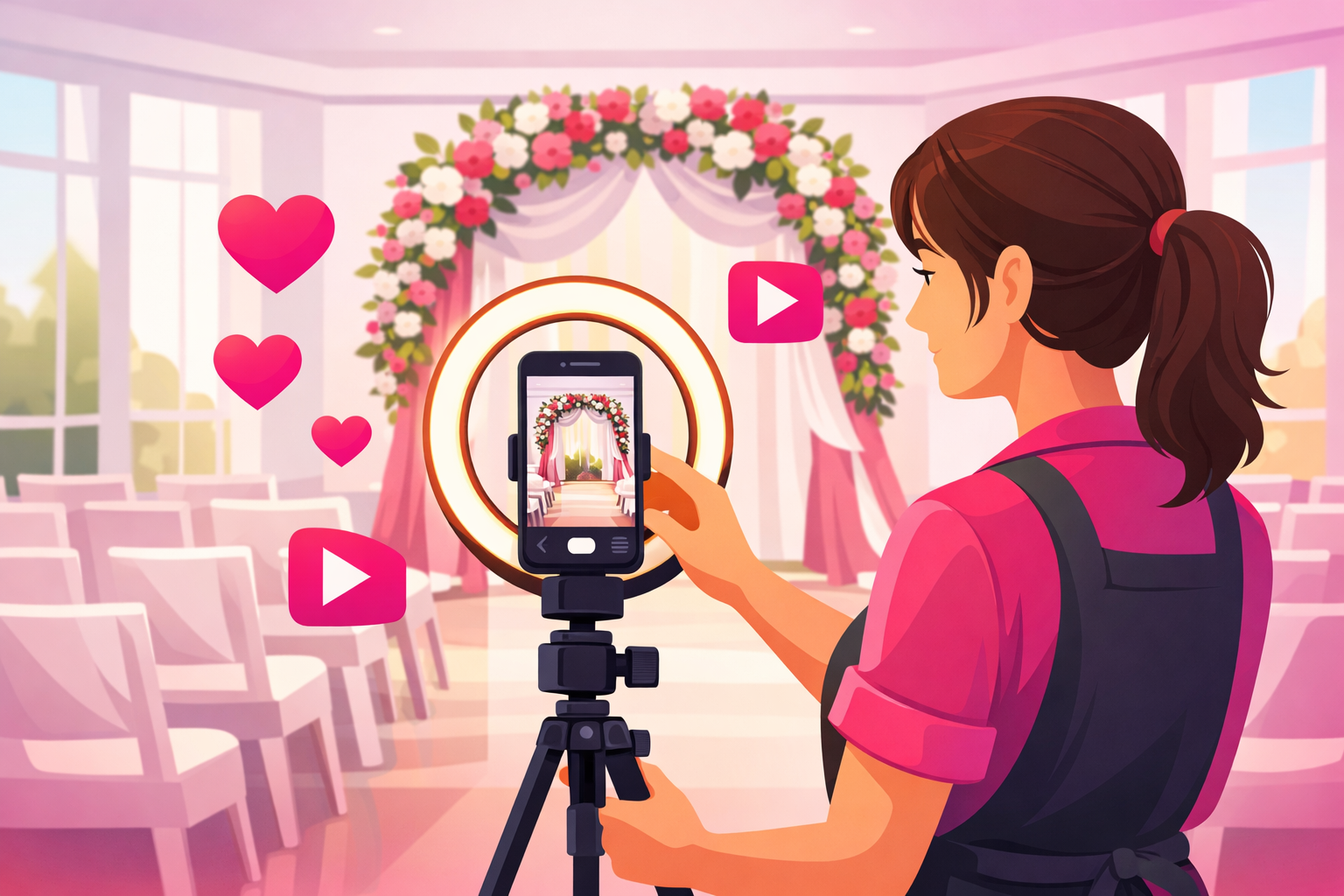
Here's the frustrating gap every wedding vendor runs into: the work is genuinely beautiful, but the footage of it is flat. You build a ceremony arch that makes people gasp in person, film it on your phone, watch it back that night - and it looks like nothing. The magic didn't transfer. So the video never gets posted, and the algorithm never gets the chance to hand your work to the couples searching for exactly it.
The good news: that gap is almost never about talent or gear. It's about a handful of filming habits - where you put the camera, when you hit record, and how you cut it together. Get those right and the same wedding you were already working produces reveals that stop the scroll, on a phone you already own.
This is the hands-on filming guide for wedding vendors: the 10-minute kit that costs less than a centerpiece, the locked-off technique that makes a reveal actually land, how to shoot detail pans and wedding-day behind-the-scenes without ever disrupting the day, the permission rules that keep couples happy, and the one-hour edit that turns a single booking into weeks of posts. It's the how-to companion to our complete TikTok guide for wedding vendors (the strategy) and our 50+ wedding content ideas vault (the what-to-post). This one is the how-to-shoot-it.
The honest summary:
- The before shot is the one you can never redo. Phone out the moment you arrive, before the room fills - no before, no reveal.
- Lock the camera to one position. Matching the before and after angle exactly is the whole reason a reveal snaps instead of drifts.
- Film the work, not the wedding. The bulk of your best content is captured during setup and teardown, when no guest is even there.
- When a reveal takes off, use selective amplification to push that proven clip to more engaged couples in your service area.
What's Inside
- 1. The 10-Minute Filming Kit (Under $70)
- 2. The One-Wedding Shot List
- 3. How to Film a Reveal That Lands
- 4. How to Film Details and Process Clips
- 5. Wedding-Day Behind-the-Scenes
- 6. Permission and Respect on a Live Wedding Day
- 7. The Edit: Hook, Captions, and Cutting to the Payoff
- 8. The One-Hour Batch System
- 9. When a Reveal Takes Off: Amplifying Your Best Footage
- Frequently Asked Questions
1. The 10-Minute Filming Kit (Under $70)
You do not need a camera, a gimbal, or a lighting rig. Weddings come with the best lighting money can buy - the venue paid for it - and a modern phone shoots more than enough quality for vertical video. The entire kit that turns your phone into a wedding-content machine costs less than a single centerpiece:
- A phone tripod ($20-30). The single most important purchase. A locked-off phone lets you keep building with both hands while the camera records - so filming adds almost nothing to your day - and it's what makes the matched before-and-after reveal possible in the first place.
- A small flexible gorilla-grip mount ($10-15). For the shots a tripod can't reach: clamped to a chair back for a low tablescape angle, wrapped around a beam for an overhead of the cake, propped on a ladder rung during install.
- A wireless clip-on microphone ($20-25). Only needed for talking clips - storytimes, education, walk-and-talks - but transformative for those. Viewers forgive imperfect video and scroll past bad audio instantly.
- A portable battery ($15). A wedding day is long and filming drains a phone. A dead battery at golden hour means no after shot, which means no reveal.
Two free settings finish the setup. Turn on gridlines in your camera app so you can level horizons and center your subject, and shoot in your phone's highest vertical resolution at 30fps for reveals (switch to 60fps only when you want smooth slow-motion on a detail pan). That's the whole rig. It lives in your setup bag and comes out the moment you arrive.
2. The One-Wedding Shot List
The vendors who never run out of content aren't filming more - they're filming a fixed list, the same five captures at every wedding, until it's muscle memory. A shot list removes the in-the-moment decision ("should I film this?") that's the real reason clips get missed on a busy setup day. Screenshot this, keep it in your phone, and run it every time:

| Capture | When | What It Becomes |
|---|---|---|
| The before shot | The instant you arrive | The opening half of every reveal |
| 2-3 process clips | Mid-build | BTS posts and the middle of reveals |
| Detail pans | When elements are finished | Detail montages and highlight b-roll |
| The after pan | Best light, before guests enter | The reveal payoff and portfolio gold |
| One human moment | Live, with permission | The most shareable highlight you own |
Five captures, roughly ninety seconds of actual recording across an entire wedding day. If you want the full library of what to do with this footage - all six content categories and 50-plus specific concepts - the wedding vendor content ideas vault is the companion piece. This guide covers how to actually shoot each one.
3. How to Film a Reveal That Lands
The reveal is the highest-reach video most wedding vendors ever post, because transformation drives completion and completion is the dominant ranking signal - every couple watching mentally inserts their own wedding into the after. But a reveal only works if the before and after line up. Here is the entire technique:
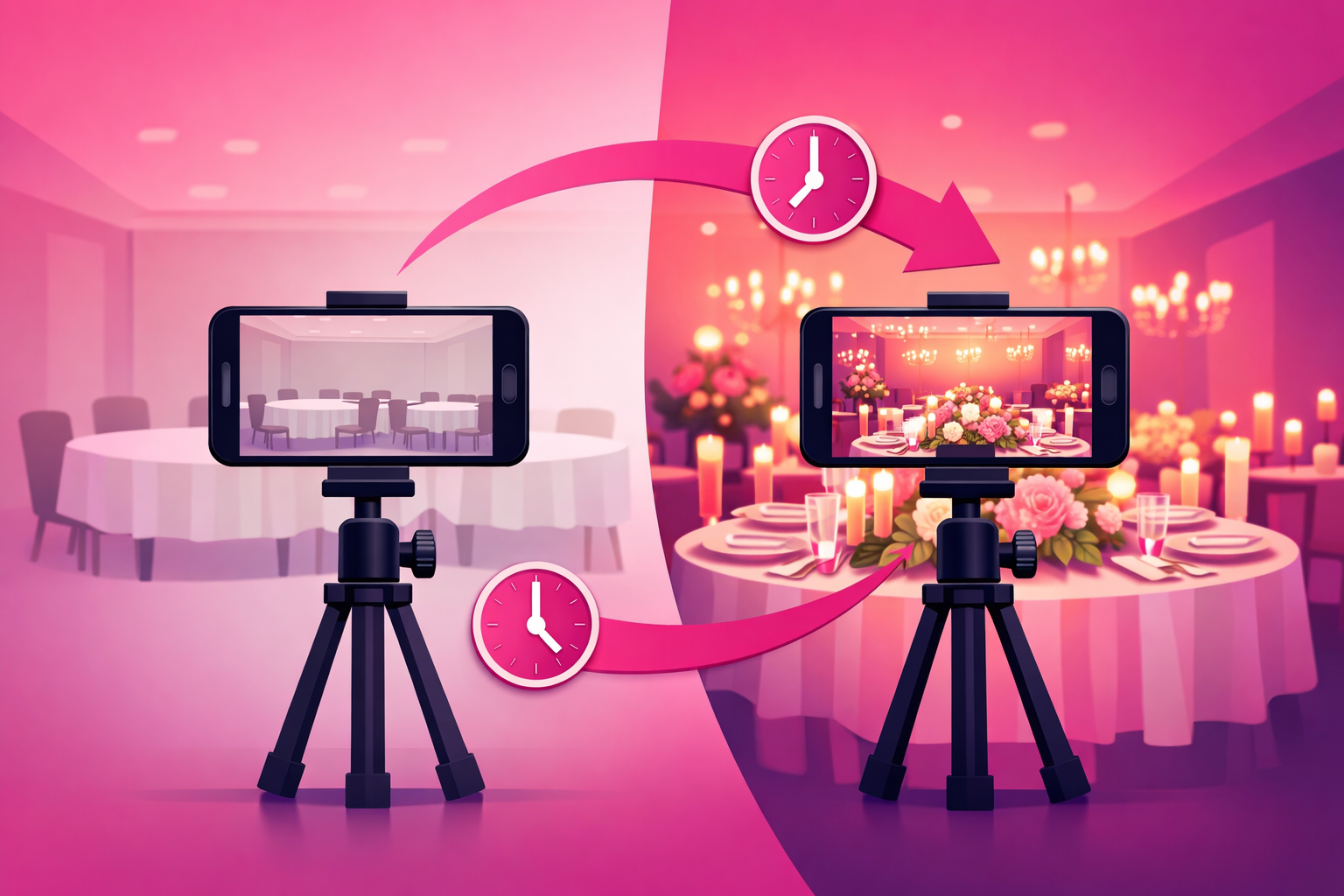
- Lock the position. Mount the phone on the tripod at chest height, frame the full space in vertical, and record ten steady seconds of the empty room. Do this the second you walk in, before a single table goes down.
- Mark the spot. Note exactly where the tripod legs sit - a floor tile, a seam in the carpet, a specific chair - and the height. This is the one detail everyone skips and it's the one that makes or breaks the reveal.
- Return for the after. Right before guests enter, in the best light of the day, set the tripod back on the exact mark at the exact height and record the same ten-second pan of the finished room.
- Keep the move identical. If the before was a slow left-to-right pan, the after is the same slow left-to-right pan. When nothing in the frame changes except the decor, the viewer's eye locks onto the transformation and can't look away.
A few upgrades once the basic reveal is muscle memory: shoot the after at 60fps so you can slow the final pan slightly for drama, film a second before-and-after from a lower angle for variety across your feed, and grab one tight detail from the finished room to use as your thumbnail frame. But none of that matters if the two angles don't match - nail the locked position first, add the polish later. For why completion and rewatches drive reach this hard, our TikTok algorithm guide breaks the ranking signals down frame by frame.
4. How to Film Details and Process Clips
Details and process clips are your connective tissue - the satisfying middle of reveal edits, the b-roll under a storytime, and standalone posts in their own right. They're also the easiest content to film badly, because a rushed, shaky detail pan looks cheap while a slow, deliberate one looks expensive. The difference is entirely in the hand:
- Move at half the speed you think you should. Pan across a tablescape, drift down a stem, or glide over a cake tier at a slow, even crawl. Steady and slow reads as intentional; quick and jerky reads as amateur. If your hands aren't steady, brace your elbows against your body or rest the phone on a surface and slide it.
- Get close, then closer. The texture is the story - the water bead on a petal, the piping on a buttercup, the fold of a napkin, the grain of the wood. Fill the frame with one detail rather than a wide shot of many.
- Film process in real time, then speed it up. Stems going into the arch, a tier being stacked, a table being set, the soundcheck - grab ten seconds of each while you work, and speed-ramp it in the edit. A two-hour build compressed to fifteen seconds is endlessly rewatchable.
- Chase clean light. Position your detail so the venue's window light or a nearby lamp falls across it, not behind it. You never need to add light at a wedding - you just need to point the good light that's already there at your subject.
Caterers and cake designers get the most out of this section, because a plated dish or a buttercup finish rides the same satisfying-process demand that powers the food creators lane. Hair and makeup artists get their transformation the same way the beauty creators playbook describes - film the getting-ready face, then the finished bridal look, from the same angle.
5. Wedding-Day Behind-the-Scenes
Reveals show the result; behind-the-scenes shows the effort - and effort is what justifies your price. BTS quietly answers the question every couple has ("what am I actually paying for?") and it's the easiest content to film, because it's just your real day with the camera running. A few ways to shoot it well:
- The setup timelapse. Prop the phone in a corner on the gorilla grip, start a timelapse before the build, and let it run through the whole install. Zero effort to capture, reliably satisfying to watch, and it doubles as proof of how much work goes in.
- The narrated walk-through. With your clip-on mic, walk the finished space and talk through what the couple chose and why. This is where planners especially shine - narrating a run-of-show demystifies the invisible coordination work.
- The problem solved in real time. A wobbly tier stabilized, a wilted bloom swapped, a last-minute layout change. Keep the phone rolling when something goes sideways - grace under pressure is the trait couples are really hiring for.
- The teardown nobody sees. The midnight strike, the room going empty again. The unglamorous bookend makes couples appreciate the scale of what they booked.
The key mindset shift: BTS doesn't need a "content moment." It's your ordinary work, filmed honestly. The loaded van at 6 AM, the checklist, the crew moving in sync - the ordinariness is the appeal, because it reads as competence.
6. Permission and Respect on a Live Wedding Day
This is the section that separates wedding vendors from every other niche: you're filming inside the most important day of two people's lives, and one thoughtless clip can cost you a review, a referral, and a preferred-vendor spot. The rules are simple and non-negotiable:
- Get it in writing. Add a short content clause to your contract giving you permission to film and post. Most couples happily agree - many love being featured - but the written yes protects you both.
- Confirm before you post. A signed clause is permission to film; a quick "mind if I share this one?" before publishing anything with the couple in it is courtesy that earns loyalty.
- Post on a delay. Never post a real wedding same-day. The couple should experience their day before it's on the internet, and a delay of a week or more also protects the surprise for guests who weren't there.
- Never show anything they haven't seen. No bloopers, no unflattering angles, no behind-the-curtain moments the couple would find embarrassing. When in doubt, leave it out.
- Stay out of the way. Never step into the photographer or videographer's shot, never block a guest's view, and film live moments only from the edge of the room with a wider framing. Your content can never come at the expense of their day.
Because faceless work-focused content - reveals, details, process, empty-venue tours - needs no one's permission, lean on it heavily and treat guest footage as the occasional bonus, not the backbone. Our wedding photographer TikTok guide covers the client-permission playbook in even more depth, since photographers navigate this every single wedding.
7. The Edit: Hook, Captions, and Cutting to the Payoff
Great footage still dies in a bad edit. The good news is that wedding content needs a simple, repeatable edit - the same recipe every time - and you can do the whole thing in a free app like CapCut or TikTok's own editor. The recipe:
- Open on the payoff. Lead with two seconds of the finished after - the full reception, the completed arch, the plated dish - then cut to the empty before. The result earns the attention; the rebuild holds it. Never open on a slow intro.
- Add a caption hook in the first second. A bold on-screen line before a word is spoken - "this ballroom in 8 hours" or "what $6,000 of flowers looks like." Most viewers watch on mute, so the caption often does more work than the audio.
- Fix your captions by hand. Auto-generate them, then correct every error - especially your city, your venue names, and any numbers. A transcription mistake quietly undercuts the expertise the video exists to prove.
- Cut to 20-40 seconds. Trim every pause longer than half a second and end on the completed reveal, not a long outro. Completion rate decides reach, and a tight edit is the single biggest lever you have on it.
- Use trending, licensed audio. Pick a sound that's currently rising in the wedding niche from TikTok's own library so you're never at risk on rights, and let a beat drop land on your reveal.
Put your city and venue in both the caption and the on-screen text every time. Wedding is hyper-local - a couple in Nashville searching "Nashville wedding florist" is worth a hundred anonymous views - and naming the location is how the algorithm and the search bar connect your reveal to the couples who can actually book you.
8. The One-Hour Batch System
Filming a wedding is fast because the shot list is fixed. Editing is where vendors stall - so don't edit clip by clip as inspiration strikes. Batch it into one weekly hour and treat it like any other recurring business task:
- Dump and label. After each wedding, drop your clips into one folder named for the venue. Thirty seconds of organizing now saves you digging through your camera roll later.
- Cut the reveal first. It's your highest-reach video and the easiest edit - after, before, process, after. Get it done while the wedding is fresh.
- Build the rest from the same footage. One BTS or detail clip, one highlight (if you have permission), and one education or storytime clip filmed to camera. A single wedding yields four to six posts.
- Schedule across the week. Space your posts out rather than dumping them in one day. Aim for four to six posts a week while growing, three to five once you have traction.
Do one take of talking clips - the slightly imperfect version reads as more credible than the polished one - and resist the urge to over-edit. Consistency beats perfection every time on TikTok. For where this filming-and-posting cadence fits into the full growth curve, the complete TikTok growth strategy guide maps the zero-to-100K path a wedding account can realistically climb.
9. When a Reveal Takes Off: Amplifying Your Best Footage
Film consistently and a pattern emerges: most videos do fine, and every so often one reveal dramatically over-performs - higher completion, a spike in saves, a jump in profile visits and inquiry-link taps. That's a hero video, and it's worth treating differently from the rest of your feed.
For wedding vendors, the math on amplifying a hero video is unusually favorable. A follower who is engaged and in your service area is a warm lead for a booking worth thousands, so pushing a proven reveal to more of exactly those people has a payback most niches can't touch - a single booked wedding can repay months of promotion. Timing multiplies it: most couples get engaged between November and February, so amplifying a reveal into that window reaches couples at the exact moment they're assembling their vendor list. The discipline is selectivity - only amplify videos that already cleared the organic bar (completion above 50%, saves and shares above your account average, a clear follow spike). Paid reach can't rescue a clip nobody finishes.
That's the exact model our TikTok promotion service is built on - selective amplification of your proven best reveals toward the engaged couples most likely to book, instead of boosting every upload and hoping. For the mechanics of running promotion through TikTok's native format, see the Spark Ads guide and the complete TikTok advertising guide.
Frequently Asked Questions
What equipment do wedding vendors need to film TikTok content?
A recent smartphone, a $20-30 phone tripod, a small flexible gorilla-grip mount for tight spots, and a $25 wireless clip-on microphone for any talking clips. The whole kit runs under $70 and fits in your existing setup bag. Skip the professional camera and gimbal to start - wedding content filmed on a phone consistently outperforms polished footage because a slightly imperfect reveal reads as real, and reach on TikTok is driven by how many people finish the video, not by production value. The one upgrade worth making early is the microphone, because viewers forgive imperfect video but scroll past bad audio in a second.
How do you film a wedding reveal for TikTok?
Lock the camera to one position. The moment you arrive at an empty room, mount your phone at chest height in vertical, record ten steady seconds of the bare space, and mark the exact spot on the floor. Grab a few process clips while you build. Then, right before guests enter and in the best light of the day, return to the identical spot, height, and framing and record the finished room. Same position plus same angle is the entire trick - when nothing else in the frame moves, the viewer's eye locks onto the transformation. Edit it after-first: open on two seconds of the finished result, cut to the empty before, then reveal the after again.
Can you film TikTok content at a wedding without disrupting the day?
Yes, and the best wedding content barely involves the guests at all. Reveals, detail pans, process clips, and after shots are filmed during setup and teardown when no one is watching - that's about 90% of your content, captured without ever interrupting the celebration. For live moments, film only from the edge of the room with a wider framing, never step into the photographer or planner's shot, and default to filming the work rather than people whenever you're unsure. A tripod and a locked phone let you keep working with your hands while the camera records, so filming adds almost no time to your day.
How long should a wedding TikTok video be?
20 to 40 seconds for most reveals and highlights: long enough to earn the payoff, short enough to keep completion rate high - and completion is the dominant ranking signal. Detail montages and satisfying process clips can run 15-25 seconds, education or storytime clips filmed to camera land well around 45-60 seconds, and a full day-in-the-life BTS can stretch past a minute since longer watch time also helps qualify for Creator Rewards. The universal rule regardless of length: put the payoff in the first two seconds and cut every pause longer than half a second.
Do you need the couple's permission to post wedding content on TikTok?
For anything that shows the couple, their guests, or an identifiable real wedding, yes - and you should get it in writing. Add a short content clause to your contract giving you permission to film and post, confirm again before you publish, post on a delay rather than same-day, and never show anything the couple has not seen first. Faceless work-focused content - reveals, detail pans, florals, cake, table settings, empty-venue tours - needs no one's permission and is safe to post freely, which is exactly why it should make up the bulk of what you film.
Filmed a reveal that's pulling inquiries?
Don't let your best footage plateau at the reach the algorithm handed it. Viryze amplifies videos that have already proved themselves - putting your winning reveal in front of thousands more engaged couples in your service area, so every new follower is a warm lead for next season's calendar.
Related Reading
- TikTok for Wedding Vendors: The Complete 2026 Guide - the full strategy this filming guide plugs into.
- Wedding Vendor TikTok Content Ideas: 50+ Video Concepts - the what-to-post vault to pair with this how-to-shoot-it guide.
- TikTok for Wedding & Portrait Photographers - the deep-dive on the permission playbook and the photography side.
- The Complete TikTok Algorithm Guide - why completion, saves, and rewatches decide how far your reveal travels.
- TikTok Spark Ads Guide - the native format to use when one of your reveals earns amplification.