
Photography Creators14 min read
Photography TikTok Content Ideas: 50+ Video Concepts That Grow Your Audience
A vault of 50+ photography TikTok content ideas pulled from clips that crossed a million views in 2026. Edit-reveal videos, tutorials, gear breakdowns, story and series concepts, plus the client-booking ideas and capture system that keep your photography idea pipeline full every single week.
By Ryan MitchellHead of Creator Success at Viryze

You finish a shoot, sit down to post, and your mind goes blank. You have a hard drive full of photos and absolutely no idea what to actually make into a video. Every photographer on TikTok hits this wall - and it's the single biggest reason promising photography accounts go quiet for weeks at a time.
Here's the good news: ideas are not the bottleneck you think they are. The fastest-growing photographers in 2026 don't wait for inspiration - they run a small set of proven concept templates over and over, and turn every single shoot into half a dozen clips. Once you see the patterns, you'll never stare at a blank timeline again.
This guide is your vault: 50+ photography TikTok content ideas organized into the six categories that actually grow photography accounts - shoot and edit reveals, tutorials, gear and setup, story and personality, series and challenges, and selling and client work. You'll also get the five hook templates that make any idea land and the capture system that keeps your pipeline full. For the bigger picture on the niche, start with our complete TikTok for photographers guide, then come back here for the concepts.
The honest summary:
- The idea is only half the job - the hook in the first second decides whether anyone sees the idea at all.
- Process beats portfolio every time. Your best ideas show the shooting and editing, not just the finished frame.
- One shoot is many clips. A single session can fuel a full week of content if you film everything.
- Series compound. A repeatable concept grows faster than fifty one-off videos.
What's Inside
- 1. Why Photographers Run Out of Ideas (and the Fix)
- 2. The 5 Hook Templates Every Photography Idea Needs
- 3. Shoot & Edit Reveal Ideas (10)
- 4. Tutorial & Teaching Ideas (10)
- 5. Gear & Setup Ideas (8)
- 6. Story & Personality Ideas (8)
- 7. Series & Challenge Ideas (8)
- 8. Selling & Client Ideas (8)
- 9. The Capture System: Never Run Out of Ideas
- 10. Which Ideas Are Worth Promoting
- Frequently Asked Questions
1. Why Photographers Run Out of Ideas (and the Fix)
Most photographers treat content ideas like lightning - something that strikes when it strikes. So they post a finished gallery, go quiet until the next shoot, and never build the momentum the algorithm rewards. The fix is to stop waiting and start harvesting.
Here's the shift: you already generate dozens of ideas on every shoot without noticing them. Every gear decision, every settings change, every question a client asks, and every edit you make is a video. We call the running list of these moments your Idea Vault - and once you keep one, the blank-timeline problem disappears.
The second unlock is volume from a single shoot. One session isn't one post - it's the behind-the-scenes setup, the edit reveal, a settings breakdown, a gear close-up, and the finished result. One shoot, five-plus clips. That ratio is how working photographers post daily without booking more work.
The 50+ ideas below are organized by what they actually do for your account. Edit reveals drive watch-time. Tutorials drive saves. Gear clips pull in non-photographers and earn affiliate income. Story clips build the relationship. Series multiply your reach. And selling clips turn all of it into bookings and product sales. Pull from every category and your feed stays varied without ever confusing the algorithm about your lane.
2. The 5 Hook Templates Every Photography Idea Needs
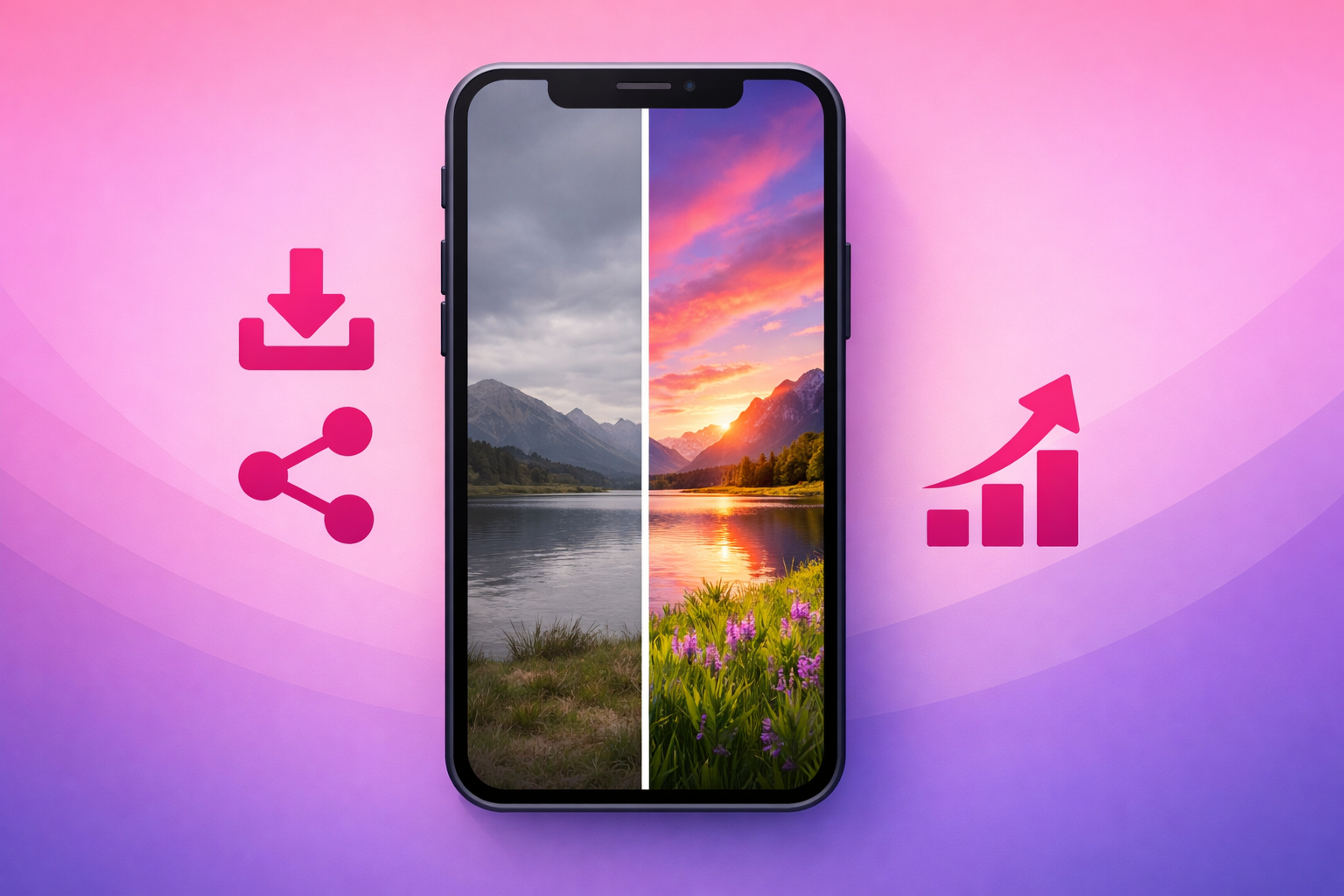
An idea is only as good as its first second. Watch-through rate is the dominant ranking signal, and a slow intro kills even your best frames. Before you film any concept below, drop it into one of these five hook templates - each one tells the viewer in two seconds why the next twenty are worth it. The one we lean on hardest for photography is The Edit Reveal Snap™: show the flat, dull straight-out-of-camera shot first, then snap to the finished edit.
- The Edit Reveal Snap. Flash the raw, lifeless photo for one second, then snap to the vibrant final edit. The transformation is the hook - and the backbone of photography growth.
- The location-to-frame promise. Show the unremarkable real-world scene - a cluttered parking lot, a plain room - then reveal the stunning image you pulled from it.
- The unexpected method. "I shot this entire wedding on my phone." Curiosity about the how carries the watch-through.
- The relatable struggle. "I almost missed this shot." Stakes and tension hold viewers to the resolution.
- The mistake call-out. "Stop shooting in this mode." Anchors the viewer in a problem they recognize, then delivers the fix.
Keep these five in front of you as you read the ideas. The concept gives you something to film; the hook is what gets it seen. For the full picture of which signals decide whether a clip travels, see our algorithm ranking factors breakdown.
3. Shoot & Edit Reveal Ideas (10)
This is the engine of PhotoTok. Behind-the-scenes and edit-reveal clips earn long watch-through, and the before-and-after gives viewers a payoff worth waiting for. Start here - these ten concepts alone can carry a new account through its first 30 posts.
- Raw-to-edited snap. One second of the flat straight-out-of-camera frame, then snap to the finished edit. The single highest-performing photography format.
- Ugly location, beautiful photo. Pan across the unremarkable real scene, then reveal the gorgeous image you pulled from it. The "before" sells the "after."
- Behind-the-scenes vs. final. Show how the shot actually looked being made - the awkward pose direction, the reflector, the chaos - beside the polished result.
- Speed-ramped edit walk-through. Screen-record your Lightroom or Photoshop edit, compress the slow parts, and land on the finished frame.
- One photo, five edits. Take a single raw file and show five completely different moods you can pull from it - moody, bright, film, black-and-white, cinematic.
- The phone-only challenge. Shoot and edit an entire mini-session on just a phone to prove gear isn't the gatekeeper.
- Golden-hour time-lapse. Show the light changing across a shoot, then the single frame you captured at the perfect moment.
- The reflector or light trick. Show the same subject with and without one lighting change so the difference is undeniable.
- Posing in real time. Film yourself directing a subject from awkward to natural, then cut to the frame it produced.
- The save you almost lost. A photo you nearly deleted, rescued in the edit - the relatable struggle hook in video form.
The thread through all ten is tension and payoff: the viewer needs a reason to wait for the end. Lead with the transformation or a glimpse of it, then make the gap between flat and finished feel like something worth watching close.
4. Tutorial & Teaching Ideas (10)
Tutorials have the highest save rate of any photography format, and save rate is one of the strongest quality signals on the platform. A viewer who saves your clip to try the technique on their next shoot is telling the algorithm your account is worth resurfacing. Teaching also builds the trust that later converts into preset and course sales.
- "Fix this in 30 seconds." A single, contained micro-lesson on one edit - skin tones, skies, shadows, or white balance.
- Beginner mistake fixes. "Stop shooting in auto ISO" - name a common error, then show the correction side by side.
- The three-setting starter. Aperture, shutter, and ISO explained with one real example instead of a textbook.
- "What's in my kit." A fast breakdown of the gear you actually use on a shoot - high save value and an easy affiliate tie-in.
- Editing technique close-up. Dodging and burning, masking, or color grading, screen-recorded tight so the detail is unmistakable.
- Same subject, three skill levels. Shoot the same scene as a beginner, then intermediate, then advanced photographer would.
- Cheap vs. expensive lens test. Put a budget lens against a premium one and show whether the price is actually worth it.
- "Fixing my followers' photos." Re-edit a submitted image with quick, teachable improvements.
- Composition quick-tip. One rule that instantly improves a frame - leading lines, the rule of thirds, foreground depth.
- "How I'd edit this now vs. as a beginner." Pair your current approach with the over-saturated version you'd have made years ago.
Keep tutorials brutally specific. "How to edit portraits" is a video; "the one slider that fixes orange skin tones" is a clip people save and share. The narrower the promise, the higher the completion rate.
5. Gear & Setup Ideas (8)
Gear clips win on a wider audience - they pull in aspiring photographers and even non-shooters who just love a good kit breakdown. They also carry the strongest affiliate potential of any photography format, because viewers come ready to buy what you recommend.
- The bag dump. Lay everything out and walk through what you carry and why - a classic, endlessly rewatchable format.
- "Gear I regret buying." Honest takes build trust faster than any glowing review, and the comments explode.
- Budget setup challenge. Build a complete starter kit under a set price and shoot a real photo with it.
- One accessory, big difference. Show how a diffuser, a prism, or a cheap clamp changes the shot.
- Lens comparison. Same scene shot on a 35mm, 50mm, and 85mm so viewers see how focal length changes everything.
- The phone-vs-camera test. Shoot the same subject on a flagship phone and a pro body, then ask viewers to guess which is which.
- Studio or setup tour. Walk through your lighting, backdrops, and how it's arranged - viewers love a peek behind the curtain.
- Underrated cheap gear. Spotlight the affordable tools that punch way above their price - a high-save, high-affiliate format.
6. Story & Personality Ideas (8)
Process gets you discovered; personality gets you followed. People follow photographers, not just photos - and these clips turn a one-time viewer into a fan who waits for your next post. They're also the easiest to film when you don't have a fresh shoot ready.
- A day on a shoot. A loose vlog of how a session actually goes - the early call time, the chaos, the keeper frame.
- Your origin story. "Why I picked up a camera" or the moment you decided to go pro.
- Reacting to your old work. A glow-up across months or years - instant proof that practice works.
- "Things nobody tells you about being a photographer." Honest truths about pricing, no-shows, or editing burnout.
- Answer a comment with a video. Turn a great question into a full clip and tag the commenter.
- The shot that changed everything. Tell the story behind a single image that grew your account or landed a client.
- An honest hot take. A respectful, well-argued opinion on a trend, preset pack, or camera brand drives comments, which feed reach.
- The vulnerable post. Creative block, comparison, or a job that went wrong - real stories build real loyalty.
7. Series & Challenge Ideas (8)
Here's the multiplier most photographers miss: a series compounds because each new entry benefits from the saves and shares of the last one. The audience and the algorithm both learn to recognize the format. Most photography accounts that cross 100K followers fast do it on the back of one breakout series.
- "Photographing strangers." Approach someone, shoot a free portrait, and show their reaction - a feel-good format with built-in emotional payoff.
- "Shooting every [theme]." Every neighborhood, every weather condition, every follower's pet - a project people return to follow.
- A 30-day photo challenge. One shot a day on a theme; the daily cadence trains the algorithm and the audience.
- "Recreating famous photos." Borrow the recognition of an iconic image while showing off your own eye.
- Collab and duet chains. Build on another photographer's clip or run a photo trade - their audience meets yours.
- "Guess the settings." Show a finished frame and let the comment section guess the aperture, shutter, and ISO before you reveal them.
- One location, every hour. Shoot the same spot from dawn to dark to show how light transforms a scene.
- "Turning followers' photos into edits." Let viewers submit raw files - they'll come back to see if you picked theirs.
Pick one series and commit to at least ten entries before judging it. Series are slow to ignite and then suddenly compound - the tenth episode often outperforms the first nine combined. For the broader growth framework behind this, see our complete TikTok growth strategy guide and the follower acquisition framework.
8. Selling & Client Ideas (8)
Photography has an unusually short path from view to revenue - your audience often wants to book you or buy your presets and prints. These clips sell without feeling salesy because they're still content first: process, behind-the-scenes, and transparency that happens to point at a product or a booking link.
- "This preset just dropped." Tie a launch to the viral edit clip that created demand for the look.
- Client reaction reveal. Film the moment a couple or family sees their gallery - social proof and emotion in one clip.
- "How I price my photography." Transparency builds trust and quietly justifies your rates to future clients.
- A full booking, start to finish. Inquiry to shoot to delivery, showing the experience of hiring you.
- Preset before-and-after demo. Apply your pack live across several photos so viewers see the value before they buy.
- Mini-session announcement. A simple "spots are open" clip with a recent shoot as the hook - a direct local-booking driver.
- Print packing ASMR. Wrapping and shipping a print doubles as satisfying content and proof people actually buy your work.
- "What you get when you book me." Walk through the experience, the deliverables, and the extras that set you apart.
The rule for selling clips: never go viral with no path to buy or book. A breakout edit reveal with no preset link, no booking page, and no email capture wastes the single best sales moment you'll ever get. If your goal is to sell presets and prints at scale, treat your account like a storefront - our guide to TikTok e-commerce and our TikTok for small business guide cover turning followers into paying clients.
9. The Capture System: Never Run Out of Ideas
Fifty ideas are useless if you forget them by the time you pick up the camera. The photographers who post consistently aren't more creative - they're more organized. Here's the simple capture system that keeps your Idea Vault full without extra effort.
- Bring a second phone to every shoot. Mount it to grab behind-the-scenes footage automatically while you focus on the actual photos. You can't edit footage you never shot.
- Screen-record every edit. Hit record before you open Lightroom. Even a routine edit becomes a tutorial, a reveal, or a settings breakdown later.
- Keep one running note. Every time a client or commenter asks "what camera is that?" or "how did you get that color?", that's a video - log it immediately.
- Batch from one shoot. Before you head out, decide which five clips the session will become - the BTS, the reveal, the settings, the gear, the final result.
- Save a swipe file. When a hook or edit-reveal stops your own scroll, screenshot it and note why it worked. Your best ideas often start as someone else's.
Pro Tip
Aim to keep at least 30 ideas in your vault at all times. When the backlog is full, you film from a position of choice instead of desperation - and it shows in the quality. Once you find the two or three formats that consistently clear your account's average completion rate, build a series around them and let selective amplification do the rest.
10. Which Ideas Are Worth Promoting
Not every idea deserves a budget. The smart play is to let all of these concepts run organically, watch which ones break out, and then amplify only the proven winners. Paid promotion does not rescue a flat clip - it pours fuel on signals the algorithm is already reading.
A photography clip is ready for selective amplification when it clears your organic signal threshold:
- Save rate above 1.2% of views (tutorials and gear clips run higher).
- Share rate above 1.0% of views.
- Completion rate above 55% on short clips or 35% on longer ones.
- Follow rate above 0.6% of viewers - or, if you sell presets or book clients, a clear spike in profile visits and link clicks.
Edit-reveal and behind-the-scenes clips tend to make the best promotion candidates because they earn saves and shares, which means paid traffic preserves the organic signal that keeps the clip traveling after the campaign ends. For photographers selling presets or booking clients, amplifying a proven edit reveal can drive followers and inquiries at the same time.
That selective approach is exactly what our TikTok promotion service is built around - amplifying photography clips that have already proved themselves rather than spraying budget across every upload. For the technical setup of paid amplification, see our Spark Ads guide and the complete TikTok advertising guide.
Frequently Asked Questions
What kind of photography content gets the most views on TikTok?
Edit-reveal clips win the most views and saves because they deliver an instant, satisfying transformation - the dull straight-out-of-camera shot snapping to the finished edit. After that, behind-the-scenes shoot footage, beginner mistake fixes, and quick editing tutorials perform best. The common thread is a clear before-and-after promise in the first second plus a reason to save the clip, either to rewatch the transformation or to try the technique later.
How do I come up with photography TikTok content ideas every week?
Build a capture system instead of waiting for inspiration. Film behind-the-scenes on every shoot with a second phone, screen-record every edit, and keep one running note of every question people ask about your gear, settings, and process. A single shoot becomes the BTS clip, the edit reveal, a settings breakdown, a gear close-up, and the final result - five clips from one outing. Most working photographers keep a backlog of 30 to 50 ideas so they never sit down to a blank timeline.
Do you need expensive camera gear to make good photography content?
No. Some of the fastest-growing photography accounts in 2026 are built on phone photography, budget-gear tests, and learning in public rather than top-tier kit. A strong hook and a satisfying edit reveal matter far more than the camera body. Many of the ideas in this guide - phone-only edits, cheap-versus-expensive gear tests, and beginner mistake fixes - actually perform better when your setup is accessible, because viewers can picture themselves doing the same thing.
How long should a photography TikTok video be?
Most high-performing photography clips run 15 to 35 seconds. The edit reveal or behind-the-scenes hook should land in the first second or two, then the process fills the rest. Tutorials and detailed edit walk-throughs can run up to 60 seconds when the payoff is strong enough to hold attention, but only if you front-load the finished result. Compress the slow parts - tether the edit with a speed-ramp - and cut anything that does not earn its place.
Should I promote my best photography content ideas with paid ads?
Only after a clip proves itself organically. Let your ideas run, watch which ones clear your account average save and completion rate, then put a focused promotion budget behind those hero clips. Promoting weak clips wastes budget and can train the algorithm to treat your account as lower quality. For photographers selling presets or booking clients, selective amplification of a strong edit-reveal or BTS clip can drive both followers and direct inquiries - which is exactly what services like Viryze are built for.
Got an idea that's taking off? Amplify it.
The fastest-growing photographers on TikTok pair a steady stream of content ideas with selective paid amplification on the clips that break out. Viryze is built for that exact playbook - you pick the clips that have already cleared the organic signal threshold and we promote them, so your budget compounds your best ideas instead of rescuing your weakest. Whether you're building an audience, selling a preset pack, or filling your booking calendar, that's the difference between burning budget and buying real growth.
Related Reading
- TikTok for Photographers: The Complete 2026 Guide - the full playbook for growing and monetizing a photography audience.
- The Complete TikTok Algorithm Guide - the ranking signals that decide which photography clips travel.
- The Complete TikTok Growth Strategy Guide - cross-niche fundamentals that apply to every photography account.
- TikTok Spark Ads Guide - the format every photographer should default to for amplification.
- TikTok E-commerce Guide - turning a viral edit reveal into preset and print sales.