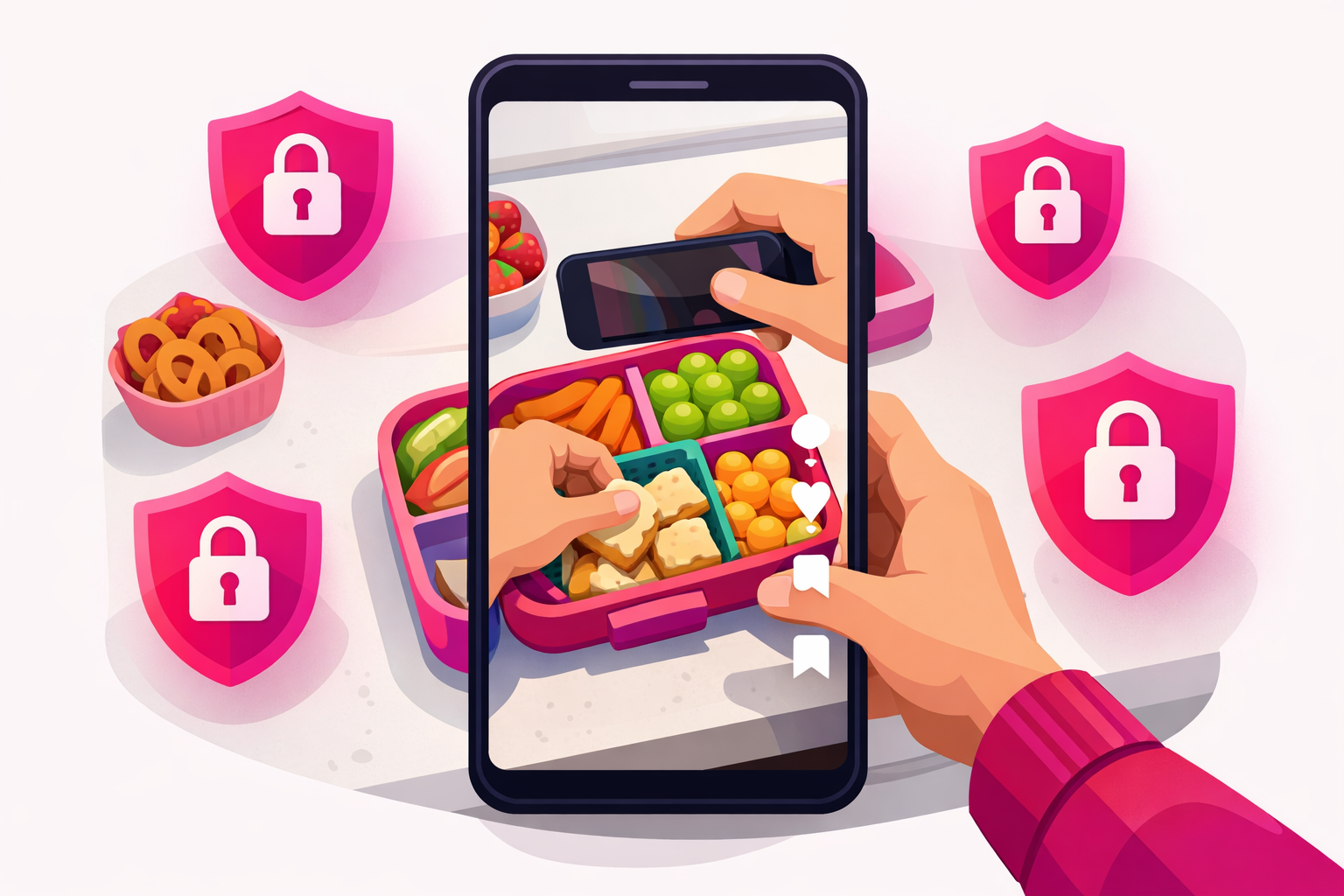
You want to grow a parenting TikTok. You also do not want a stranger to be able to recognize your kid in a grocery store, identify them by name on a school field trip, or scrape their face into a dataset they will not be able to opt out of in twenty years. Both of those goals are completely valid—and increasingly, both are completely achievable.
A growing share of the highest-earning parenting accounts in 2026 do not show their kids on camera at all. Not the back of the head, not a side profile, not a single fingertip in the background. Their content still grows. Their brand deals still close. Their save rates are actually higher than the accounts that do show their kids, because privacy-safe content is often more useful and less reliant on cuteness to do the work.
This guide is the practical playbook for that approach. We will walk through the seven core camera formats that work without faces, the exact angles and editing tricks that make them feel intimate (not sterile), and a repeatable filming workflow that protects your kids while still growing your account. If you have been holding off on starting a TikTok because you do not want your children online, this is the page for you.
What is happening in privacy-safe parenting content in 2026:
- More creators are opting out—a wave of high-follower accounts started removing their kids from the feed in 2024 and 2025, and the format went mainstream in 2026.
- Brand deals favor it—family brands increasingly prefer hands-and-voice creators because the partnerships are less likely to attract backlash.
- Save rates are higher—privacy-safe content tends to be more useful (hacks, routines, voiceover storytimes) and gets saved more, which the 2026 algorithm rewards heavily.
- It is faster to film—no waiting on a specific kid mood, no negotiating with a toddler, no re-takes when a child is camera-shy.
What's Inside
- 1. Why More Parents Are Skipping Faces in 2026
- 2. The Seven Privacy-Safe Filming Formats
- 3. Camera Angles, Lighting, and Gear
- 4. Voiceover, Captions, and Audio Privacy
- 5. Locking Down Your Location and Identifiers
- 6. A Daily Filming Workflow That Protects Your Kids
- 7. Common Mistakes (and How to Fix Them)
- 8. Monetizing a Privacy-First Parenting Account
- Frequently Asked Questions
1. Why More Parents Are Skipping Faces in 2026
Five years ago, most parenting creators put their kids on camera without thinking twice. Today the calculation is different, and the reasons are stacking up. The first wave of children whose entire childhoods were posted to social media are now teenagers, and they are not happy about it. Several have written publicly about the experience. Schools, employers, and college admissions teams now run searches that surface those archives. AI-driven facial matching has made every public photo a potential training datapoint.
Parents who are starting accounts in 2026 are looking at all of that and quietly making a different choice. They want the audience and the income, but they want their kid to walk into adulthood without a 14-year video archive of their potty training, tantrums, and meltdowns following them around. Skipping faces is the simplest way to get both.
For the broader 2026 parenting growth playbook, our complete guide to TikTok for parenting creators covers MomTok, DadTok, monetization, and the algorithm in depth. This page focuses on one specific question: how do you actually film family content well without putting your kids on camera?

2. The Seven Privacy-Safe Filming Formats
Almost every privacy-first parenting account on TikTok in 2026 is running some combination of these seven formats. You do not need all seven. You need to pick three or four that fit your sub-niche and rotate them. Each one is designed so a child's face simply cannot appear, even by accident.
Format 1: Hands-only top-down
Mount the phone above a kitchen counter, activity table, or changing mat. Film straight down with only your hands in the shot. Works for lunchbox builds, snack prep, organization, crafts, baby food, school-supply hauls, and most hacks. This is the workhorse format of privacy-first parenting TikTok and produces the highest save rates.
Format 2: Voiceover with B-roll
Record your storytime, confessional, or tip as audio. Lay it over B-roll of an empty playroom, a hallway walk, a hand pouring coffee, a closet you are organizing, a stroller in a park. The viewer feels intimacy without ever seeing a face. This format is the secret weapon of every privacy-first creator pulling 5M+ monthly views.
Format 3: Behind-the-back POV
Film a kid from behind, low to the ground, so only the back of the head and shoulders are visible. Ideal for school-drop-off shots, beach silhouettes, walking-into-the-park content, and aesthetic family moments. Pair with a wide enough lens that you can crop tighter in post if a face accidentally turns into the frame.
Format 4: POV skits
You face the camera, deliver a short scripted parenting moment in character, and the kid is implied—never shown. “POV: it is 9pm and you are hiding in the pantry to eat candy alone,” “POV: your toddler asks why for the 47th time today.” This format is the easiest entry point for new creators and the fastest to batch-film.
Format 5: Talking-head
You sit on the couch, in the car, or at your kitchen table and talk to the camera. The shot never moves to your child. Confessionals, real-talk content, advice videos, and product reviews all live here. Works especially well for parenting educators (sleep coaches, feeding therapists, child psychologists) who can lean on credibility instead of cuteness.
Format 6: Screen-recording or carousel
Record your phone screen scrolling through a list, a notes-app brain dump, an Etsy cart of kid clothes, or a comparison of two products. Pair with voiceover. Highly savable and completely face-free. Great for affiliate-driven parenting content and digital-product promos.
Format 7: Aesthetic flat-lay or routine
Color-coordinated lunchbox spread, a Sunday-reset pantry, a styled bookshelf, an organized diaper bag laid out on a bed. Shot top-down or eye-level, no faces required. Aesthetic routine content is the format most likely to convert into brand partnerships and digital products in 2026.
A useful rule of thumb:
If you can film the video on a counter, in a closet, in a car, or at a desk without ever pointing the camera at a person under 18, the format is privacy-safe. Build your content calendar around those locations and you will rarely have to make a hard call about whether a clip is okay to post.
3. Camera Angles, Lighting, and Gear
You do not need expensive equipment to film privacy-safe parenting content. You need a flexible mount, a single light source, and a workflow that does not require you to hold the phone while a small human is climbing on you. Three pieces of gear do almost all of the work.
Privacy-safe filming kit (under $80):
- A flexible gooseneck phone mount—clamps to a counter or shelf and lets you film top-down or sideways without holding the phone. The single most useful piece of gear for privacy-first parents.
- A small ring light or window-side spot—natural light from a window is free and almost always sufficient. A $20 ring light fills in shadow on darker counters and keeps the look consistent across videos.
- A clip-on lavalier mic—cheap lavs make voiceovers and talking-head videos sound twice as professional, which the algorithm reads as higher quality through completion-rate signals.
Three angles to memorize
- Top-down (90 degrees): phone mounted directly above a counter or table. Hands and objects in frame, no people. Use for hacks, prep, organization, crafts.
- Eye-level (waist height): phone propped at counter or chest height pointing at you. Use for talking-head, POV skits, and confessionals.
- Low-and-back (knee height, behind a child): phone low and pointing forward over a child's shoulder so only their back is visible. Use for routine B-roll, walking shots, and aesthetic moments.
Lock down those three angles and you can film 90% of privacy-safe parenting content without thinking about composition again.
4. Voiceover, Captions, and Audio Privacy
Privacy is not just visual. A great hands-only video can still leak identifying details if the audio is not handled correctly. The good news: audio is also where most of the magic happens on privacy-safe TikTok. Voiceover is the format multiplier that turns simple B-roll into content that people actually save and share.
How to record voiceovers that feel intimate
Record voiceover separately from your B-roll. Sit in a closet, a parked car, or a quiet bedroom with a clip-on lav mic and read your script in a normal speaking voice—not a broadcast voice. The closer you sound to a friend leaving a voice memo, the better the retention. Long voiceovers should be broken into 10-second chunks so you can re-record any line without restarting the whole take.
Captions are mandatory in 2026
Roughly 70% of TikTok views happen on muted feeds. Auto-captions are non-negotiable. Use TikTok's native caption tool, then go in and fix every word that auto-captions got wrong. Mis-spelled captions are one of the fastest ways to drop completion rate, especially on parenting content where the language often includes specific medical, developmental, or product terms that auto-captions consistently butcher.
Audio privacy checklist
- Do not say your child's full name on camera. Use a nickname or none at all.
- Do not name their school, daycare, neighborhood, or street. “Drop-off” and “school” are enough.
- Edit out background audio of a child saying their own name, your address, or a teacher's name.
- Be careful with date markers—“today is her 6th birthday” combined with other public info can narrow down identity.
- Mute the original audio when filming in public spaces where another adult or child might be identifiable in the background.
5. Locking Down Your Location and Identifiers
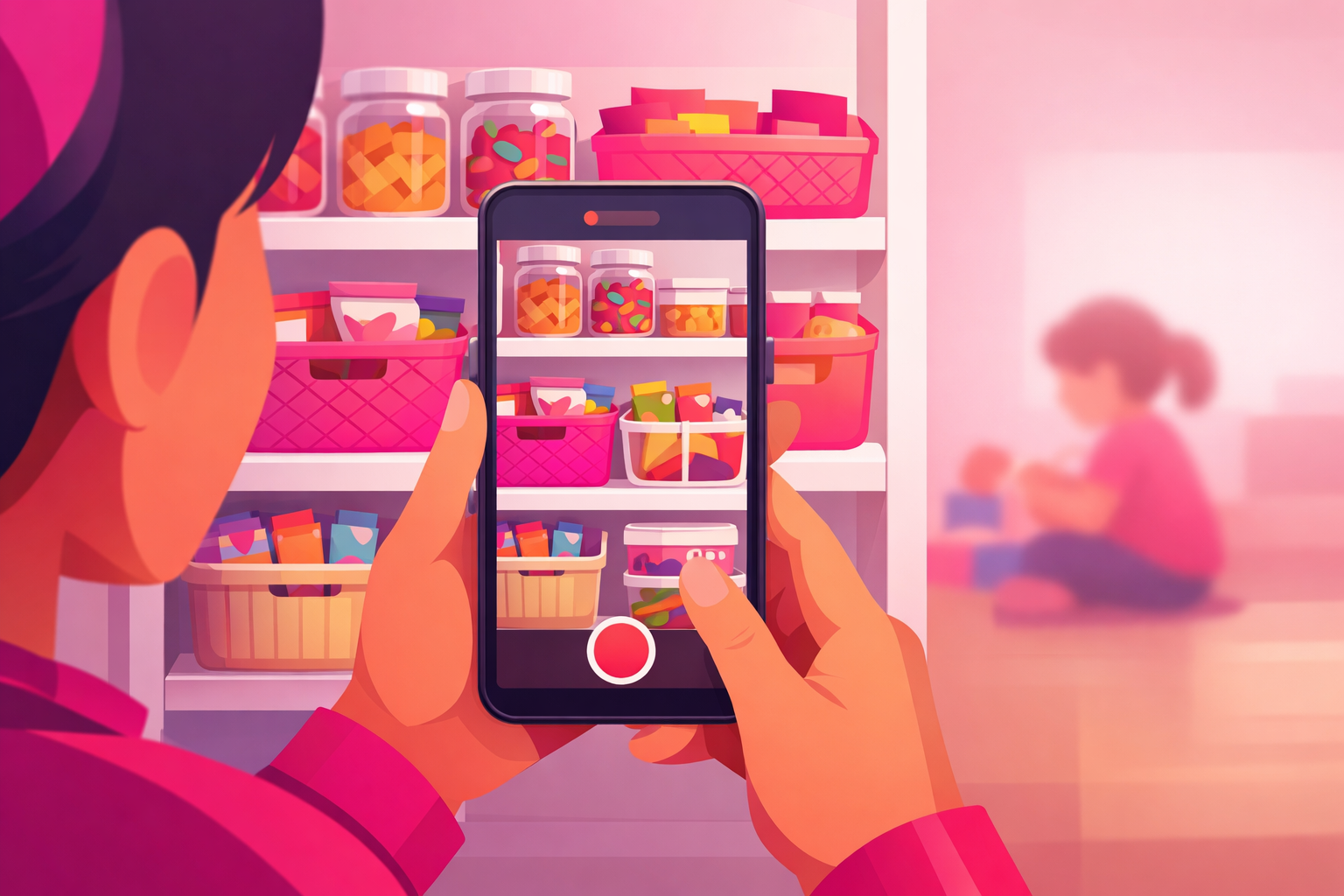
A face-free video can still expose your family if the background gives away where you live, where your kids go to school, or what time of day they are unsupervised. Treat your home like a movie set: only film the corners you have decided to show.
Locations and details to avoid on camera:
- House numbers, mailbox numbers, and the front of your home
- Visible street signs, license plates, and store names from your neighborhood
- School logos on uniforms, backpacks, water bottles, or homework
- Doctor's office, dentist, or therapist signage
- Specific routines that signal when no adult is home (school drop-off windows, commute-time content)
- Anything that lets a stranger triangulate your city + neighborhood + school
The simplest workaround is to choose two or three consistent backdrops you have already cleared as safe—a counter corner, a bookshelf, a beige wall—and film 90% of your content there. Privacy-first creators often style those spots once and reuse them for a full year of content.
6. A Daily Filming Workflow That Protects Your Kids
The biggest mistake privacy-first creators make is not having a workflow. Without one, you end up filming reactively, miss takes when a face enters the frame, and post stressed-out content that does not perform. The fix is a repeatable five-step process you can run in under 30 minutes.
The 5-step privacy-safe filming process:
- Pick the format first. Hands-only? Voiceover? POV? Decide before you set up the phone—this prevents accidental face shots when you start improvising.
- Set up the shot before kids enter. Mount the phone, frame the shot, and run a 5-second test recording before any kid is in the room.
- Film in clean takes. 20 to 60 seconds, in one continuous take if possible. If a face enters the frame, scrap the take and re-record.
- Layer voiceover and captions in a quiet room.Do not record voiceover with a child within earshot—background audio leaks more than people realize.
- Watch the final cut twice before posting.Once for content, once for privacy. Look for stray hair, a reflection in a window, a visible school name, a license plate. If anything is off, re-edit or scrap.
This workflow takes 20 to 30 minutes per video the first few times and drops to 10 to 15 minutes once you have your formats locked in. Run it three to five times per week and you have a complete, privacy-safe parenting account that grows.
For specific video prompts that match these formats, our library of 60+ parenting TikTok content ideas gives you ready-to-film concepts for hands-only hacks, voiceover storytimes, POV skits, and aesthetic routines—all designed to work without showing kids on camera.
7. Common Mistakes (and How to Fix Them)
These are the four most common mistakes privacy-first parenting creators make in their first 90 days. All of them are fixable in under five minutes once you know to look for them.
Mistake 1: Filming the back of the head, then editing in a side profile
It is easy to start with a behind-the-back shot and then accidentally cut to a clip from another day where the side of the face is visible. Pick a rule for your account (only the back of the head, never side profiles, for example) and apply it consistently across every video. A consistent rule is far easier to enforce than a vague intuition.
Mistake 2: Trusting auto-captions
Auto-captions on TikTok still mis-transcribe 5 to 15% of words, including names, locations, and brand mentions. Always review and edit. A mis-captioned word can also leak a private detail you did not intend to share if your voiceover got it right but the caption got it wrong.
Mistake 3: Forgetting reflective surfaces
Microwaves, ovens, mirrors, and window panes will reflect back into your shot. A perfectly framed top-down lunchbox video is useless if the toaster behind it shows a clear reflection of your kid's face. Move reflective items out of frame or angle them away from your shot before filming.
Mistake 4: Posting in real time
Real-time posting tells anyone watching exactly where you and your kids are right now. Batch film, schedule across the week, and post asynchronously. This is good for the algorithm (consistency) and great for safety (location obscurity).
8. Monetizing a Privacy-First Parenting Account
The biggest myth in parenting TikTok is that you have to put your kids on camera to monetize. In 2026, the opposite is closer to the truth. Privacy-first accounts are increasingly preferred by family brands precisely because they feel more sustainable and less likely to attract criticism. Hands, voice, and routines convert better in many product categories—baby gear, organization, snacks, books, services—than face-driven content does.
The monetization paths that work especially well for face-free parenting accounts:
- Digital products: meal-prep printables, sleep guides, toddler-snack books, Sunday-reset checklists, school-lunch templates.
- Affiliate revenue: screen-recordings of carts and product comparisons convert at high rates because the trust is in your voice, not your face.
- Brand partnerships: hands-only product demos, voiceover storytimes about a brand, and aesthetic flat-lays of a product line up beautifully with how parenting brands want to be portrayed.
- Coaching and services: sleep coaching, feeding consultations, decluttering services, and parenting-educator content all work fully in talking-head format without ever needing to show a child.
- Newsletters and community: parents trust voices more than faces. Many face-free creators see higher email subscribe rates than their face-on peers because the relationship feels more like a friend and less like a personality.
For the full breakdown of how parenting creators turn an account into income, the parenting creator pillar guide walks through brand deals, digital products, and the realistic numbers at each follower tier.
Pro Tip
When a privacy-safe video overperforms—3 to 5x your average, with a strong save rate—that is the moment to amplify it. Cold ads from scratch are slow and expensive. Putting paid spend behind a video that already works organically is dramatically cheaper and converts better. The save rate is your green light.
For parents who would rather be parenting than babysitting an ads dashboard, Viryze handles audience testing and budget allocation automatically. You give us the privacy-safe video that already worked organically, and we put it in front of more aligned parents—without you ever opening TikTok Ads Manager. Your face stays off the screen, your kids stay off the screen, and your account still grows.
Grow a Parenting TikTok Without Putting Your Kids Online
Pick three of the seven formats from this guide. Set up the gooseneck mount, the ring light, and the lav mic. Batch four videos in one Saturday morning. Voiceover them in a closet. Schedule across the week. Then do it again. That is the entire privacy-first parenting TikTok game in 2026, and it is the boring repeatable rhythm that gets accounts to their first 10,000 followers without a single face on camera.
Once one of those videos overperforms, use our professional TikTok promotion service to put it in front of more aligned parents. We test audiences, manage budget, and optimize daily, so your best privacy-safe content does the work while you focus on the next nap window. Your kids stay protected, and your account still grows.
Frequently Asked Questions
Can a parenting TikTok grow without ever showing the kids' faces?
Yes, and a growing share of the top parenting accounts in 2026 do exactly that. Hands-only hacks, voiceover storytimes, behind-the-back B-roll, POV skits, and aesthetic routine videos all grow without ever showing a child's face. The trade-off is that your hooks have to be tighter and your delivery has to do more of the work, since cuteness is not on screen. The upside is that the content is more durable, more brand-safe, and far less stressful to post.
What is the best camera angle for filming family content without faces?
A top-down hands-only shot is the most flexible angle for parenting TikTok. Mount the phone above a kitchen counter, table, or activity mat with a flexible gooseneck holder, and film your hands doing the action while your voiceover narrates. The behind-the-back angle (filming from a low angle behind a child so only the back of their head and shoulders are visible) is a close second and works well for routine and day-in-the-life content where you want a hint of presence without a face.
Should I show my kids from the back or the side?
There is no perfect rule, but most top creators in 2026 only show the back of the head, hair, or a hand. Side profiles still reveal facial features, eyelashes, and birthmarks, which can be enough to identify a child or for AI tools to match them to other images later. If you do show a side profile, blur it in post or shoot it out of focus on purpose. Backs of heads, hands, feet, and shoulders are generally considered the safest visual elements.
How do I do a storytime about my kid without showing them?
Talking-head storytime works as long as the camera stays on you, not the child. Even better, film the storytime as a voiceover over B-roll: while you tell the story, the visuals are your hands organizing toys, walking through a hallway, prepping a snack, or zooming on an empty car seat. The audio carries the emotion and the B-roll keeps the viewer engaged. Many of the top voices on parenting TikTok in 2026 use this exact format, with their kids never visible at any point.
Will brand deals still happen if I never show my kids?
Yes. In fact, the privacy-safe creator pool is growing faster than the kids-on-camera pool because more brands are moving toward partnerships that won't draw backlash. Brands routinely partner with creators who only show their hands, voice, and routines. The pitch is simple: your audience is highly engaged parents, your account is brand-safe, and your content style is durable. Many privacy-first creators report higher CPMs from brand deals than peers who show their kids, because they tend to attract more long-term and repeat partnerships.
How do I keep my home and location private too?
Treat your home like a movie set: only film the corners you have decided to show. Pick one or two consistent backdrops (a kitchen counter, a beige wall, a styled bookshelf), and never film school logos, mailbox numbers, license plates, or the front of your house. Do not say your kids' full names, school names, or street name on camera. Strip metadata from images you upload. Most of these privacy steps take less than a minute per video and dramatically reduce your family's online exposure.
Related Articles
TikTok for Parenting Creators: The Complete 2026 Guide
The pillar guide on MomTok and DadTok growth, niches, monetization, and 90-day plans.
Parenting TikTok Content Ideas: 60+ Videos That Get Saved
Ready-to-film prompts that pair perfectly with the privacy-safe formats in this guide.
TikTok Hook Vault: 50+ Templates That Stop the Scroll
Hook formulas that pair with voiceover and hands-only parenting content.
Spark Ads on TikTok: The Creator's Complete Guide
How to amplify the privacy-safe parenting videos that already overperform organically.

Head of Creator Success at Viryze
TikTok growth strategist helping creators reach their first 100K followers through data-driven promotion strategies.